` (for example `asr-hi`) to request a specific auto-generated language. * A plain code such as `hi` returns the human-made captions when they exist, otherwise the auto-generated ones (`asr-hi`). * The `language` field in a `200` response is the **resolved** code (`en`, `de`, `asr-hi`, …), so you always know exactly which track you received. > **Tip:** Call `GET /youtube/info` first — it’s free — to see which languages a video offers. #### language_fallback (optional) [Section titled “language_fallback (optional)”](#language_fallback-optional) Only used together with `language`. Controls whether a plain code may fall back to auto-generated captions. | Property | Value | | ----------- | --------- | | **Type** | `boolean` | | **Default** | `true` | * `true` (default): a plain code such as `hi` returns the human-made captions when they exist, otherwise the auto-generated ones (`asr-hi`). * `false`: a plain code returns **human-made captions only**. With `false`, a plain code whose `kind` is `auto` is skipped; request `asr-` if you want that track. Codes are still tried left to right, so the first code in your list that has human-made captions is returned (for example `language=ru,hi` returns Hindi when Russian has only auto-generated captions). If none of your codes has human-made captions, you get the `404` with `available_languages` described below, and no credit is used. * `asr` and `asr-` still request auto-generated captions, whatever this is set to. ### Response Formats [Section titled “Response Formats”](#response-formats) The API supports multiple response formats based on your parameters: * JSON with timestamps (default)
```json
{
"video_id": "dQw4w9WgXcQ",
"language": "en",
"transcript": [
{
"text": "Never gonna give you up",
"start": 0.0,
"duration": 4.12
},
{
"text": "Never gonna let you down",
"start": 4.12,
"duration": 3.85
}
],
"metadata": {
"title": "Rick Astley - Never Gonna Give You Up",
"author_name": "RickAstleyVEVO",
"author_url": "https://www.youtube.com/@RickAstley",
"thumbnail_url": "https://i.ytimg.com/vi/dQw4w9WgXcQ/hqdefault.jpg"
},
"length_seconds": 213,
"lengthText": "3:33"
}
```
* JSON without timestamps
```json
{
"video_id": "dQw4w9WgXcQ",
"language": "en",
"transcript": [
{
"text": "Never gonna give you up"
},
{
"text": "Never gonna let you down"
}
],
"length_seconds": 213,
"lengthText": "3:33"
}
```
* Text with timestamps
```json
{
"video_id": "dQw4w9WgXcQ",
"language": "en",
"transcript": "[0.0s] Never gonna give you up\n[4.12s] Never gonna let you down\n[7.97s] Never gonna run around and desert you",
"length_seconds": 213,
"lengthText": "3:33"
}
```
* Text without timestamps
```json
{
"video_id": "dQw4w9WgXcQ",
"language": "en",
"transcript": "Never gonna give you up Never gonna let you down Never gonna run around and desert you",
"length_seconds": 213,
"lengthText": "3:33"
}
```
#### Video length fields [Section titled “Video length fields”](#video-length-fields) Every `200` response also includes the total video length as two top-level fields — you don’t need any parameter to get them: | Field | Type | Description | | ---------------- | --------- | --------------------------------------------------------------------------------------------------------------------------------------------------------------- | | `length_seconds` | `integer` | Total video length in whole seconds (e.g. `213`). | | `lengthText` | `string` | The same length, human-readable (e.g. `3:33`, or `1:02:45` for videos over an hour). Matches the `lengthText` from the search, channel, and playlist endpoints. | Both are `null` when the source doesn’t expose a fixed length — **live streams**, and the rare fallback extraction path. They are independent of `send_metadata`. #### Response Headers [Section titled “Response Headers”](#response-headers) | Header | Description | | ---------------- | --------------------------------------------- | | `X-Cache-Status` | Cache status: `HIT`, `PARTIAL-HIT`, or `MISS` | *** ## YouTube Video Info [Section titled “YouTube Video Info”](#youtube-video-info) Discover a video’s metadata and the transcript languages it offers — **before** spending a transcript credit.
```bash
curl -X GET "https://transcriptapi.com/api/v2/youtube/info?video_url=dQw4w9WgXcQ" \
-H "Authorization: Bearer YOUR_API_KEY"
```
```json
{
"video_id": "dQw4w9WgXcQ",
"metadata": {
"title": "...",
"author_name": "...",
"author_url": "...",
"thumbnail_url": "..."
},
"available_languages": [
{ "code": "en", "name": "English", "kind": "manual" },
{ "code": "asr-en", "name": "English (auto-generated)", "kind": "auto" }
]
}
```
* **Free** — no credit is consumed. The same API key and active plan are required as for the transcript endpoint. * Each `available_languages` code can be passed directly to the transcript endpoint’s `language` parameter (for example `en`, or `asr-en` for auto-generated English). * **`kind`** shows which captions a code returns: `manual` (human-made) or `auto` (auto-generated by YouTube). A plain code such as `ru` returns the human-made track when one exists, otherwise the auto-generated one, so a plain code can show `auto`. `asr-` is always `auto`. * Returns `404` when the video does not exist or has no captions. ## Video Metadata [Section titled “Video Metadata”](#video-metadata)
```plaintext
GET /youtube/video/metadata
```
Inspect a video’s metadata **without needing captions** — title, view/like-count text, publish date, a structured description with extracted links, an uploading-channel summary, and thumbnails. Unlike the free `/youtube/info` endpoint (which is scoped to transcript-language discovery), this returns the full metadata surface and can optionally pull heavier player-sourced data. ### Parameters [Section titled “Parameters”](#parameters) | Parameter | Type | Required | Default | Description | | ----------- | ------ | -------- | ------- | --------------------------------------------- | | `video_url` | string | Yes | — | YouTube video URL or 11-character video ID. | | `include` | string | No | — | Comma-separated extras: `details`, `related`. | * `include=related` — adds a `related` list of suggested videos. * `include=details` — adds a `details` object with `lengthSeconds`, `category`, `tags`, official thumbnails, and the caption-track inventory. These come from YouTube’s player endpoint, which requires our proxied (production) path; where it can’t be read, `details.available` is `false` with a `reason` instead of guessed values. Display strings and numeric values are kept distinct; hidden counts are `null`, never `0`. ### Response [Section titled “Response”](#response)
```json
{
"videoId": "dQw4w9WgXcQ",
"title": "Rick Astley - Never Gonna Give You Up",
"viewCountText": "1,600,000,000 views",
"viewCountShort": "1.6B views",
"publishDate": "2009-10-25",
"relativeDate": "16 years ago",
"likeCountText": "18M",
"description": "The official video for ...",
"descriptionLinks": [
{ "text": "Listen On Spotify", "url": "https://open.spotify.com/..." }
],
"channel": {
"channelId": "UCuAXFkgsw1L7xaCfnd5JJOw",
"name": "Rick Astley",
"subscriberCountText": "3.9M subscribers",
"thumbnails": [...]
},
"thumbnails": [...],
"details": {
"available": true,
"lengthSeconds": 213,
"category": "Music",
"tags": ["Rick Astley", "Never Gonna Give You Up"],
"isLiveContent": false,
"captionTracks": [
{ "code": "en", "name": "English", "isAutoGenerated": false }
]
},
"related": [
{ "kind": "video", "id": "abc123xyz00", "title": "...", "viewCountText": "12M views", "lengthText": "3:32", "channelName": "..." }
]
}
```
`details` and `related` are present only when requested via `include`. **Freshness:** cached for 5 minutes. **Credit cost:** 1 credit per request. **Example:**
```bash
# Metadata only
curl -X GET "https://transcriptapi.com/api/v2/youtube/video/metadata?video_url=dQw4w9WgXcQ" \
-H "Authorization: Bearer YOUR_API_KEY"
# With player details + related videos
curl -X GET "https://transcriptapi.com/api/v2/youtube/video/metadata?video_url=dQw4w9WgXcQ&include=details,related" \
-H "Authorization: Bearer YOUR_API_KEY"
```
## Search Endpoint [Section titled “Search Endpoint”](#search-endpoint)
```plaintext
GET /youtube/search
```
Search YouTube for videos or channels. ### Parameters [Section titled “Parameters”](#parameters-1) | Parameter | Type | Required | Default | Description | | -------------- | ------ | ----------- | ----------- | --------------------------------------------------------------------------------------------------------------------------- | | `q` | string | Conditional | — | Search query (1–200 characters). Required for the first page. | | `type` | string | No | `video` | Result type: `video`, `channel`, `playlist`, or `movie` (first page only). | | `sort` | string | No | `relevance` | Sort order (first page): `relevance` or `views` (YouTube’s “Popularity”). | | `upload_date` | string | No | — | Upload-date window (first page, videos only): `hour`, `today`, `week`, `month`, `year`. | | `duration` | string | No | — | Duration bucket (first page, videos only): `short` (under 4m), `medium` (4–20m), `long` (over 20m). | | `features` | string | No | — | Comma-separated feature filters (first page), e.g. `hd`, `subtitles`, `cc`, `live`, `4k`, `hdr`, `360`, `creative_commons`. | | `sp` | string | No | — | Advanced: raw YouTube `sp` filter (base64). Overrides the structured filters above. | | `continuation` | string | Conditional | — | Continuation token from previous response (subsequent pages). | Provide exactly one of `q` or `continuation`. When `continuation` is provided, `q`/`type`/filters are ignored (the token already encodes them). Each call returns YouTube’s full page (\~20 items). Use `continuation_token` to fetch more. ### Response [Section titled “Response”](#response-1) * Video search
```json
{
"results": [
{
"type": "video",
"videoId": "abc123xyz00",
"title": "The future of design — TED",
"channelId": "UCAuUUnT6oDeKwE6v1NGQxug",
"channelTitle": "TED",
"channelHandle": "@TED",
"channelVerified": true,
"lengthText": "12:34",
"viewCountText": "3.4M views",
"publishedTimeText": "2 years ago",
"hasCaptions": true,
"thumbnails": [
{"url": "https://i.ytimg.com/vi/abc123xyz00/default.jpg", "width": 120, "height": 90}
]
}
],
"result_count": 20,
"continuation_token": "4qmFsgKlARIYVVV1QVhGa2dz...",
"has_more": true
}
```
* Channel search
```json
{
"results": [
{
"type": "channel",
"channelId": "UCAuUUnT6oDeKwE6v1NGQxug",
"title": "TED",
"handle": "@TED",
"url": "https://www.youtube.com/@TED",
"description": "Ideas worth spreading...",
"subscriberCount": "23.8M subscribers",
"verified": true,
"rssUrl": "https://www.youtube.com/feeds/videos.xml?channel_id=UCAuUUnT6oDeKwE6v1NGQxug",
"thumbnails": [...]
}
],
"result_count": 5,
"continuation_token": "4qmFsgKlARIYVVV1QVhGa2dz...",
"has_more": true
}
```
**Pagination flow:** 1. First request: `?q=design&type=video` — returns first page + `continuation_token` 2. Next request: `?continuation=4qmFsgKlARIYVVV1QVhGa2dz...` — returns next page + new token 3. Repeat until `has_more` is `false` or `continuation_token` is `null` Each page costs 1 credit. **Example:**
```bash
# First page
curl -X GET "https://transcriptapi.com/api/v2/youtube/search?q=innovation&type=video" \
-H "Authorization: Bearer YOUR_API_KEY"
# Filtered: most-viewed long videos uploaded this month
curl -X GET "https://transcriptapi.com/api/v2/youtube/search?q=innovation&sort=views&duration=long&upload_date=month" \
-H "Authorization: Bearer YOUR_API_KEY"
# Next page
curl -X GET "https://transcriptapi.com/api/v2/youtube/search?continuation=4qmFsgKlARIYVVV1QVhGa2dz..." \
-H "Authorization: Bearer YOUR_API_KEY"
```
*** ## Channel Endpoints [Section titled “Channel Endpoints”](#channel-endpoints) ### Resolve Channel [Section titled “Resolve Channel”](#resolve-channel)
```plaintext
GET /youtube/channel/resolve
```
Resolve any channel reference (@handle, URL, or UC… ID) to a canonical UC… channel ID. **Free — no credits charged.** | Parameter | Type | Required | Description | | --------- | ------ | -------- | -------------------------------------------------- | | `input` | string | Yes | @handle, channel URL, or UC… ID (1–200 characters) | **Response:**
```json
{
"channel_id": "UCAuUUnT6oDeKwE6v1NGQxug",
"resolved_from": "@TED"
}
```
**Example:**
```bash
curl -X GET "https://transcriptapi.com/api/v2/youtube/channel/resolve?input=@TED" \
-H "Authorization: Bearer YOUR_API_KEY"
```
### Search Within Channel [Section titled “Search Within Channel”](#search-within-channel)
```plaintext
GET /youtube/channel/search
```
Search for videos within a specific channel. Accepts an @handle, channel URL, or UC… channel ID. | Parameter | Type | Required | Default | Description | | -------------- | ------ | ----------- | ------- | ------------------------------------------------------------- | | `channel` | string | Conditional | — | @handle, channel URL, or UC… channel ID (first page). | | `q` | string | Conditional | — | Search query (1–200 characters, first page). | | `continuation` | string | Conditional | — | Continuation token from previous response (subsequent pages). | Provide exactly one of (`channel` + `q`) **or** `continuation`. When `continuation` is provided, `channel`/`q` are ignored. Each call returns YouTube’s full page (\~30 items). Use `continuation_token` to fetch more. **Response:**
```json
{
"results": [
{
"type": "video",
"videoId": "abc123xyz00",
"title": "Video Title",
"channelId": "UCAuUUnT6oDeKwE6v1NGQxug",
"channelTitle": "TED",
"channelHandle": "@TED",
"channelVerified": true,
"lengthText": "12:34",
"viewCountText": "2.1M views",
"publishedTimeText": "3 months ago",
"hasCaptions": true,
"thumbnails": [...]
}
],
"result_count": 12,
"continuation_token": "4qmFsgKlARIYVVV1QVhGa2dz...",
"has_more": true
}
```
**Pagination flow:** 1. First request: `?channel=@TED&q=innovation` — returns first page + `continuation_token` 2. Next request: `?continuation=4qmFsgKlARIYVVV1QVhGa2dz...` — returns next page + new token 3. Repeat until `has_more` is `false` or `continuation_token` is `null` Each page costs 1 credit. **Example:**
```bash
# First page
curl -X GET "https://transcriptapi.com/api/v2/youtube/channel/search?channel=@TED&q=innovation" \
-H "Authorization: Bearer YOUR_API_KEY"
# Next page
curl -X GET "https://transcriptapi.com/api/v2/youtube/channel/search?continuation=4qmFsgKlARIYVVV1QVhGa2dz..." \
-H "Authorization: Bearer YOUR_API_KEY"
```
### Channel Videos (Paginated) [Section titled “Channel Videos (Paginated)”](#channel-videos-paginated)
```plaintext
GET /youtube/channel/videos
```
List a channel’s feed, paginated at \~100 per page. Accepts an @handle, channel URL, or UC… channel ID. Use `tab` to select the uploads feed (default), Shorts, or live streams, and `sort` to reorder it. | Parameter | Type | Required | Default | Description | | -------------- | ------ | ----------- | -------- | ------------------------------------------------------------------------------------------------------------ | | `channel` | string | Conditional | — | @handle, channel URL, or UC… channel ID (first page). | | `tab` | string | No | `videos` | Which feed: `videos` (uploads), `shorts`, or `streams` (live). Repeat the same `tab` when paginating. | | `sort` | string | No | — | `latest`, `popular`, or `oldest`. Omit for the default uploads feed. Repeat the same `sort` when paginating. | | `continuation` | string | Conditional | — | Continuation token from previous response (next pages). | Provide exactly one of `channel` or `continuation`. When paginating a `shorts` or `streams` feed, or any sorted feed, pass the same `tab` and `sort` values on every page. #### Sorting [Section titled “Sorting”](#sorting) `sort` is opt-in, and **omitting it is not the same as `sort=latest`** — they read two different YouTube feeds: | | `tab=videos`, no `sort` | `tab=videos` + any `sort` | | ------------------- | ------------------------------- | -------------------------------------- | | Source | uploads playlist | the channel’s Videos tab | | Page size | \~100 | \~30 | | `playlist_info` | populated | `null` | | Shorts | mixed in with long-form uploads | excluded — use `tab=shorts` | | Members-only videos | excluded | included, flagged `members_only: true` | These are different **sets**, not one list in two orders. The uploads playlist interleaves Shorts with long-form uploads; the Videos tab holds long-form only and adds membership content. So `sort=latest` can return a different first video than omitting `sort` — the unsorted feed’s newest item may be a Short. Walking a full catalogue with `sort` set costs about 3.3x the pages, and therefore 3.3x the credits. Omit `sort` when you just want newest-first. `tab=shorts` and `tab=streams` read the same feed with or without `sort`; there, `sort` only reorders it. Every item carries `members_only` (a boolean, `false` unless YouTube badges the video “Members only”). Members-only items have `viewCountText: null` — YouTube does not publish view counts for them. **Sorted response:**
```json
{
"results": [
{
"videoId": "abc123xyz00",
"title": "Most-Watched Talk",
"lengthText": "18:04",
"viewCountText": "72M views",
"publishedTimeText": "11 years ago",
"thumbnails": [...],
"members_only": false
}
],
"playlist_info": null,
"continuation_token": "4qmFsgJkEhhVQ0F1VVVuVDZvRGVLd0U2djFOR1F4dWca...",
"has_more": true
}
```
**Response:**
```json
{
"results": [
{
"videoId": "abc123xyz00",
"title": "Latest Video",
"channelId": "UCAuUUnT6oDeKwE6v1NGQxug",
"channelTitle": "TED",
"channelHandle": "@TED",
"lengthText": "15:22",
"viewCountText": "3.2M views 2 weeks ago",
"thumbnails": [...],
"index": "0",
"members_only": false
}
],
"playlist_info": {
"title": "Uploads from TED",
"numVideos": "5200",
"description": "",
"ownerName": "TED",
"viewCount": null
},
"continuation_token": "4qmFsgKlARIYVVV1QVhGa2dz...",
"has_more": true
}
```
**Pagination flow:** 1. First request: `?channel=@TED` — returns first \~100 videos + `continuation_token` 2. Next request: `?continuation=4qmFsgKlARIYVVV1QVhGa2dz...` — returns next \~100 + new token 3. Repeat until `has_more` is `false` or `continuation_token` is `null` **Example:**
```bash
# First page (using @handle)
curl -X GET "https://transcriptapi.com/api/v2/youtube/channel/videos?channel=@TED" \
-H "Authorization: Bearer YOUR_API_KEY"
# First page (using channel URL)
curl -X GET "https://transcriptapi.com/api/v2/youtube/channel/videos?channel=https://www.youtube.com/@TED" \
-H "Authorization: Bearer YOUR_API_KEY"
# Next page
curl -X GET "https://transcriptapi.com/api/v2/youtube/channel/videos?continuation=4qmFsgKlARIYVVV1QVhGa2dz..." \
-H "Authorization: Bearer YOUR_API_KEY"
# Most-viewed first (channel-tab feed, ~30/page)
curl -X GET "https://transcriptapi.com/api/v2/youtube/channel/videos?channel=@TED&sort=popular" \
-H "Authorization: Bearer YOUR_API_KEY"
# Oldest live streams first — repeat tab AND sort on every page
curl -X GET "https://transcriptapi.com/api/v2/youtube/channel/videos?channel=@NASA&tab=streams&sort=oldest" \
-H "Authorization: Bearer YOUR_API_KEY"
```
### Channel Info [Section titled “Channel Info”](#channel-info)
```plaintext
GET /youtube/channel/info
```
Fetch a channel’s profile: title, @handle, verified flag, subscriber/video-count text, description, keywords, tags, thumbnails, banners, and the tabs the channel exposes. | Parameter | Type | Required | Description | | --------- | ------ | -------- | ---------------------------------------- | | `channel` | string | Yes | @handle, channel URL, or UC… channel ID. | Formatted counts are display strings (e.g. `27.8M subscribers`) and are `null` when YouTube does not expose them — never `0`. About-tab fields YouTube does not serve over an unauthenticated request (join date, total views, country, external links) are omitted rather than guessed. **Response:**
```json
{
"channelId": "UCAuUUnT6oDeKwE6v1NGQxug",
"title": "TED",
"handle": "@TED",
"verified": true,
"subscriberCountText": "23.8M subscribers",
"videoCountText": "4,300 videos",
"description": "The TED Talks channel features ...",
"keywords": "ted talks, technology, ...",
"tags": ["TED", "TED Talks"],
"isFamilySafe": true,
"thumbnails": [...],
"banners": [...],
"availableTabs": ["videos", "shorts", "playlists", "community"]
}
```
**Freshness:** cached for 5 minutes. **Credit cost:** 1 credit per request. Returns `404` when the channel does not exist (do not retry).
```bash
curl -X GET "https://transcriptapi.com/api/v2/youtube/channel/info?channel=@TED" \
-H "Authorization: Bearer YOUR_API_KEY"
```
### Channel Playlists [Section titled “Channel Playlists”](#channel-playlists)
```plaintext
GET /youtube/channel/playlists
```
List the playlists shown on a channel (id, title, URL, video-count text, thumbnails), paginated. | Parameter | Type | Required | Description | | -------------- | ------ | ----------- | ------------------------------------------------------- | | `channel` | string | Conditional | @handle, channel URL, or UC… channel ID (first page). | | `continuation` | string | Conditional | Continuation token from previous response (next pages). | Provide exactly one of `channel` or `continuation`. Video-count text is a display string (e.g. `11 videos`) and is `null` when YouTube omits it — never `0`. **Response:**
```json
{
"results": [
{
"playlistId": "PLabc...",
"title": "Most-viewed talks",
"url": "https://www.youtube.com/playlist?list=PLabc...",
"videoCountText": "25 videos",
"thumbnails": [...]
}
],
"result_count": 30,
"continuation_token": "4qmFsgKlARIYVVV1QVhGa2dz...",
"has_more": true
}
```
**Freshness:** cached for 5 minutes. **Credit cost:** 1 credit per page.
```bash
curl -X GET "https://transcriptapi.com/api/v2/youtube/channel/playlists?channel=@TED" \
-H "Authorization: Bearer YOUR_API_KEY"
```
### Channel Posts [Section titled “Channel Posts”](#channel-posts)
```plaintext
GET /youtube/channel/posts
```
List a channel’s community (Posts tab) content — text, publish time, like-count text, and any attachment (image, multi-image, video, playlist, or poll), paginated. | Parameter | Type | Required | Description | | -------------- | ------ | ----------- | ------------------------------------------------------- | | `channel` | string | Conditional | @handle, channel URL, or UC… channel ID (first page). | | `continuation` | string | Conditional | Continuation token from previous response (next pages). | Provide exactly one of `channel` or `continuation`. Channels with no community tab return an empty `results` list (HTTP 200, not an error). **Response:**
```json
{
"results": [
{
"postId": "Ugkx...",
"authorName": "TED",
"authorThumbnails": [...],
"text": "New talk out now!",
"publishedTimeText": "2 days ago",
"voteCountText": "1.2K",
"attachment": {
"type": "video",
"videoId": "abc123xyz00",
"title": "...",
"lengthText": "12:34"
}
}
],
"result_count": 20,
"continuation_token": "4qmFsgKlARIYVVV1QVhGa2dz...",
"has_more": true
}
```
`attachment.type` is one of `image`, `multi_image`, `video`, `playlist`, `poll` (only the fields relevant to that type are present). Like counts are display strings — `null` when hidden, never `0`. **Freshness:** cached for 5 minutes. **Credit cost:** 1 credit per page.
```bash
curl -X GET "https://transcriptapi.com/api/v2/youtube/channel/posts?channel=@TED" \
-H "Authorization: Bearer YOUR_API_KEY"
```
### Channel Sections [Section titled “Channel Sections”](#channel-sections)
```plaintext
GET /youtube/channel/sections
```
Return a channel’s curated sections (the shelves on its Home page and other curated tabs) in the channel’s own order — each shelf holds videos, playlists, shorts, or featured channels. | Parameter | Type | Required | Default | Description | | --------- | ------ | -------- | ---------- | ----------------------------------------------------------------- | | `channel` | string | Yes | — | @handle, channel URL, or UC… channel ID. | | `tab` | string | No | `featured` | Which curated page: `featured` (Home), `podcasts`, or `releases`. | `podcasts` and `releases` exist only on channels that have them (an empty `results` list otherwise). This endpoint is not paginated. **Response:**
```json
{
"tab": "featured",
"results": [
{
"title": "Popular videos",
"type": "shelf",
"items": [
{
"kind": "video",
"videoId": "abc123xyz00",
"title": "...",
"viewCountText": "12M views",
"thumbnails": [...]
}
]
}
],
"result_count": 8
}
```
`items[].kind` is one of `video`, `playlist`, `short`, `channel`. **Freshness:** cached for 5 minutes. **Credit cost:** 1 credit per request. Returns `404` when the channel does not exist (do not retry).
```bash
curl -X GET "https://transcriptapi.com/api/v2/youtube/channel/sections?channel=@TED" \
-H "Authorization: Bearer YOUR_API_KEY"
```
### Channel Latest (RSS) [Section titled “Channel Latest (RSS)”](#channel-latest-rss)
```plaintext
GET /youtube/channel/latest
```
Get the latest 15 videos from a channel via YouTube RSS feed. Returns exact publish timestamps and view counts. Accepts an @handle, channel URL, or UC… channel ID. **Free — no credits charged.** | Parameter | Type | Required | Description | | --------- | ------ | -------- | --------------------------------------- | | `channel` | string | Yes | @handle, channel URL, or UC… channel ID | **Response:**
```json
{
"channel": {
"channelId": "UCAuUUnT6oDeKwE6v1NGQxug",
"title": "TED",
"author": "TED",
"url": "https://www.youtube.com/channel/UCAuUUnT6oDeKwE6v1NGQxug",
"published": "2006-12-18T00:00:00Z"
},
"results": [
{
"videoId": "abc123xyz00",
"title": "Latest Video Title",
"channelId": "UCAuUUnT6oDeKwE6v1NGQxug",
"author": "TED",
"published": "2026-01-30T16:00:00Z",
"updated": "2026-01-31T02:00:00Z",
"link": "https://www.youtube.com/watch?v=abc123xyz00",
"description": "Full video description...",
"thumbnail": {"url": "https://i1.ytimg.com/vi/abc123xyz00/hqdefault.jpg", "width": "480", "height": "360"},
"viewCount": "2287630",
"starRating": {"average": "4.92", "count": "45000", "min": "1", "max": "5"}
}
],
"result_count": 15
}
```
**Example:**
```bash
curl -X GET "https://transcriptapi.com/api/v2/youtube/channel/latest?channel=@TED" \
-H "Authorization: Bearer YOUR_API_KEY"
```
*** ## Playlist Endpoint [Section titled “Playlist Endpoint”](#playlist-endpoint)
```plaintext
GET /youtube/playlist/videos
```
List videos in a playlist, paginated at \~100 per page. Accepts a YouTube playlist URL or a bare playlist ID. | Parameter | Type | Required | Description | | -------------- | ------ | ----------- | -------------------------------------------------------------- | | `playlist` | string | Conditional | YouTube playlist URL or playlist ID (PL…, UU…, LL…, FL…, OL…). | | `continuation` | string | Conditional | Continuation token from previous response (next pages). | Provide exactly one of `playlist` or `continuation`. **Response:**
```json
{
"results": [
{
"videoId": "abc123xyz00",
"title": "Playlist Video",
"channelId": "UCAuUUnT6oDeKwE6v1NGQxug",
"channelTitle": "TED",
"channelHandle": "@TED",
"lengthText": "10:05",
"viewCountText": "1.5M views 6 months ago",
"thumbnails": [...],
"index": "0"
}
],
"playlist_info": {
"title": "Best Tech of 2025",
"numVideos": "47",
"description": "My picks for the best tech this year",
"ownerName": "TED",
"viewCount": "5000000"
},
"continuation_token": "4qmFsgKlARIYVVV1QVhGa2dz...",
"has_more": true
}
```
**Pagination:** Same flow as channel/videos — use `continuation_token` from each response to fetch the next page. **Example:**
```bash
# First page (using playlist ID)
curl -X GET "https://transcriptapi.com/api/v2/youtube/playlist/videos?playlist=PLrAXtmErZgOeiKm4sgNOknGvNjby9efdf" \
-H "Authorization: Bearer YOUR_API_KEY"
# First page (using playlist URL)
curl -X GET "https://transcriptapi.com/api/v2/youtube/playlist/videos?playlist=https://www.youtube.com/playlist?list=PLrAXtmErZgOeiKm4sgNOknGvNjby9efdf" \
-H "Authorization: Bearer YOUR_API_KEY"
# Next page
curl -X GET "https://transcriptapi.com/api/v2/youtube/playlist/videos?continuation=4qmFsgKlARIYVVV1QVhGa2dz..." \
-H "Authorization: Bearer YOUR_API_KEY"
```
*** ## Credit Usage & Billing [Section titled “Credit Usage & Billing”](#credit-usage--billing) ### Credit Cost [Section titled “Credit Cost”](#credit-cost) | Endpoint | Credits per Request | Notes | | -------------------------------- | ------------------- | ----------------------------------------------------------------------------------------------------------------------------------------------- | | `GET /youtube/transcript` | 1 credit | Only charged on successful response (200) | | `GET /youtube/info` | **Free** | Transcript-language discovery; requires auth + ≥1 active credit | | `GET /youtube/video/metadata` | 1 credit | Rich metadata; `include=details,related` does not change the cost | | `GET /youtube/search` | 1 credit | Videos, channels, playlists, or movies (per page) | | `GET /youtube/channel/resolve` | **Free** | Requires auth + at least 1 active credit | | `GET /youtube/channel/info` | 1 credit | Channel profile / identity | | `GET /youtube/channel/search` | 1 credit | Search within a channel | | `GET /youtube/channel/videos` | 1 credit/page | Paginated — each page (any `tab`/`sort`) costs 1 credit. A sorted `tab=videos` feed pages at \~30 instead of \~100, so a full walk costs \~3.3x | | `GET /youtube/channel/playlists` | 1 credit/page | Paginated — each page costs 1 credit | | `GET /youtube/channel/posts` | 1 credit/page | Paginated — each page costs 1 credit | | `GET /youtube/channel/sections` | 1 credit | Curated sections (not paginated) | | `GET /youtube/channel/latest` | **Free** | Requires auth + at least 1 active credit | | `GET /youtube/playlist/videos` | 1 credit/page | Paginated — each page costs 1 credit | ### When Credits Are Charged [Section titled “When Credits Are Charged”](#when-credits-are-charged) * ✅ **Successful requests** (HTTP 200) - 1 credit (paid endpoints only) * ✅ **Cached responses** (HTTP 200) - 1 credit (paid endpoints only) * ✅ **Free endpoints** (HTTP 200) - 0 credits (requires at least 1 active credit) * ❌ **Failed requests** (4xx, 5xx errors) - 0 credits * ❌ **Rate limited requests** (HTTP 429) - 0 credits Credits are deducted in real-time only when a request is successfully returned. When credits are exhausted, the API returns `HTTP 402 Payment Required`. ## Rate Limits [Section titled “Rate Limits”](#rate-limits) Rate limits depend on your plan: | Plan | Rate limit | | ------------------------ | --------------------------------------------- | | Starter Monthly | **200 requests per minute** | | Starter Annual, OpenClaw | **300 requests per minute** (more on request) | The limit applies **per account**: all API keys on your account share it. Need more? [Contact us](mailto:hello@transcriptapi.com). ### When You Hit the Limit [Section titled “When You Hit the Limit”](#when-you-hit-the-limit) Requests over the limit return `HTTP 429 Too Many Requests` with a `Retry-After` header: | Header | Description | | ------------- | ----------------------------------------- | | `Retry-After` | Seconds until you can retry (on 429 only) | ### Best Practices [Section titled “Best Practices”](#best-practices) 1. **Implement exponential backoff** on 429 errors 2. **Respect the `Retry-After` header** value 3. **Cache responses** when appropriate to reduce API calls 4. **Don’t retry failed requests** more than 2 times within 3 seconds 5. **Monitor rate limit headers** to avoid hitting limits ## Error Handling [Section titled “Error Handling”](#error-handling) The API uses standard HTTP status codes: | Status Code | Meaning | Retry? | Action | | ----------- | ------------------- | --------- | -------------------------------------------------------------------------------- | | `200` | Success | — | Transcript returned, 1 credit charged | | `400` | Bad Request | ❌ No | Check your request parameters | | `401` | Unauthorized | ❌ No | Invalid or missing API key | | `402` | Payment Required | ❌ No | No credits remaining - visit [billing](/billing) | | `404` | Not Found | ❌ No | No transcript: see `code` (`no_captions`, `video_unavailable`, `age_restricted`) | | `408` | Timeout / Retry | ✅ **Yes** | Temporary failure (bot detection, network) - retry in 1-5s | | `422` | Validation Error | ❌ No | Invalid YouTube URL or ID | | `429` | Too Many Requests | ✅ **Yes** | Rate limit exceeded - retry after `Retry-After` header | | `500` | Server Error | ⚠️ Maybe | Contact support if persistent | | `503` | Service Unavailable | ✅ **Yes** | Service temporarily down - retry in 1-5s | ### Retry Strategy [Section titled “Retry Strategy”](#retry-strategy) For **retryable errors** (`408`, `429`, `503`): 1. **Wait** the recommended delay (1-5 seconds, or check `Retry-After` header for 429) 2. **Retry** up to 2-3 times with exponential backoff 3. **Give up** after max retries and log the failure For **non-retryable errors** (`400`, `401`, `402`, `404`, `422`): Do not retry - fix the request parameters or check your account status. ### Error Response Format [Section titled “Error Response Format”](#error-response-format) All error responses follow this format:
```json
{
"detail": "Human-readable error message",
"code": "ERROR_CODE"
}
```
### 404 error codes [Section titled “404 error codes”](#404-error-codes) Every transcript `404` includes a machine-readable `code`, so you can tell the cause apart without parsing `detail`. The status stays `404`, and `404`s are never charged. | `code` | Meaning | What to do | | --------------------------------------- | ------------------------------------------------------------------------------------------------------------ | ----------------------------------------------------------------------------------- | | `no_captions` | The video exists and plays, but has no captions on YouTube, so no transcript exists. | Don’t retry. Tell your user this video has no captions. | | `video_unavailable` | The video can’t be retrieved: deleted, private, members-only, nonexistent, or not playable. | Don’t retry. Check the URL or ID. | | `age_restricted` | The video is age-restricted: YouTube only shows it to signed-in adults, so we can’t retrieve its transcript. | Don’t retry. Tell your user transcripts aren’t available for age-restricted videos. | | `no_transcript_for_requested_languages` | You passed `language`, and none of those languages exist. See `available_languages` below. | Retry with one of the `available_languages` codes. |
```json
{
"detail": "No transcript available for video tfLTHCpPsSY",
"code": "no_captions"
}
```
```json
{
"detail": "Video aaaaaaaaaaa not found or unavailable",
"code": "video_unavailable"
}
```
```json
{
"detail": "Video aaaaaaaaaaa is age-restricted: YouTube only shows it to signed-in adults, so no transcript is available",
"code": "age_restricted"
}
```
Branch on `code`, not on `detail`: the `detail` wording may change, and the codes won’t. New codes may be added later, so treat an unknown `code` like any other `404`. The same codes apply to `/api/v1/youtube/transcript` and `/api/v2/youtube/transcript`. In the MCP `get_youtube_transcript` tool, the error text ends with `(code: no_captions)`, `(code: video_unavailable)` or `(code: age_restricted)`. **Changed 2026-10:** age-restricted, private and members-only videos that YouTube reports as “login required” used to return a retryable `408` (“please retry”). They now return a permanent `404`: `age_restricted` for age-restricted videos, `video_unavailable` for private and members-only ones. Retrying never helped for any of them. ### 404 — No transcript for the requested languages [Section titled “404 — No transcript for the requested languages”](#404--no-transcript-for-the-requested-languages) When you pass a `language` priority list and none of the requested codes are available, the response is a `404` that lists the languages the video *does* offer, so you can retry with a valid one:
```json
{
"detail": "No transcript available for the requested languages: en, de",
"code": "no_transcript_for_requested_languages",
"available_languages": [
{ "code": "hi", "name": "Hindi", "kind": "manual" },
{ "code": "asr-hi", "name": "Hindi (auto-generated)", "kind": "auto" }
]
}
```
When you omit `language`, a video without captions returns a `404` with `code: "no_captions"` and no `available_languages`. A video gets the same answer with or without `language` when the problem is the video itself, not the languages: | The video | Answer (with or without `language`) | | -------------------------------------- | -------------------------------------- | | Age-restricted | `404` with `code: "age_restricted"` | | Private or members-only | `404` with `code: "video_unavailable"` | | A live stream that hasn’t started | `404` with `code: "no_captions"` | | Temporarily blocked by a YouTube check | `408`, retry in a few seconds | These answers have no `available_languages`. A `no_transcript_for_requested_languages` with an **empty** `available_languages` list means the video plays but has no captions in any language. None of these answers uses a credit. ### 401 Unauthorized [Section titled “401 Unauthorized”](#401-unauthorized) Includes a `WWW-Authenticate` header:
```plaintext
WWW-Authenticate: Bearer
```
### 402 Payment Required [Section titled “402 Payment Required”](#402-payment-required) Special format with action details: **Insufficient Credits:**
```json
{
"detail": {
"message": "You have an active plan, but you've run out of credits.",
"reason": "insufficient_credits",
"action_label": "Top up credits",
"action_url": "https://transcriptapi.com/top-up"
}
}
```
**No Active Plan:**
```json
{
"detail": {
"message": "You don't have an active paid plan yet.",
"reason": "no_active_paid_plan",
"action_label": "Go to billing to choose a plan",
"action_url": "https://transcriptapi.com/billing"
}
}
```
## Code Examples [Section titled “Code Examples”](#code-examples) Here are complete examples in multiple languages: * cURL
```bash
# Basic request
curl -X GET "https://transcriptapi.com/api/v2/youtube/transcript?video_url=dQw4w9WgXcQ" \
-H "Authorization: Bearer YOUR_API_KEY"
# With all parameters
curl -X GET "https://transcriptapi.com/api/v2/youtube/transcript?video_url=dQw4w9WgXcQ&format=json&include_timestamp=true&send_metadata=true" \
-H "Authorization: Bearer YOUR_API_KEY"
# Text format without timestamps
curl -X GET "https://transcriptapi.com/api/v2/youtube/transcript?video_url=dQw4w9WgXcQ&format=text&include_timestamp=false" \
-H "Authorization: Bearer YOUR_API_KEY"
```
* Python
```python
import requests
import json
# Configuration
API_KEY = "YOUR_API_KEY"
BASE_URL = "https://transcriptapi.com/api/v2"
def get_transcript(video_url, format="json", include_timestamp=True, send_metadata=False):
"""Fetch YouTube video transcript"""
headers = {
"Authorization": f"Bearer {API_KEY}"
}
params = {
"video_url": video_url,
"format": format,
"include_timestamp": include_timestamp,
"send_metadata": send_metadata
}
try:
response = requests.get(
f"{BASE_URL}/youtube/transcript",
headers=headers,
params=params
)
# Check for errors
response.raise_for_status()
# Parse JSON response
data = response.json()
# Handle different formats
if format == "json":
transcript = data["transcript"]
if include_timestamp:
for segment in transcript:
print(f"[{segment['start']}s] {segment['text']}")
else:
for segment in transcript:
print(segment['text'])
else:
# Text format
print(data["transcript"])
return data
except requests.exceptions.HTTPError as e:
if e.response.status_code == 402:
error_data = e.response.json()
print(f"Payment required: {error_data['detail']['message']}")
print(f"Action: {error_data['detail']['action_url']}")
elif e.response.status_code in (408, 429, 503):
# Retryable errors - implement backoff
retry_after = e.response.headers.get('Retry-After', '5')
print(f"Retryable error ({e.response.status_code}). Retry after {retry_after} seconds")
elif e.response.status_code == 404:
print("Video not found or has no transcript available")
else:
print(f"HTTP error: {e}")
except Exception as e:
print(f"Error: {e}")
# Example usage
if __name__ == "__main__":
# Basic usage
get_transcript("dQw4w9WgXcQ")
# With metadata
data = get_transcript(
"https://www.youtube.com/watch?v=dQw4w9WgXcQ",
send_metadata=True
)
if data and "metadata" in data:
print(f"Title: {data['metadata']['title']}")
print(f"Author: {data['metadata']['author_name']}")
```
* JavaScript (Node.js)
```javascript
// Using native fetch (Node.js 18+) or install node-fetch for older versions
const API_KEY = 'YOUR_API_KEY';
const BASE_URL = 'https://transcriptapi.com/api/v2';
async function getTranscript(videoUrl, options = {}) {
const {
format = 'json',
includeTimestamp = true,
sendMetadata = false
} = options;
const params = new URLSearchParams({
video_url: videoUrl,
format: format,
include_timestamp: includeTimestamp,
send_metadata: sendMetadata
});
try {
const response = await fetch(
`${BASE_URL}/youtube/transcript?${params}`,
{
headers: {
'Authorization': `Bearer ${API_KEY}`
}
}
);
if (!response.ok) {
const error = await response.json();
if (response.status === 402) {
console.error('Payment required:', error.detail.message);
console.error('Action:', error.detail.action_url);
} else if ([408, 429, 503].includes(response.status)) {
// Retryable errors - implement backoff
const retryAfter = response.headers.get('Retry-After') || '5';
console.error(`Retryable error (${response.status}). Retry after ${retryAfter} seconds`);
} else if (response.status === 404) {
console.error('Video not found or has no transcript available');
} else {
console.error('API Error:', error.detail);
}
throw new Error(error.detail);
}
const data = await response.json();
// Process transcript based on format
if (format === 'json' && includeTimestamp) {
data.transcript.forEach(segment => {
console.log(`[${segment.start}s] ${segment.text}`);
});
}
return data;
} catch (error) {
console.error('Error fetching transcript:', error);
throw error;
}
}
// Example usage with async/await
(async () => {
try {
// Basic usage
const transcript = await getTranscript('dQw4w9WgXcQ');
console.log('Video ID:', transcript.video_id);
// With metadata
const withMetadata = await getTranscript(
'https://www.youtube.com/watch?v=dQw4w9WgXcQ',
{ sendMetadata: true }
);
if (withMetadata.metadata) {
console.log('Title:', withMetadata.metadata.title);
console.log('Author:', withMetadata.metadata.author_name);
}
// Text format without timestamps
const plainText = await getTranscript('dQw4w9WgXcQ', {
format: 'text',
includeTimestamp: false
});
console.log('Plain text:', plainText.transcript);
} catch (error) {
// Error already logged
}
})();
```
* JavaScript (Browser)
```javascript
// Browser JavaScript with Fetch API
const API_KEY = 'YOUR_API_KEY';
const BASE_URL = 'https://transcriptapi.com/api/v2';
async function getYouTubeTranscript(videoUrl, options = {}) {
const {
format = 'json',
includeTimestamp = true,
sendMetadata = false
} = options;
const params = new URLSearchParams({
video_url: videoUrl,
format: format,
include_timestamp: includeTimestamp,
send_metadata: sendMetadata
});
try {
const response = await fetch(
`${BASE_URL}/youtube/transcript?${params}`,
{
method: 'GET',
headers: {
'Authorization': `Bearer ${API_KEY}`,
'Content-Type': 'application/json'
}
}
);
if (!response.ok) {
const error = await response.json();
// Handle specific error cases
switch (response.status) {
case 401:
throw new Error('Invalid API key');
case 402:
// Show payment required UI
window.location.href = error.detail.action_url;
break;
case 404:
throw new Error('Video not found or has no transcript');
case 408:
case 503:
// Retryable - temporary failure
throw new Error('Temporary failure. Please retry in a few seconds.');
case 429:
const retryAfter = response.headers.get('Retry-After');
throw new Error(`Rate limited. Retry after ${retryAfter}s`);
default:
throw new Error(error.detail || 'API request failed');
}
}
return await response.json();
} catch (error) {
console.error('Transcript fetch error:', error);
// Display user-friendly error
if (error.message.includes('Failed to fetch')) {
throw new Error('Network error. Please check your connection.');
}
throw error;
}
}
// Example: Display transcript in DOM
async function displayTranscript(videoUrl) {
const container = document.getElementById('transcript-container');
container.innerHTML = 'Loading transcript...';
try {
const data = await getYouTubeTranscript(videoUrl, {
sendMetadata: true
});
// Display metadata if available
if (data.metadata) {
container.innerHTML = `
${data.metadata.title}
By: ${data.metadata.author_name}
`;
}
// Display transcript
const transcriptHtml = data.transcript
.map(segment => `
${segment.text}
`)
.join('');
container.innerHTML += `${transcriptHtml}`;
} catch (error) {
container.innerHTML = `
Error: ${error.message}
`;
}
}
// Usage
displayTranscript('dQw4w9WgXcQ');
```
CORS Security Never expose your API key in client-side code. For production applications, make API requests through your backend server to keep your API key secure. ## Best Practices [Section titled “Best Practices”](#best-practices-1) ### Error Handling Strategies [Section titled “Error Handling Strategies”](#error-handling-strategies) 1. **Implement retry logic with exponential backoff**
```javascript
async function fetchWithRetry(url, options, maxRetries = 3) {
const RETRYABLE_CODES = [408, 429, 503];
for (let i = 0; i < maxRetries; i++) {
try {
const response = await fetch(url, options);
// Return immediately if not a retryable error
if (!RETRYABLE_CODES.includes(response.status)) {
return response;
}
// Calculate delay: use Retry-After header or exponential backoff
const retryAfter =
response.headers.get("Retry-After") || Math.pow(2, i);
console.log(
`Retryable error ${response.status}, waiting ${retryAfter}s...`
);
await new Promise((resolve) => setTimeout(resolve, retryAfter * 1000));
} catch (error) {
// Network error - retry with backoff
if (i === maxRetries - 1) throw error;
await new Promise((resolve) =>
setTimeout(resolve, Math.pow(2, i) * 1000)
);
}
}
throw new Error("Max retries exceeded");
}
```
2. **Handle payment required errors gracefully** * Redirect users to billing page * Show clear messaging about credit status * Provide action buttons for top-up ### Caching Recommendations [Section titled “Caching Recommendations”](#caching-recommendations) * Cache successful responses to reduce API calls * Respect cache headers if provided * Consider transcript immutability (transcripts rarely change) * Implement cache invalidation for metadata ### Rate Limit Management [Section titled “Rate Limit Management”](#rate-limit-management) * Back off on `429` and wait the `Retry-After` seconds * Implement request queuing when approaching limits * Use exponential backoff on 429 errors * Consider implementing client-side rate limiting ### Security [Section titled “Security”](#security) * **Never expose API keys in client-side code** * Store API keys in environment variables * Use backend proxy for browser applications * Rotate API keys regularly * Use separate keys for different environments ### Monitoring and Logging [Section titled “Monitoring and Logging”](#monitoring-and-logging) * Log all API responses including headers * Monitor credit usage patterns * Track rate limit approaches * Set up alerts for 402 and 429 responses * Monitor response times and cache hit rates ## Related Resources [Section titled “Related Resources”](#related-resources) [Interactive API Docs (Swagger)](/swagger)Test API endpoints interactively with live requests in your browser. [Getting Started Guide](/docs/getting-started/)Quick start guide to get up and running with TranscriptAPI. [MCP Integration](/docs/mcp/)Use TranscriptAPI with Model Context Protocol for AI workflows. ## Need Help? [Section titled “Need Help?”](#need-help) If you have questions or need assistance: * Visit our [Contact page](/contact) for support options * Manage your account and billing at [Billing](/billing)
# Getting Started
> Quick start guide to integrate YouTube Transcript API into your projects via REST API or MCP
# Getting Started [Section titled “Getting Started”](#getting-started) Welcome to TranscriptAPI! Get YouTube video transcripts through our REST API or seamlessly integrate with AI assistants using Model Context Protocol (MCP). ## Quick Start by Language [Section titled “Quick Start by Language”](#quick-start-by-language) Each guide takes you from an API key to a working transcript request, then covers plain-text output, language selection, and error handling. The examples need nothing beyond `requests` in Python or the built-in `fetch` in Node.js. * **[Python](/docs/getting-started/python/)**: get a YouTube transcript with `requests` * **[JavaScript / Node.js](/docs/getting-started/javascript/)**: get a YouTube transcript with the built-in `fetch` * **[cURL](/docs/getting-started/curl/)**: test your key and see the response from the command line The shortest version, once you have an [API key](/dashboard/api-keys):
```bash
curl -G "https://transcriptapi.com/api/v2/youtube/transcript" \
--data-urlencode "video_url=https://www.youtube.com/watch?v=dQw4w9WgXcQ" \
-H "Authorization: Bearer YOUR_API_KEY"
```
## Choose Your Integration Method [Section titled “Choose Your Integration Method”](#choose-your-integration-method) ### REST API Integration [Section titled “REST API Integration”](#rest-api-integration) Perfect for direct integration into your applications, scripts, and workflows. **Quick Start:** 1. [Sign up for an API key](https://transcriptapi.com) 2. Make your first API request using the [YouTube Transcript API](/docs/api/) 3. Start fetching transcripts in your application [View Complete API Reference →](/docs/api/) ### MCP (Model Context Protocol) Integration [Section titled “MCP (Model Context Protocol) Integration”](#mcp-model-context-protocol-integration) Ideal for AI assistants like Claude, ChatGPT, and custom agent workflows. **Quick Start:** 1. Get your [TranscriptAPI credentials](https://transcriptapi.com) 2. Choose your platform: * [Claude Setup Guide](/docs/mcp/claude/) * [ChatGPT Setup Guide](/docs/mcp/chatgpt/) * [OpenAI Agent Builder Guide](/docs/mcp/openai-agent-builder/) 3. Start analyzing YouTube videos in natural conversation [Learn More About MCP Integration →](/docs/mcp/) ## What You Can Do [Section titled “What You Can Do”](#what-you-can-do) With TranscriptAPI, you can: * Extract transcripts from any YouTube video with captions * Search YouTube videos and channels (paginated) * Browse channel uploads with pagination * Get latest channel videos (free, via RSS) * Browse playlist contents with pagination * Resolve channel handles to IDs (free) * Get structured JSON or plain text formats * Include video metadata (title, author, thumbnail) * Control timestamp inclusion * Integrate with AI workflows through MCP ## Next Steps [Section titled “Next Steps”](#next-steps) * **API Users**: Check the [API Reference](/docs/api/) for complete endpoint documentation * **MCP Users**: Read the [MCP documentation](/docs/mcp/) to understand authentication options * **Need Help?**: Visit our [Contact page](/contact) Looking for ideas? See [what you can build with TranscriptAPI](/what-to-build). ## Have Questions? [Section titled “Have Questions?”](#have-questions) [Contact our support team](/contact) for assistance with your integration.
# YouTube Transcript API with cURL
> Get a YouTube transcript from the command line with cURL. First request, plain text, language choice, and status codes for TranscriptAPI.
This page shows how to get a YouTube transcript from the command line with cURL and TranscriptAPI. It’s the quickest way to test your API key and see the response before you write code. Writing code? See the [Python](/docs/getting-started/python/) and [JavaScript / Node.js](/docs/getting-started/javascript/) quick starts. ## Before you start [Section titled “Before you start”](#before-you-start) * **An API key.** [Sign up](https://transcriptapi.com/signup) to get 100 free credits (no card required), then copy a key from the [API Keys dashboard](/dashboard/api-keys). * **cURL** in a bash-compatible shell (macOS, Linux, WSL, or Git Bash on Windows). Run `curl --version` to check it is installed. * **Your key in an environment variable**, so it stays out of your shell history:
```bash
export TRANSCRIPT_API_KEY="your_api_key"
```
Each successful transcript request costs 1 credit. Failed requests (4xx and 5xx) cost nothing. See [Credit Usage & Billing](/docs/api/#credit-usage--billing). ## Get a transcript [Section titled “Get a transcript”](#get-a-transcript)
```bash
curl -G "https://transcriptapi.com/api/v2/youtube/transcript" \
--data-urlencode "video_url=https://www.youtube.com/watch?v=dQw4w9WgXcQ" \
-H "Authorization: Bearer $TRANSCRIPT_API_KEY"
```
`-G` sends the parameters as a query string, and `--data-urlencode` encodes the video URL for you. `video_url` also accepts a short URL (`https://youtu.be/...`) or the 11-character video ID. **Response (shortened):**
```json
{
"video_id": "dQw4w9WgXcQ",
"language": "en",
"transcript": [
{ "text": "[♪♪♪]", "start": 1.36, "duration": 1.68 },
{ "text": "♪ We're no strangers to love ♪", "start": 18.64, "duration": 3.24 },
{ "text": "♪ You know the rules\nand so do I ♪", "start": 22.64, "duration": 4.32 }
],
"length_seconds": 213,
"lengthText": "3:33"
}
```
Each segment has the caption `text`, its `start` time in seconds, and its `duration` in seconds. The full field list is in the [API Reference](/docs/api/#response-formats). ## Get plain text [Section titled “Get plain text”](#get-plain-text) Set `format` to `text` and `include_timestamp` to `false` to get the whole transcript as one string in the `transcript` field. Write the response to a file with `-o`:
```bash
curl -G "https://transcriptapi.com/api/v2/youtube/transcript" \
--data-urlencode "video_url=dQw4w9WgXcQ" \
-d format=text \
-d include_timestamp=false \
-H "Authorization: Bearer $TRANSCRIPT_API_KEY" \
-o dQw4w9WgXcQ.json
```
Add `-d send_metadata=true` to include the video title, channel name, channel URL, and thumbnail. ## Choose a transcript language [Section titled “Choose a transcript language”](#choose-a-transcript-language) `/youtube/info` costs no credits and lists the languages a video offers:
```bash
curl -G "https://transcriptapi.com/api/v2/youtube/info" \
--data-urlencode "video_url=dQw4w9WgXcQ" \
-H "Authorization: Bearer $TRANSCRIPT_API_KEY"
```
Then pass a comma-separated priority list in `language`. The API returns the first one that exists, and the `language` field in the response tells you which one you got. Codes starting with `asr` are YouTube’s auto-generated captions.
```bash
curl -G "https://transcriptapi.com/api/v2/youtube/transcript" \
--data-urlencode "video_url=dQw4w9WgXcQ" \
--data-urlencode "language=de,en" \
-H "Authorization: Bearer $TRANSCRIPT_API_KEY"
```
## Check the status code [Section titled “Check the status code”](#check-the-status-code) Add `-w "\n%{http_code}\n"` to print the HTTP status after the response body:
```bash
curl -s -G "https://transcriptapi.com/api/v2/youtube/transcript" \
--data-urlencode "video_url=dQw4w9WgXcQ" \
-H "Authorization: Bearer $TRANSCRIPT_API_KEY" \
-w "\n%{http_code}\n"
```
| Status | Meaning | What to do | | ------------------- | ------------------------------------------- | ------------------------------------------------------------ | | `200` | Transcript returned | 1 credit used | | `401` | Missing or invalid API key | Check `TRANSCRIPT_API_KEY` | | `402` | No credits or no active plan | Top up or choose a plan in [Billing](/billing) | | `404` | Video not found, or no transcript available | Try another video or `language` | | `422` | `video_url` is not a valid URL or video ID | Fix the input | | `408`, `429`, `503` | Temporary failure or rate limit | Retry after a few seconds, or after the `Retry-After` header | The full error list and response bodies are in [Error Handling](/docs/api/#error-handling). ## Beyond transcripts [Section titled “Beyond transcripts”](#beyond-transcripts) The same key works for the other endpoints. For example, a YouTube search (1 credit per page):
```bash
curl -G "https://transcriptapi.com/api/v2/youtube/search" \
--data-urlencode "q=machine learning explained" \
-d type=video \
-H "Authorization: Bearer $TRANSCRIPT_API_KEY"
```
See the [API Reference](/docs/api/#endpoints) for channel, playlist, and video metadata endpoints. ## Next steps [Section titled “Next steps”](#next-steps) * [API Reference](/docs/api/): every endpoint, parameter, and response field * [MCP server](/docs/mcp/): use the same account from Claude, ChatGPT, and other AI assistants * [Swagger UI](/swagger): try requests in your browser
# YouTube Transcript API in JavaScript (Node.js)
> Get a YouTube transcript in JavaScript with Node.js and native fetch. First request, plain text, language choice, and error handling for TranscriptAPI.
This page shows how to get a YouTube transcript in JavaScript with TranscriptAPI. You send one HTTPS request with a video URL or ID and get back the transcript as JSON segments or plain text. The examples use Node.js and the built-in `fetch`, so there is nothing to install. Prefer another language? See the [Python](/docs/getting-started/python/) and [cURL](/docs/getting-started/curl/) quick starts. ## Before you start [Section titled “Before you start”](#before-you-start) * **An API key.** [Sign up](https://transcriptapi.com/signup) to get 100 free credits (no card required), then copy a key from the [API Keys dashboard](/dashboard/api-keys). * **Node.js 18 or newer**, which includes `fetch`. Check with `node --version`. * **Your key in an environment variable**, so it never ends up in your code:
```bash
export TRANSCRIPT_API_KEY="your_api_key"
```
The examples use top-level `await`, so save them as `.mjs` files. Each successful transcript request costs 1 credit. Failed requests (4xx and 5xx) cost nothing. See [Credit Usage & Billing](/docs/api/#credit-usage--billing). Keep the key on the server Call TranscriptAPI from Node.js, a serverless function, or another backend. Don’t put your API key in browser JavaScript, where anyone can read it. If a browser app needs transcripts, have it call your own backend route instead. ## Get a transcript [Section titled “Get a transcript”](#get-a-transcript) Save this as `transcript.mjs` and run `node transcript.mjs`:
```javascript
const API_KEY = process.env.TRANSCRIPT_API_KEY;
const params = new URLSearchParams({
video_url: "https://www.youtube.com/watch?v=dQw4w9WgXcQ",
});
const response = await fetch(
`https://transcriptapi.com/api/v2/youtube/transcript?${params}`,
{ headers: { Authorization: `Bearer ${API_KEY}` } },
);
if (!response.ok) {
throw new Error(`${response.status}: ${JSON.stringify(await response.json())}`);
}
const data = await response.json();
console.log(data.video_id, data.language, data.lengthText);
for (const segment of data.transcript.slice(0, 3)) {
console.log(`[${segment.start}s] ${segment.text}`);
}
```
`video_url` accepts a full URL (`https://www.youtube.com/watch?v=...`), a short URL (`https://youtu.be/...`), or the 11-character video ID. **Response (shortened):**
```json
{
"video_id": "dQw4w9WgXcQ",
"language": "en",
"transcript": [
{ "text": "[♪♪♪]", "start": 1.36, "duration": 1.68 },
{ "text": "♪ We're no strangers to love ♪", "start": 18.64, "duration": 3.24 },
{ "text": "♪ You know the rules\nand so do I ♪", "start": 22.64, "duration": 4.32 }
],
"length_seconds": 213,
"lengthText": "3:33"
}
```
Each segment has the caption `text`, its `start` time in seconds, and its `duration` in seconds. The full field list is in the [API Reference](/docs/api/#response-formats). ## Get plain text and save it to a file [Section titled “Get plain text and save it to a file”](#get-plain-text-and-save-it-to-a-file) Set `format` to `text` and `include_timestamp` to `false` to get the whole transcript as one string. That’s useful for LLM prompts, search indexes, or notes. Add `send_metadata` to get the video title and channel as well.
```javascript
import { writeFile } from "node:fs/promises";
const API_KEY = process.env.TRANSCRIPT_API_KEY;
const params = new URLSearchParams({
video_url: "dQw4w9WgXcQ",
format: "text",
include_timestamp: "false",
send_metadata: "true",
});
const response = await fetch(
`https://transcriptapi.com/api/v2/youtube/transcript?${params}`,
{ headers: { Authorization: `Bearer ${API_KEY}` } },
);
if (!response.ok) throw new Error(`HTTP ${response.status}`);
const data = await response.json();
await writeFile(`${data.video_id}.txt`, data.transcript, "utf8");
console.log("Saved transcript of:", data.metadata.title);
```
With `include_timestamp` left at `true`, text output keeps one line per segment in the form `[18.64s] text`. ## Choose a transcript language [Section titled “Choose a transcript language”](#choose-a-transcript-language) `/youtube/info` costs no credits and lists the languages a video offers. Pass a comma-separated priority list in `language` and the API returns the first one that exists. The `language` field in the response tells you which one you got. Codes starting with `asr` are YouTube’s auto-generated captions.
```javascript
const API_KEY = process.env.TRANSCRIPT_API_KEY;
const BASE_URL = "https://transcriptapi.com/api/v2";
const headers = { Authorization: `Bearer ${API_KEY}` };
// No credits: list the transcript languages a video offers
const info = await fetch(
`${BASE_URL}/youtube/info?${new URLSearchParams({ video_url: "dQw4w9WgXcQ" })}`,
{ headers },
).then((r) => r.json());
console.log(info.available_languages.map((lang) => lang.code));
// 1 credit: German if available, otherwise English
const data = await fetch(
`${BASE_URL}/youtube/transcript?${new URLSearchParams({ video_url: "dQw4w9WgXcQ", language: "de,en" })}`,
{ headers },
).then((r) => r.json());
console.log("Got:", data.language);
```
If none of the requested languages exist, the API returns a `404` that lists the languages the video does have. See [`language`](/docs/api/#language-optional) for the full rules. ## Handle errors and retries [Section titled “Handle errors and retries”](#handle-errors-and-retries) Retry `408`, `429`, and `503`, and wait for the `Retry-After` header when the API sends one. Don’t retry the other errors, because the request itself needs fixing: | Status | Meaning | What to do | | ------------------- | ------------------------------------------- | ---------------------------------------------- | | `401` | Missing or invalid API key | Check `TRANSCRIPT_API_KEY` | | `402` | No credits or no active plan | Top up or choose a plan in [Billing](/billing) | | `404` | Video not found, or no transcript available | Try another video or `language` | | `422` | `video_url` is not a valid URL or video ID | Fix the input | | `408`, `429`, `503` | Temporary failure or rate limit | Retry with backoff |
```javascript
const API_KEY = process.env.TRANSCRIPT_API_KEY;
const RETRYABLE = new Set([408, 429, 503]);
const sleep = (ms) => new Promise((resolve) => setTimeout(resolve, ms));
async function getTranscript(videoUrl, options = {}, maxRetries = 3) {
const params = new URLSearchParams({ video_url: videoUrl, ...options });
for (let attempt = 0; attempt < maxRetries; attempt++) {
const response = await fetch(
`https://transcriptapi.com/api/v2/youtube/transcript?${params}`,
{ headers: { Authorization: `Bearer ${API_KEY}` } },
);
if (response.ok) return response.json();
if (RETRYABLE.has(response.status) && attempt < maxRetries - 1) {
// Use Retry-After when the API sends it, otherwise back off 1s, 2s, 4s...
const retryAfter = Number(response.headers.get("Retry-After")) || 2 ** attempt;
await sleep(retryAfter * 1000);
continue;
}
// 401 bad key, 402 no credits, 404 no transcript, 422 invalid URL: don't retry
const body = await response.json();
throw new Error(`${response.status}: ${JSON.stringify(body.detail)}`);
}
}
console.log((await getTranscript("dQw4w9WgXcQ")).lengthText);
```
The full error list and response bodies are in [Error Handling](/docs/api/#error-handling). ## Get transcripts for a channel’s latest videos [Section titled “Get transcripts for a channel’s latest videos”](#get-transcripts-for-a-channels-latest-videos) `/youtube/channel/latest` costs no credits and returns a channel’s 15 most recent uploads. It accepts an `@handle`, a channel URL, or a `UC...` ID. Each transcript you then fetch costs 1 credit.
```javascript
const API_KEY = process.env.TRANSCRIPT_API_KEY;
const BASE_URL = "https://transcriptapi.com/api/v2";
const headers = { Authorization: `Bearer ${API_KEY}` };
// No credits: the channel's 15 most recent uploads (RSS)
const latest = await fetch(
`${BASE_URL}/youtube/channel/latest?${new URLSearchParams({ channel: "@TED" })}`,
{ headers },
).then((r) => r.json());
// 1 credit per transcript
for (const video of latest.results.slice(0, 3)) {
const params = new URLSearchParams({
video_url: video.videoId,
format: "text",
include_timestamp: "false",
});
const response = await fetch(`${BASE_URL}/youtube/transcript?${params}`, { headers });
if (response.ok) {
const { transcript } = await response.json();
console.log(video.title, "->", transcript.split(/\s+/).length, "words");
} else {
console.log(video.title, "-> no transcript", response.status);
}
}
```
The same key also works for [search](/docs/api/#search-endpoint), [paginated channel videos](/docs/api/#channel-videos-paginated), and [playlists](/docs/api/#playlist-endpoint). ## Next steps [Section titled “Next steps”](#next-steps) * [API Reference](/docs/api/): every endpoint, parameter, and response field * [MCP server](/docs/mcp/): use the same account from Claude, ChatGPT, and other AI assistants * [JavaScript and TypeScript guide on the blog](/blog/youtube-transcript-api-javascript): axios, TypeScript types, and an Express backend route * [Swagger UI](/swagger): try requests in your browser
# YouTube Transcript API in Python
> Get a YouTube transcript in Python with the requests library. First request, plain text, language choice, and error handling for TranscriptAPI.
This page shows how to get a YouTube transcript in Python with TranscriptAPI. You send one HTTPS request with a video URL or ID and get back the transcript as JSON segments or plain text. The only library you need is `requests`. Prefer another language? See the [JavaScript / Node.js](/docs/getting-started/javascript/) and [cURL](/docs/getting-started/curl/) quick starts. ## Before you start [Section titled “Before you start”](#before-you-start) * **An API key.** [Sign up](https://transcriptapi.com/signup) to get 100 free credits (no card required), then copy a key from the [API Keys dashboard](/dashboard/api-keys). * **Python 3** with `requests`:
```bash
pip install requests
```
* **Your key in an environment variable**, so it never ends up in your code:
```bash
export TRANSCRIPT_API_KEY="your_api_key"
```
Each successful transcript request costs 1 credit. Failed requests (4xx and 5xx) cost nothing. See [Credit Usage & Billing](/docs/api/#credit-usage--billing). ## Get a transcript [Section titled “Get a transcript”](#get-a-transcript) Save this as `transcript.py` and run `python transcript.py`:
```python
import os
import requests
API_KEY = os.environ["TRANSCRIPT_API_KEY"]
response = requests.get(
"https://transcriptapi.com/api/v2/youtube/transcript",
params={"video_url": "https://www.youtube.com/watch?v=dQw4w9WgXcQ"},
headers={"Authorization": f"Bearer {API_KEY}"},
timeout=60,
)
response.raise_for_status()
data = response.json()
print(data["video_id"], data["language"], data["lengthText"])
for segment in data["transcript"][:3]:
print(f"[{segment['start']}s] {segment['text']}")
```
`video_url` accepts a full URL (`https://www.youtube.com/watch?v=...`), a short URL (`https://youtu.be/...`), or the 11-character video ID. **Response (shortened):**
```json
{
"video_id": "dQw4w9WgXcQ",
"language": "en",
"transcript": [
{ "text": "[♪♪♪]", "start": 1.36, "duration": 1.68 },
{ "text": "♪ We're no strangers to love ♪", "start": 18.64, "duration": 3.24 },
{ "text": "♪ You know the rules\nand so do I ♪", "start": 22.64, "duration": 4.32 }
],
"length_seconds": 213,
"lengthText": "3:33"
}
```
Each segment has the caption `text`, its `start` time in seconds, and its `duration` in seconds. The full field list is in the [API Reference](/docs/api/#response-formats). ## Get plain text and save it to a file [Section titled “Get plain text and save it to a file”](#get-plain-text-and-save-it-to-a-file) Set `format` to `text` and `include_timestamp` to `false` to get the whole transcript as one string. That’s useful for LLM prompts, search indexes, or notes. Add `send_metadata` to get the video title and channel as well.
```python
import os
import requests
API_KEY = os.environ["TRANSCRIPT_API_KEY"]
response = requests.get(
"https://transcriptapi.com/api/v2/youtube/transcript",
params={
"video_url": "dQw4w9WgXcQ",
"format": "text",
"include_timestamp": "false",
"send_metadata": "true",
},
headers={"Authorization": f"Bearer {API_KEY}"},
timeout=60,
)
response.raise_for_status()
data = response.json()
with open(f"{data['video_id']}.txt", "w", encoding="utf-8") as f:
f.write(data["transcript"])
print("Saved transcript of:", data["metadata"]["title"])
```
With `include_timestamp` left at `true`, text output keeps one line per segment in the form `[18.64s] text`. ## Choose a transcript language [Section titled “Choose a transcript language”](#choose-a-transcript-language) `/youtube/info` costs no credits and lists the languages a video offers. Pass a comma-separated priority list in `language` and the API returns the first one that exists. The `language` field in the response tells you which one you got. Codes starting with `asr` are YouTube’s auto-generated captions.
```python
import os
import requests
API_KEY = os.environ["TRANSCRIPT_API_KEY"]
BASE_URL = "https://transcriptapi.com/api/v2"
HEADERS = {"Authorization": f"Bearer {API_KEY}"}
# No credits: list the transcript languages a video offers
info = requests.get(
f"{BASE_URL}/youtube/info",
params={"video_url": "dQw4w9WgXcQ"},
headers=HEADERS,
timeout=60,
).json()
print([lang["code"] for lang in info["available_languages"]])
# 1 credit: German if available, otherwise English
data = requests.get(
f"{BASE_URL}/youtube/transcript",
params={"video_url": "dQw4w9WgXcQ", "language": "de,en"},
headers=HEADERS,
timeout=60,
).json()
print("Got:", data["language"])
```
If none of the requested languages exist, the API returns a `404` that lists the languages the video does have. See [`language`](/docs/api/#language-optional) for the full rules. ## Handle errors and retries [Section titled “Handle errors and retries”](#handle-errors-and-retries) Retry `408`, `429`, and `503`, and wait for the `Retry-After` header when the API sends one. Don’t retry the other errors, because the request itself needs fixing: | Status | Meaning | What to do | | ------------------- | ------------------------------------------- | ---------------------------------------------- | | `401` | Missing or invalid API key | Check `TRANSCRIPT_API_KEY` | | `402` | No credits or no active plan | Top up or choose a plan in [Billing](/billing) | | `404` | Video not found, or no transcript available | Try another video or `language` | | `422` | `video_url` is not a valid URL or video ID | Fix the input | | `408`, `429`, `503` | Temporary failure or rate limit | Retry with backoff |
```python
import os
import time
import requests
API_KEY = os.environ["TRANSCRIPT_API_KEY"]
RETRYABLE = {408, 429, 503}
def get_transcript(video_url, max_retries=3, **params):
for attempt in range(max_retries):
response = requests.get(
"https://transcriptapi.com/api/v2/youtube/transcript",
params={"video_url": video_url, **params},
headers={"Authorization": f"Bearer {API_KEY}"},
timeout=60,
)
if response.status_code == 200:
return response.json()
if response.status_code in RETRYABLE and attempt < max_retries - 1:
# Use Retry-After when the API sends it, otherwise back off 1s, 2s, 4s...
time.sleep(int(response.headers.get("Retry-After", 2 ** attempt)))
continue
# 401 bad key, 402 no credits, 404 no transcript, 422 invalid URL: don't retry
raise RuntimeError(f"{response.status_code}: {response.json().get('detail')}")
print(get_transcript("dQw4w9WgXcQ")["lengthText"])
```
The full error list and response bodies are in [Error Handling](/docs/api/#error-handling). ## Get transcripts for a channel’s latest videos [Section titled “Get transcripts for a channel’s latest videos”](#get-transcripts-for-a-channels-latest-videos) `/youtube/channel/latest` costs no credits and returns a channel’s 15 most recent uploads. It accepts an `@handle`, a channel URL, or a `UC...` ID. Each transcript you then fetch costs 1 credit.
```python
import os
import requests
API_KEY = os.environ["TRANSCRIPT_API_KEY"]
BASE_URL = "https://transcriptapi.com/api/v2"
HEADERS = {"Authorization": f"Bearer {API_KEY}"}
# No credits: the channel's 15 most recent uploads (RSS)
latest = requests.get(
f"{BASE_URL}/youtube/channel/latest",
params={"channel": "@TED"},
headers=HEADERS,
timeout=60,
).json()
# 1 credit per transcript
for video in latest["results"][:3]:
response = requests.get(
f"{BASE_URL}/youtube/transcript",
params={"video_url": video["videoId"], "format": "text", "include_timestamp": "false"},
headers=HEADERS,
timeout=60,
)
if response.status_code == 200:
print(video["title"], "->", len(response.json()["transcript"].split()), "words")
else:
print(video["title"], "-> no transcript", response.status_code)
```
The same key also works for [search](/docs/api/#search-endpoint), [paginated channel videos](/docs/api/#channel-videos-paginated), and [playlists](/docs/api/#playlist-endpoint). ## Using the youtube-transcript-api package? [Section titled “Using the youtube-transcript-api package?”](#using-the-youtube-transcript-api-package) `youtube-transcript-api` is a free, open-source Python library that reads YouTube’s caption tracks from your own machine or server. TranscriptAPI is a hosted REST API, so your code sends one HTTPS request and the request to YouTube runs on our side. If you are moving code over from the library, the [migration guide](/blog/migrate-to-transcriptapi) shows before-and-after code for each change. ## Next steps [Section titled “Next steps”](#next-steps) * [API Reference](/docs/api/): every endpoint, parameter, and response field * [MCP server](/docs/mcp/): use the same account from Claude, ChatGPT, and other AI assistants * [Python tutorial on the blog](/blog/youtube-transcript-api-for-python-quick-start-tutorial): async batch processing with `aiohttp` * [Swagger UI](/swagger): try requests in your browser
# MCP (Model Context Protocol)
> Use TranscriptAPI with Model Context Protocol to fetch YouTube transcripts, search videos, browse channels, and list playlists in AI assistants like Claude, ChatGPT, and more.
Use TranscriptAPI to fetch transcripts, search YouTube, browse channels, and list playlists — all from within your AI assistant via Model Context Protocol (MCP). [Claude Tutorial](/docs/mcp/claude/) [Complete guide to integrate TranscriptAPI with Claude AI assistant via MCP.](/docs/mcp/claude/) [Recommended](/docs/mcp/claude/)[ChatGPT Tutorial](/docs/mcp/chatgpt/) [Step-by-step guide to connect TranscriptAPI with ChatGPT using OAuth authentication.](/docs/mcp/chatgpt/) [](/docs/mcp/chatgpt/)[Agent Builder Tutorial](/docs/mcp/openai-agent-builder/) [Learn how to set up TranscriptAPI with OpenAI Agent Builder for AI workflows.](/docs/mcp/openai-agent-builder/) [](/docs/mcp/openai-agent-builder/) ## YouTube Transcript MCP Server [Section titled “YouTube Transcript MCP Server”](#youtube-transcript-mcp-server) TranscriptAPI runs a hosted (remote) MCP server at `https://transcriptapi.com/mcp`. Add that URL to an MCP client and your AI assistant can fetch YouTube transcripts, search YouTube, and list a channel’s or playlist’s videos. There is nothing to install or host. The server uses the same account, API keys, and credits as the [REST API](/docs/api/). * **Server URL:** `https://transcriptapi.com/mcp` * **Authentication:** OAuth 2.1 (Claude, ChatGPT) or an API key sent as a Bearer token (OpenAI Agent Builder and other clients). See [Authentication](#authentication). * **Tools:** 12, covering transcripts, video info and metadata, search, channels, and playlists. See [Available Tools](#available-tools). * **Cost:** 2 tools cost no credits. The others use 1 credit per call, or 1 credit per page of results. New accounts get 100 free credits. See [Credit Cost](#credit-cost). ## Supported Clients [Section titled “Supported Clients”](#supported-clients) | Client | How it connects | Auth | Setup guide | | ---------------------------------- | ----------------------------------------------------------- | ---------------------------- | ------------------------------------------------------------- | | Claude (claude.ai, Claude Desktop) | Custom connector (remote MCP) | OAuth | [Claude guide](/docs/mcp/claude/) | | ChatGPT | Connector in Developer Mode | OAuth (Client ID and Secret) | [ChatGPT guide](/docs/mcp/chatgpt/) | | OpenAI Agent Builder | MCP server in an agent workflow | API key | [Agent Builder guide](/docs/mcp/openai-agent-builder/) | | Claude Code, Cursor, Windsurf | TranscriptAPI’s YouTube agent skills (no MCP config needed) | API key, set up on first use | [Claude Code guide](/blog/youtube-mcp-server-for-claude-code) | | OpenClaw | TranscriptAPI’s YouTube skill | API key, set up on first use | [OpenClaw guide](/blog/connect-openclaw-youtube-mcp) | | Any other MCP client | Remote MCP server URL | OAuth 2.1 or API key | [Server configuration](#mcp-server-configuration) | Writing your own code instead? The [REST API](/docs/api/) exposes the same data. See the [Python](/docs/getting-started/python/), [JavaScript](/docs/getting-started/javascript/), and [cURL](/docs/getting-started/curl/) quick starts. ## What is MCP? [Section titled “What is MCP?”](#what-is-mcp) Model Context Protocol (MCP) is a standardized framework that enables AI assistants like Claude and ChatGPT to connect directly with external tools and data sources. With TranscriptAPI’s MCP integration, your AI can fetch YouTube transcripts on-demand without manual copy-pasting or switching between applications. **Key Benefits:** * Direct integration into your AI workflow * No manual transcript fetching needed * Consistent, structured data format * Works with any MCP-compatible platform ## Why Use TranscriptAPI with MCP? [Section titled “Why Use TranscriptAPI with MCP?”](#why-use-transcriptapi-with-mcp) TranscriptAPI offers unique advantages for YouTube Transcript MCP integration: ### Universal Compatibility [Section titled “Universal Compatibility”](#universal-compatibility) TranscriptAPI works with **any platform that supports MCP**. Whether your platform uses OAuth for seamless authentication (like Claude and ChatGPT) or requires manual API key configuration (like OpenAI Agent Builder), we provide both options to ensure maximum compatibility. ### Proven Reliability [Section titled “Proven Reliability”](#proven-reliability) * Battle-tested with major AI platforms * Consistent performance across all authentication methods * Same powerful transcript extraction engine as our REST API * Flexible authentication options (OAuth or API Key) based on your platform’s requirements ## Prerequisites [Section titled “Prerequisites”](#prerequisites) Before setting up TranscriptAPI with MCP, ensure you have: * A TranscriptAPI account ([sign up free](https://transcriptapi.com)) * An AI assistant or platform that supports MCP * For OAuth: A web browser for the initial authorization * For API Key: An active API key from your [dashboard](/dashboard/api-keys) ## MCP Server Configuration [Section titled “MCP Server Configuration”](#mcp-server-configuration) Get your MCP configuration details from the [MCP dashboard](/dashboard/mcp) or use these settings: | Property | Value | | --------------- | ------------------------------------------------------------------------ | | **Server Name** | Transcript API | | **Server URL** | `https://transcriptapi.com/mcp` | | **Description** | Use TranscriptAPI to fetch YouTube video transcript automatically | | **Icon** | [Download Icon](https://transcriptapi.com/brand/transcript_api_logo.png) | ## Authentication [Section titled “Authentication”](#authentication) TranscriptAPI supports two authentication methods to work with different MCP platforms: * OAuth (Recommended) ### OAuth Authentication [Section titled “OAuth Authentication”](#oauth-authentication) OAuth provides automatic, secure authentication without manual key management. Supported by: * Claude (Dynamic Client Registration - optional credentials) * ChatGPT (Static Client Registration - requires Client ID/Secret) * Any MCP client supporting OAuth 2.1 **Two Registration Methods:** TranscriptAPI supports both Dynamic Client Registration (DCR) and Static Client Registration to work with different platforms: **1. Dynamic Client Registration (Claude, optional)** * Claude and other clients that support DCR can automatically register * No Client ID/Secret needed - just add the MCP server URL * The client automatically discovers OAuth endpoints and registers itself * You’ll be redirected to authorize access (one-time) **2. Static Client Registration (ChatGPT, required)** * ChatGPT requires Client ID and Client Secret upfront * Get your credentials from the [MCP Integration dashboard](/dashboard/mcp-integration) * Select “OAuth (Recommended)” and click “Generate Credentials” * Copy your Client ID and Client Secret * Add them to your ChatGPT MCP connector configuration **How it works:** 1. Add the MCP server URL to your client 2. For ChatGPT: Add Client ID and Client Secret 3. For Claude: Credentials are optional (DCR supported) 4. The client automatically discovers our OAuth endpoints 5. You’ll be redirected to authorize access (one-time) 6. Tokens are managed automatically with refresh support **Technical Details:** * Uses OAuth 2.1 with both Dynamic Client Registration (RFC 7591) and Static Registration * Authorization server metadata: `/.well-known/oauth-authorization-server` * Protected resource metadata: `/.well-known/oauth-protected-resource` * Required scope: `mcp:access` * Access tokens prefixed with `oat_` **Benefits:** * No manual key management (for DCR clients) * Automatic token refresh * Secure, time-limited access * Revocable permissions * Platform-specific support (ChatGPT and Claude) * API Key ### API Key Authentication [Section titled “API Key Authentication”](#api-key-authentication) API Key authentication provides simple, direct access for platforms that don’t support OAuth. Required for: * OpenAI Agent Builder * Custom MCP implementations * Development/testing environments **How it works:** 1. Get your API key from the [API Keys dashboard](/dashboard/api-keys) 2. Add it to your MCP client configuration 3. The key is sent as a Bearer token with each request **Configuration:** the standard `url` + `headers` format for remote MCP servers, used by clients such as Cursor and Windsurf:
```json
{
"mcpServers": {
"transcriptapi": {
"url": "https://transcriptapi.com/mcp",
"headers": {
"Authorization": "Bearer sk_your_api_key_here"
}
}
}
}
```
**Technical Details:** * Bearer token authentication: `Authorization: Bearer sk_...` * API keys prefixed with `sk_` * Keys never expire (unless manually revoked) * Same key works for both REST API and MCP **Security Best Practices:** * Store keys in environment variables * Never commit keys to version control * Use separate keys for different environments * Rotate keys regularly ## Available Tools [Section titled “Available Tools”](#available-tools) TranscriptAPI exposes 12 tools through MCP: | Tool | Description | Cost | | --------------------------- | ------------------------------------------------------------------------------- | ------------- | | `get_youtube_transcript` | Fetch video transcript as markdown or JSON | 1 credit | | `get_youtube_video_info` | Basic metadata + available transcript languages (pick a language first) | **Free** | | `get_video_metadata` | Rich video metadata; optional `details` (duration, tags, captions) + `related` | 1 credit | | `search_youtube` | Search videos, channels, playlists, or movies — with sort/date/duration filters | 1 credit/page | | `get_channel_info` | Channel profile: title, handle, counts, tags, banners, available tabs | 1 credit | | `get_channel_latest_videos` | Get latest \~15 videos from a channel (RSS) | **Free** | | `search_channel_videos` | Search within a specific channel | 1 credit/page | | `list_channel_videos` | Paginated channel feed — `videos` (default), `shorts`, or `streams` | 1 credit/page | | `list_channel_playlists` | Paginated list of a channel’s playlists | 1 credit/page | | `list_channel_posts` | Paginated community (Posts tab) content | 1 credit/page | | `get_channel_sections` | Curated channel sections (`featured` Home, `podcasts`, `releases`) | 1 credit | | `list_playlist_videos` | Paginated list of playlist videos | 1 credit/page | All channel tools accept flexible input: `@handle`, full YouTube URL, or `UC...` channel ID. ### get_youtube_transcript [Section titled “get_youtube_transcript”](#get_youtube_transcript) Extract transcripts from any YouTube video with full control over the output format. **Parameters:** | Parameter | Type | Default | Description | | ------------------- | ------- | ---------- | ------------------------------------------------------------------------------------------------------------------------------------------- | | `video_url` | string | *required* | YouTube video URL or 11-character video ID | | `send_metadata` | boolean | `true` | Include video title, author, and thumbnail | | `format` | string | `"text"` | Output format: `"text"` (markdown) or `"json"` (structured) | | `include_timestamp` | boolean | `true` | Include timestamps with each segment | | `language` | string | *none* | Comma-separated priority list, e.g. `de,en,asr`. Omit for English, or the video’s first available language. `asr` = auto-generated captions | **Accepted URL Formats:** * Full URL: `https://www.youtube.com/watch?v=dQw4w9WgXcQ` * Short URL: `https://youtu.be/dQw4w9WgXcQ` * Video ID only: `dQw4w9WgXcQ` **Example Usage:**
```javascript
// Get transcript as markdown with metadata (default)
get_youtube_transcript({
video_url: "https://www.youtube.com/watch?v=dQw4w9WgXcQ"
})
// Returns:
{
"content": "# Metadata\n## Title: Rick Astley - Never Gonna Give You Up\n## Author: RickAstleyVEVO\n## Author URL: https://www.youtube.com/@RickAstley\n## Thumbnail: https://i.ytimg.com/vi/dQw4w9WgXcQ/hqdefault.jpg\n\n# Transcript\n[0.0s] Never gonna give you up\n[4.12s] Never gonna let you down..."
}
// Get JSON format without metadata
get_youtube_transcript({
video_url: "dQw4w9WgXcQ",
format: "json",
send_metadata: false
})
// Returns:
{
"content": {
"transcript": [
{
"text": "Never gonna give you up",
"start": 0.0,
"duration": 4.12
},
{
"text": "Never gonna let you down",
"start": 4.12,
"duration": 3.85
}
]
}
}
// Get plain text without timestamps
get_youtube_transcript({
video_url: "dQw4w9WgXcQ",
format: "text",
include_timestamp: false,
send_metadata: false
})
// Returns:
{
"content": "# Transcript\nNever gonna give you up Never gonna let you down Never gonna run around and desert you..."
}
```
**Output Formats:** * Text Format (Default) Returns markdown-formatted text with optional metadata header and timestamped transcript lines.
```markdown
# Metadata
## Title: Video Title Here
## Author: Channel Name
## Author URL: https://www.youtube.com/@ChannelName
## Thumbnail: https://i.ytimg.com/vi/VIDEO_ID/hqdefault.jpg
# Transcript
[0.0s] First line of transcript
[3.5s] Second line of transcript
[7.2s] Third line of transcript
```
* JSON Format Returns structured data with transcript segments and optional metadata.
```json
{
"transcript": [
{
"text": "First line of transcript",
"start": 0.0,
"duration": 3.5
},
{
"text": "Second line of transcript",
"start": 3.5,
"duration": 3.7
}
],
"metadata": {
"title": "Video Title Here",
"author_name": "Channel Name",
"author_url": "https://www.youtube.com/@ChannelName",
"thumbnail_url": "https://i.ytimg.com/vi/VIDEO_ID/hqdefault.jpg"
}
}
```
### get_youtube_video_info [Section titled “get_youtube_video_info”](#get_youtube_video_info) **Free (no credit used).** Basic metadata (title, author, thumbnail) plus the list of available transcript languages — call this before `get_youtube_transcript` to pick a language. **Parameters:** | Parameter | Type | Default | Description | | ----------- | ------ | ---------- | ------------------------------------------ | | `video_url` | string | *required* | YouTube video URL or 11-character video ID | Each returned language code (e.g. `en`, or `asr-en` for auto-generated English) can be passed to `get_youtube_transcript`’s `language` parameter. For counts, publish date, description, duration, tags, or related videos, use `get_video_metadata`.
```javascript
get_youtube_video_info({ video_url: "dQw4w9WgXcQ" })
```
### get_video_metadata [Section titled “get_video_metadata”](#get_video_metadata) Rich video metadata without needing captions: title, view/like-count text, publish date, structured description + links, uploading-channel summary, and thumbnails. Costs 1 credit. **Parameters:** | Parameter | Type | Default | Description | | ----------- | --------- | ---------- | -------------------------------------------------------------------------------------------------- | | `video_url` | string | *required* | YouTube video URL or 11-character video ID | | `include` | string\[] | *none* | Extras: `"details"` (duration, category, tags, caption tracks) and/or `"related"` (related videos) | Hidden counts are `null`, never `0`. When `details` can’t be read, `details.available` is `false` with a `reason` instead of guessed values.
```javascript
// Metadata only
get_video_metadata({ video_url: "dQw4w9WgXcQ" })
// With player details + related videos
get_video_metadata({ video_url: "dQw4w9WgXcQ", include: ["details", "related"] })
```
### search_youtube [Section titled “search_youtube”](#search_youtube) Search YouTube for videos, channels, playlists, or movies (paginated, \~20 results per page). Returns structured results with video IDs, titles, view counts, and thumbnails, plus a `continuation_token` for the next page. **Parameters:** | Parameter | Type | Default | Description | | -------------- | ------ | ------------- | -------------------------------------------------------------------------------------------------- | | `query` | string | *none* | The search query (first call). | | `search_type` | string | `"video"` | Type of search: `"video"`, `"channel"`, `"playlist"`, or `"movie"` (first call only). | | `sort` | string | `"relevance"` | First-page sort: `"relevance"` or `"views"`. | | `upload_date` | string | *none* | First-page upload window (videos only): `hour`, `today`, `week`, `month`, `year`. | | `duration` | string | *none* | First-page duration bucket (videos only): `short` (under 4m), `medium` (4–20m), `long` (over 20m). | | `continuation` | string | *none* | Pagination token from previous response (subsequent calls). | Provide either `query` (first call) or `continuation` (next pages) — not both. Filters apply to the **first call only**; the `continuation` token already encodes them. An empty page can come back while `has_more` is `true` — keep following the token until `has_more` is `false`. Costs 1 credit per page. **Example Usage:**
```javascript
// First call
search_youtube({
query: "TED talk artificial intelligence",
search_type: "video"
})
// Returns:
{
"content": {
"results": [
{
"video_id": "abc123",
"title": "The future of AI | TED Talk",
"channel": "TED",
"view_count": "2.5M views",
"published": "2024-03-15",
"thumbnail": "https://i.ytimg.com/vi/abc123/hqdefault.jpg"
}
// ... more results
],
"continuation_token": "4qmFsgKlARIY...",
"has_more": true
}
}
// Next page — use continuation token
search_youtube({
continuation: "4qmFsgKlARIY..."
})
```
### get_channel_latest_videos [Section titled “get_channel_latest_videos”](#get_channel_latest_videos) Get the \~15 most recent videos from a YouTube channel via RSS. **Free — no credits consumed.** When YouTube’s feed is unavailable, `published` is approximate: the list then comes from the channel’s uploads, and publish times are worked out from times like “9 hours ago”. **Parameters:** | Parameter | Type | Default | Description | | --------- | ------ | ---------- | --------------------------------------------------------- | | `channel` | string | *required* | Channel identifier: `@handle`, channel URL, or `UC...` ID | **Accepted Input Formats:** * Handle: `@TED` * URL: `https://www.youtube.com/@TED` * Channel ID: `UCsT0YIqwnpJCM-mx7-gSA4Q` **Example Usage:**
```javascript
get_channel_latest_videos({
channel: "@TED"
})
// Returns:
{
"content": {
"channel": {
"name": "TED",
"url": "https://www.youtube.com/channel/UCsT0YIqwnpJCM-mx7-gSA4Q"
},
"results": [
{
"video_id": "xyz789",
"title": "The next breakthrough in AI",
"published": "2024-06-01",
"thumbnail": "https://i.ytimg.com/vi/xyz789/hqdefault.jpg"
}
// ... up to ~15 results
]
}
}
```
### search_channel_videos [Section titled “search_channel_videos”](#search_channel_videos) Search for videos within a specific YouTube channel (paginated, \~30 results per page). Costs 1 credit per page. **Parameters:** | Parameter | Type | Default | Description | | -------------- | ------ | ------- | ----------------------------------------------------------------------- | | `channel` | string | *none* | Channel identifier: `@handle`, channel URL, or `UC...` ID (first call). | | `query` | string | *none* | Search query within the channel (first call). | | `continuation` | string | *none* | Pagination token from previous response (subsequent calls). | Provide either (`channel` + `query`) (first call) or `continuation` (next pages) — not both. **Example Usage:**
```javascript
// First call
search_channel_videos({
channel: "@TED",
query: "education"
})
// Returns:
{
"content": {
"results": [
{
"video_id": "def456",
"title": "The future of education | TED Talk",
"view_count": "1.2M views",
"published": "2024-01-20",
"thumbnail": "https://i.ytimg.com/vi/def456/hqdefault.jpg"
}
// ... more results
],
"continuation_token": "4qmFsgKlARIY...",
"has_more": true
}
}
// Next page — use continuation token
search_channel_videos({
continuation: "4qmFsgKlARIY..."
})
```
### list_channel_videos [Section titled “list_channel_videos”](#list_channel_videos) List a channel’s feed with pagination. Use `tab` to choose the uploads feed (default, \~100/page), Shorts, or live streams (\~48/page). Costs 1 credit per page. **Parameters:** | Parameter | Type | Default | Description | | -------------- | ------ | ---------- | ----------------------------------------------------------------------------------------------------- | | `channel` | string | *none* | Channel identifier: `@handle`, URL, or `UC...` ID (first call) | | `tab` | string | `"videos"` | Which feed: `videos` (uploads), `shorts`, or `streams` (live). Repeat the same `tab` when paginating. | | `continuation` | string | *none* | Pagination token from previous response (subsequent calls) | Provide either `channel` (first call) or `continuation` (next pages) — not both. **Example Usage:**
```javascript
// First call — start listing
list_channel_videos({
channel: "@TED"
})
// Returns:
{
"content": {
"results": [
{
"video_id": "ghi789",
"title": "How AI could empower any business",
"view_count": "800K views",
"published": "2024-05-10"
}
// ... ~100 results
],
"continuation_token": "Ehl...",
"has_more": true
}
}
// Next page — use continuation token
list_channel_videos({
continuation: "Ehl..."
})
```
### get_channel_info [Section titled “get_channel_info”](#get_channel_info) A channel’s profile: title, `@handle`, verified flag, subscriber/video-count text, description, keywords, tags, thumbnails, banners, and the tabs it exposes. Not paginated. Costs 1 credit. **Parameters:** | Parameter | Type | Default | Description | | --------- | ------ | ---------- | ------------------------------------------------- | | `channel` | string | *required* | Channel identifier: `@handle`, URL, or `UC...` ID | Counts are display strings (e.g. `27.8M subscribers`) and `null` when YouTube hides them — never `0`. Check `availableTabs` before calling `get_channel_sections` or `list_channel_videos` with a `tab`.
```javascript
get_channel_info({ channel: "@TED" })
```
### list_channel_playlists [Section titled “list_channel_playlists”](#list_channel_playlists) Paginated list of the playlists on a channel (id, title, URL, video-count text, thumbnails). Costs 1 credit per page. **Parameters:** | Parameter | Type | Default | Description | | -------------- | ------ | ------- | -------------------------------------------------------------- | | `channel` | string | *none* | Channel identifier: `@handle`, URL, or `UC...` ID (first call) | | `continuation` | string | *none* | Pagination token from previous response (subsequent calls) | Provide either `channel` or `continuation` — not both. Pass a returned playlist id to `list_playlist_videos` to get its videos.
```javascript
list_channel_playlists({ channel: "@TED" })
```
### list_channel_posts [Section titled “list_channel_posts”](#list_channel_posts) Paginated list of a channel’s community (Posts tab) content — text, publish time, like-count text, and attachments (image, multi-image, video, playlist, or poll). Costs 1 credit per page. **Parameters:** | Parameter | Type | Default | Description | | -------------- | ------ | ------- | -------------------------------------------------------------- | | `channel` | string | *none* | Channel identifier: `@handle`, URL, or `UC...` ID (first call) | | `continuation` | string | *none* | Pagination token from previous response (subsequent calls) | Provide either `channel` or `continuation` — not both. Channels without a community tab return an empty results list (not an error).
```javascript
list_channel_posts({ channel: "@TED" })
```
### get_channel_sections [Section titled “get_channel_sections”](#get_channel_sections) The curated, grouped sections of a channel page — titled shelves of videos, playlists, shorts, or featured channels, in the channel’s own order. Not paginated. Costs 1 credit. **Parameters:** | Parameter | Type | Default | Description | | --------- | ------ | ------------ | ---------------------------------------------------------------- | | `channel` | string | *required* | Channel identifier: `@handle`, URL, or `UC...` ID | | `tab` | string | `"featured"` | Which curated page: `featured` (Home), `podcasts`, or `releases` | `podcasts` and `releases` exist only on channels that have them (empty results otherwise — call `get_channel_info` to see a channel’s tabs).
```javascript
get_channel_sections({ channel: "@TED" })
get_channel_sections({ channel: "@TED", tab: "releases" })
```
### list_playlist_videos [Section titled “list_playlist_videos”](#list_playlist_videos) List videos in a YouTube playlist with pagination (\~100 per page). Costs 1 credit per page. **Parameters:** | Parameter | Type | Default | Description | | -------------- | ------ | ------- | ----------------------------------------------------------------------------- | | `playlist` | string | *none* | Playlist URL or ID starting with `PL`, `UU`, `LL`, `FL`, or `OL` (first call) | | `continuation` | string | *none* | Pagination token from previous response (subsequent calls) | Provide either `playlist` (first call) or `continuation` (next pages) — not both. **Example Usage:**
```javascript
// First call — start listing
list_playlist_videos({
playlist: "PLOGi5-fAu8bFIs_Lbp-MNwPKpPjBJGUzr"
})
// Returns:
{
"content": {
"results": [
{
"video_id": "jkl012",
"title": "Introduction to Machine Learning",
"channel": "TED-Ed",
"published": "2024-02-15"
}
// ... more results
],
"continuation_token": "Qmx...",
"has_more": true
}
}
// Next page — use continuation token
list_playlist_videos({
continuation: "Qmx..."
})
```
## Platform Integration [Section titled “Platform Integration”](#platform-integration) TranscriptAPI MCP works with **any platform that supports the Model Context Protocol**. Here are guides for popular platforms: ### Tested Platforms [Section titled “Tested Platforms”](#tested-platforms) * [Connect to Claude](/docs/mcp/claude/) - OAuth authentication support * [Connect to ChatGPT](/docs/mcp/chatgpt/) - OAuth authentication support * [Connect to OpenAI Agent Builder](/docs/mcp/openai-agent-builder/) - API key authentication ### Universal Compatibility [Section titled “Universal Compatibility”](#universal-compatibility-1) TranscriptAPI works with any tool, framework, or custom implementation that supports MCP: * **OAuth-enabled platforms**: Automatic authentication and token management * **API key platforms**: Manual configuration with your TranscriptAPI key * **Custom implementations**: Choose the authentication method that fits your needs ## Credit Usage & Rate Limits [Section titled “Credit Usage & Rate Limits”](#credit-usage--rate-limits) MCP requests consume credits and are subject to rate limits just like REST API calls: ### Credit Cost [Section titled “Credit Cost”](#credit-cost) | Tool | Cost | | --------------------------- | ----------------- | | `get_youtube_transcript` | 1 credit | | `get_youtube_video_info` | **Free** | | `get_video_metadata` | 1 credit | | `search_youtube` | 1 credit per page | | `get_channel_info` | 1 credit | | `get_channel_latest_videos` | **Free** | | `search_channel_videos` | 1 credit per page | | `list_channel_videos` | 1 credit per page | | `list_channel_playlists` | 1 credit per page | | `list_channel_posts` | 1 credit per page | | `get_channel_sections` | 1 credit | | `list_playlist_videos` | 1 credit per page | * Only charged on successful (HTTP 200) responses * Failed requests (4xx, 5xx) don’t consume credits ### Rate Limits [Section titled “Rate Limits”](#rate-limits) * **200 requests per minute** on Starter Monthly, **300 requests per minute** on Starter Annual and OpenClaw (more on request) * Limits apply **per account**, shared by all your API keys and OAuth tokens See [API Rate Limits](/docs/api/#rate-limits) for detailed information and best practices. Monitor Your Usage MCP tools may make multiple requests during a conversation. Monitor your credit usage in the [dashboard](/dashboard) to avoid unexpected consumption. ## Error Handling [Section titled “Error Handling”](#error-handling) All MCP tools return user-friendly error messages that AI assistants can understand and communicate: ### Common Errors [Section titled “Common Errors”](#common-errors) | Error Code | Description | Retry? | Solution | | ---------- | ------------------------ | ------ | ----------------------------------------------------------- | | **401** | Invalid authentication | ❌ | Check your API key or re-authorize OAuth | | **402** | Insufficient credits | ❌ | [Purchase more credits](/dashboard/billing) or upgrade plan | | **404** | Transcript not available | ❌ | Video may not have captions or be private | | **408** | Timeout / Retry | ✅ | Temporary failure - retry after 1-5 seconds | | **422** | Invalid YouTube URL | ❌ | Provide a valid YouTube URL or video ID | | **429** | Rate limit exceeded | ✅ | Wait before retrying (see Retry-After header) | | **500** | Server error | ⚠️ | Temporary issue, contact support if persistent | | **503** | Service unavailable | ✅ | Service temporarily down - retry after 1-5 seconds | ### Error Response Format [Section titled “Error Response Format”](#error-response-format) Errors are returned in a format that AI assistants can easily interpret:
```json
{
"content": "Unable to fetch transcript: Payment required. You have no credits remaining. Please purchase more credits at https://transcriptapi.com/dashboard/billing"
}
```
The AI assistant will communicate these errors naturally to the user. ## Best Practices [Section titled “Best Practices”](#best-practices) ### Security [Section titled “Security”](#security) * **OAuth platforms**: Let the platform handle token storage and refresh * **API key platforms**: Store keys in environment variables, never in code * **Rotate API keys** regularly for enhanced security * **Monitor usage** through the dashboard to detect anomalies ### Performance [Section titled “Performance”](#performance) * **Batch requests** when possible to stay within rate limits * **Cache transcripts** locally if you need them multiple times * **Handle 402 errors** gracefully—inform users about credit status * **Implement exponential backoff** for retries on 408/429/503 errors ### Integration Tips [Section titled “Integration Tips”](#integration-tips) * **Test with common videos** first to ensure configuration works * **Provide context** to the AI about video content for better responses * **Use metadata** to give AI information about video source and author * **Choose the right format**: JSON for structured processing, text for natural language ## Troubleshooting [Section titled “Troubleshooting”](#troubleshooting) ### OAuth Issues [Section titled “OAuth Issues”](#oauth-issues) * **“Authorization failed”**: Clear browser cookies and try again * **“Invalid redirect”**: Ensure you’re using the latest MCP client version * **Token expiration**: OAuth tokens auto-refresh; if issues persist, re-authorize ### API Key Issues [Section titled “API Key Issues”](#api-key-issues) * **“Invalid API key”**: Verify key starts with `sk_` and is active in dashboard * **“No credits”**: Check credit balance at [/dashboard/billing](/dashboard/billing) * **Key not working**: Ensure no extra spaces when copying the key ### General Issues [Section titled “General Issues”](#general-issues) * **No transcript returned**: Video might not have captions available * **Slow responses**: Check if video is very long (>2 hours) * **Connection errors**: Verify your internet connection and firewall settings ## Next Steps [Section titled “Next Steps”](#next-steps) Ready to get started? Here’s what to do next: 1. **Get your credentials**: [Sign up](https://transcriptapi.com) and get an API key or prepare for OAuth 2. **Choose your platform**: Select from our [platform-specific guides](#platform-integration) 3. **Configure MCP**: Follow the configuration examples above 4. **Test it out**: Try fetching a transcript from a YouTube video 5. **Explore the API**: Check our [REST API Reference](/docs/api/) for advanced usage Need live testing? Try our [Swagger UI](/swagger) to experiment with the API directly. ## Frequently Asked Questions [Section titled “Frequently Asked Questions”](#frequently-asked-questions) **What is a YouTube transcript MCP server?** It is an MCP (Model Context Protocol) server that gives an AI assistant a tool for fetching YouTube transcripts. TranscriptAPI’s server is hosted at `https://transcriptapi.com/mcp`, so the assistant calls it directly and you don’t run anything on your own machine. Besides transcripts, it can search YouTube and list channel and playlist videos. **Which AI assistants work with the TranscriptAPI MCP server?** Claude and ChatGPT connect with OAuth, and OpenAI Agent Builder connects with an API key. Each has a step-by-step guide: [Claude](/docs/mcp/claude/), [ChatGPT](/docs/mcp/chatgpt/), [OpenAI Agent Builder](/docs/mcp/openai-agent-builder/). Other clients that support remote MCP servers can connect with OAuth 2.1 or an API key sent as a Bearer token. See [Supported Clients](#supported-clients). **Do I need to install or host anything?** No. TranscriptAPI hosts the MCP server. You add the server URL in your AI client, then either sign in through OAuth or add your API key. **How much does the YouTube MCP server cost?** New accounts get 100 free credits with no card required. The `get_youtube_video_info` and `get_channel_latest_videos` tools cost no credits. The other tools use 1 credit per call, or 1 credit per page for paginated results. Failed requests don’t use credits. Calls still need a verified email and an account with credits or a plan. Paid plans start at $5 per month for 1,000 credits. See [Credit Cost](#credit-cost). **Is the MCP server the same as the REST API?** It uses the same account, API keys, and credits as the TranscriptAPI [REST API](/docs/api/) and the same transcript extraction. You can try a workflow in an AI assistant and later call the REST API from your own code. **Can the MCP server get transcripts in other languages?** Yes. The `get_youtube_video_info` tool, which costs no credits, lists the transcript languages a video offers, and `get_youtube_transcript` accepts a `language` priority list such as `de,en`. Codes starting with `asr` are YouTube’s auto-generated captions. ## Related [Section titled “Related”](#related) [API Reference](/docs/api/)Complete REST API documentation with examples and parameters. [Getting Started](/docs/getting-started/)Quick start guide for TranscriptAPI basics and setup. [Contact Support](/contact)Get help with technical issues or account questions.
# Connect TranscriptAPI to ChatGPT (Step-by-Step Guide 2026)
> YouTube Transcript MCP integration with ChatGPT - step-by-step guide with screenshots to fetch YouTube transcripts directly in ChatGPT.
Learn how to connect TranscriptAPI’s YouTube Transcript MCP to ChatGPT and fetch YouTube video transcripts directly in your conversations. This step-by-step guide walks you through enabling Developer Mode, adding the connector, and using it effectively. [How to Connect TranscriptAPI to ChatGPT - Step by Step Tutorial](https://www.youtube-nocookie.com/embed/f1O9gxsqH4g) ## What is the TranscriptAPI MCP connector? [Section titled “What is the TranscriptAPI MCP connector?”](#what-is-the-transcriptapi-mcp-connector) TranscriptAPI’s MCP connector lets ChatGPT call TranscriptAPI’s hosted YouTube transcript API directly from a conversation, using the [Model Context Protocol](/docs/mcp/) (MCP) — the same open standard TranscriptAPI also supports for Claude and OpenAI Agent Builder. Once connected, ChatGPT can fetch a video’s transcript, search YouTube, browse a channel’s videos, or page through a playlist, without you copying captions in by hand. For a general explanation of what a YouTube transcript API does under the hood, see the [YouTube Transcript API developer guide](/blog/youtube-transcript-api-complete-developer-guide). ## Prerequisites [Section titled “Prerequisites”](#prerequisites) Before getting started, ensure you have: * A ChatGPT Plus or Team subscription (required for Developer Mode) * A TranscriptAPI account ([sign up free](https://transcriptapi.com)) * 10 minutes to complete the setup ChatGPT Developer Mode BETA ChatGPT’s Developer Mode is currently in beta. You may encounter occasional issues like: * Tool calls that appear to fail but actually succeed * Connection errors that require refreshing the connector * Parallel searches that override MCP responses These are known ChatGPT beta issues. If you experience problems, try the troubleshooting steps in this guide or consider using [Claude](/docs/mcp/claude/) for a more stable experience. ## Part 1: Enable Developer Mode [Section titled “Part 1: Enable Developer Mode”](#part-1-enable-developer-mode) First, you’ll need to enable Developer Mode in ChatGPT to access MCP connectors. 1. **Open ChatGPT and access your profile** Navigate to [ChatGPT](https://chatgpt.com) and click on your profile icon in the bottom left corner of the screen.  2. **Open Settings** From the profile menu, click on “Settings” to access your account preferences. 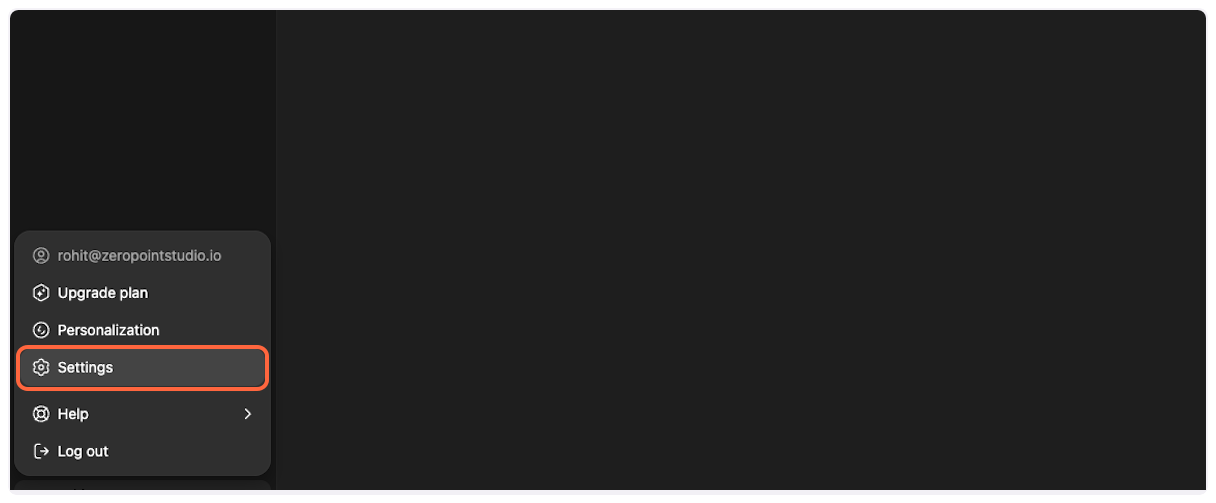 3. **Navigate to Apps & Connectors** In the settings panel, click on “Apps & Connectors” to access the connector configuration. 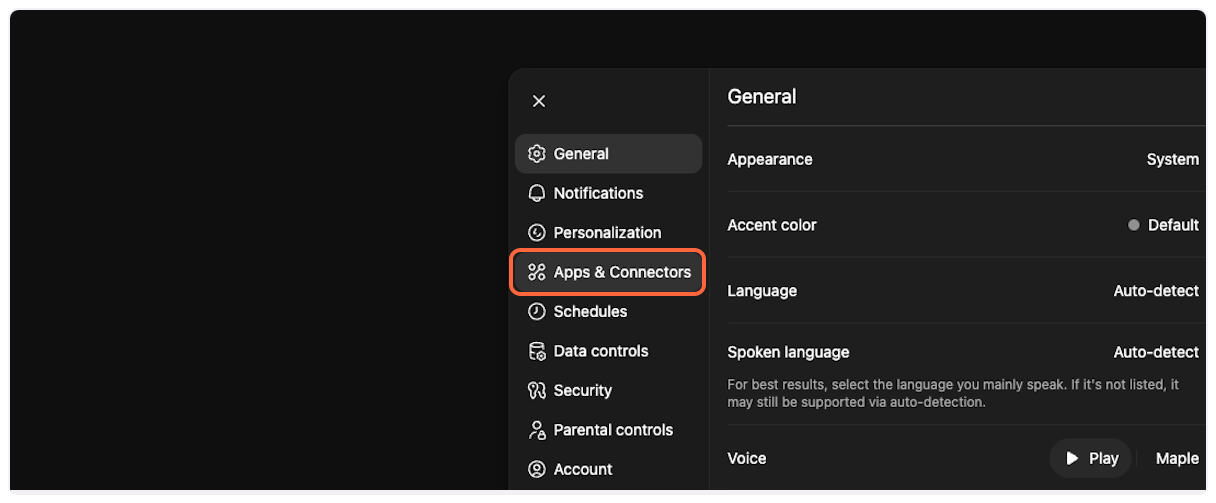 4. **Scroll to Advanced settings** Scroll down in the Apps & Connectors section to find additional options. 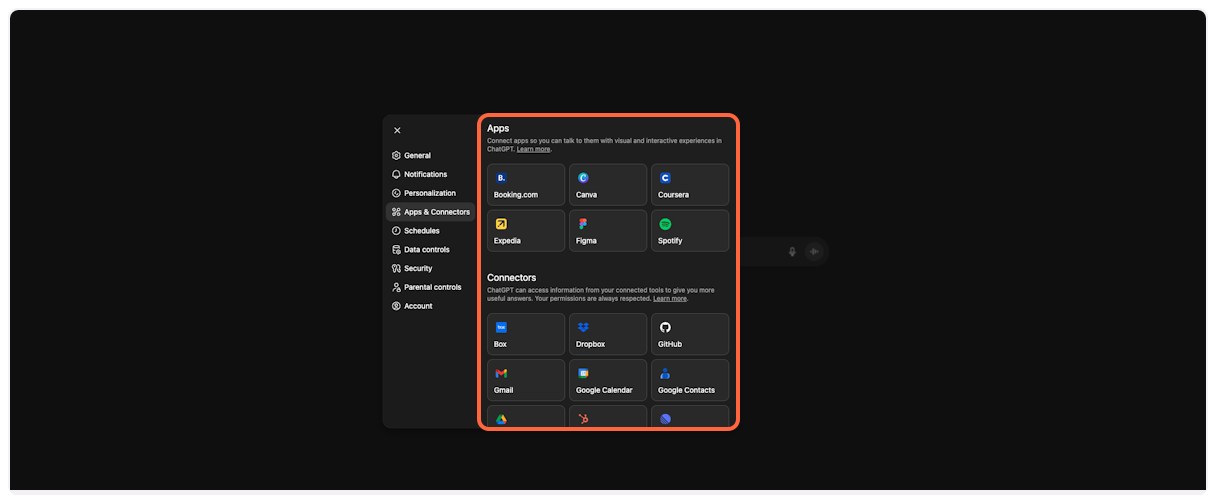 5. **Access Advanced settings** Click on “Advanced settings” to reveal developer options. 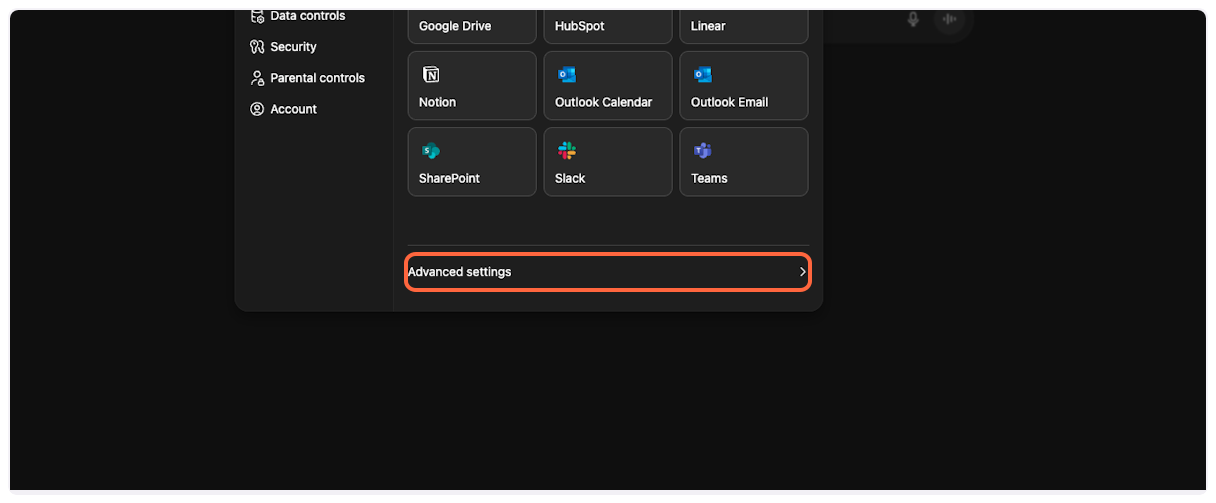 6. **Enable Developer Mode** Toggle the “Developer mode” switch to enable MCP connector support. This allows you to add custom connectors like TranscriptAPI. 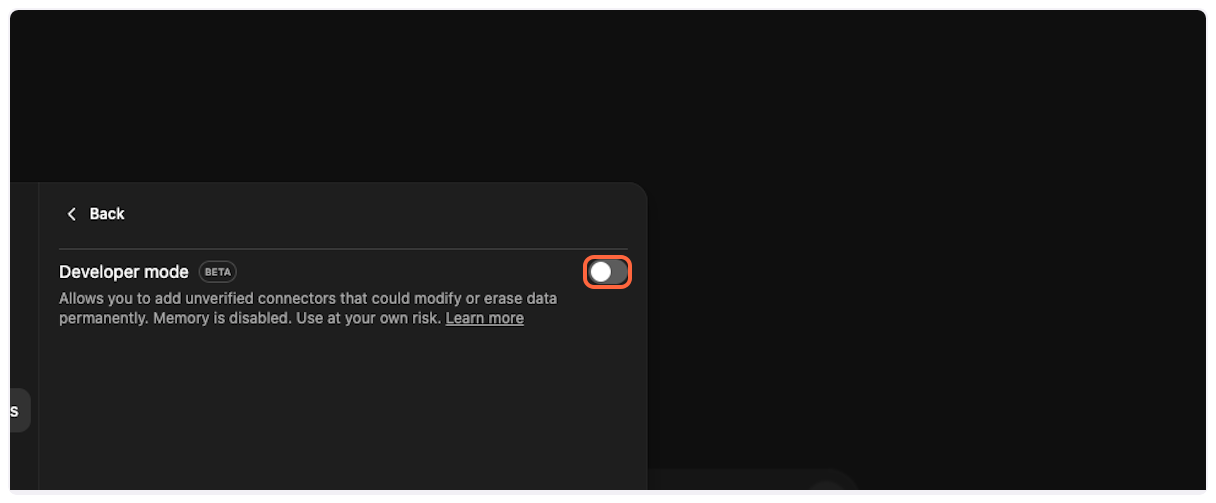 7. **Return to Apps & Connectors** Click “Back” to return to the main Apps & Connectors page where you’ll add the TranscriptAPI connector. 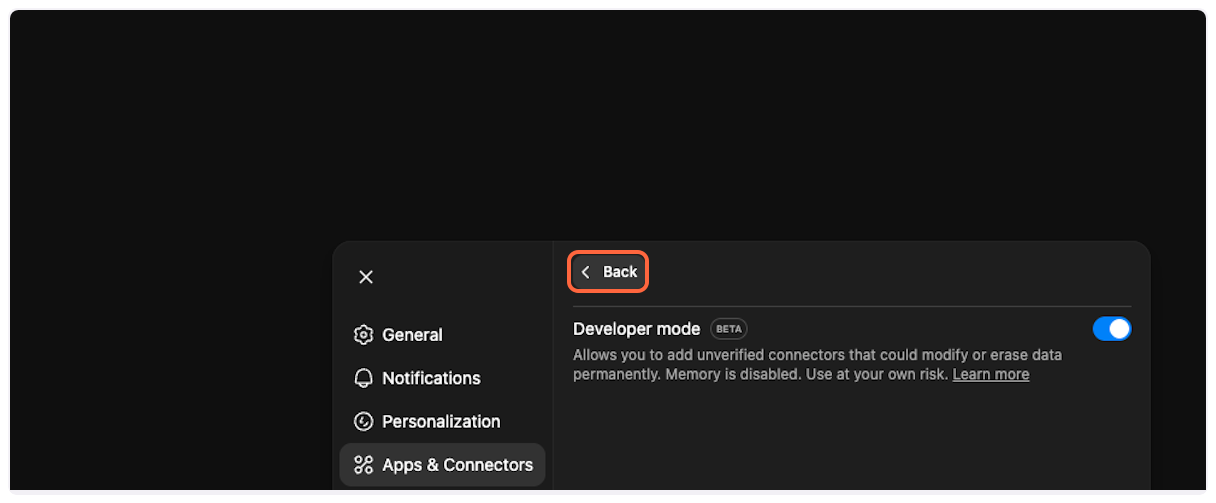 ## Part 2: Add TranscriptAPI Connector [Section titled “Part 2: Add TranscriptAPI Connector”](#part-2-add-transcriptapi-connector) Now that Developer Mode is enabled, you can add the TranscriptAPI MCP connector. 1. **Create a new connector** Click on “Create” to start adding a new connector. 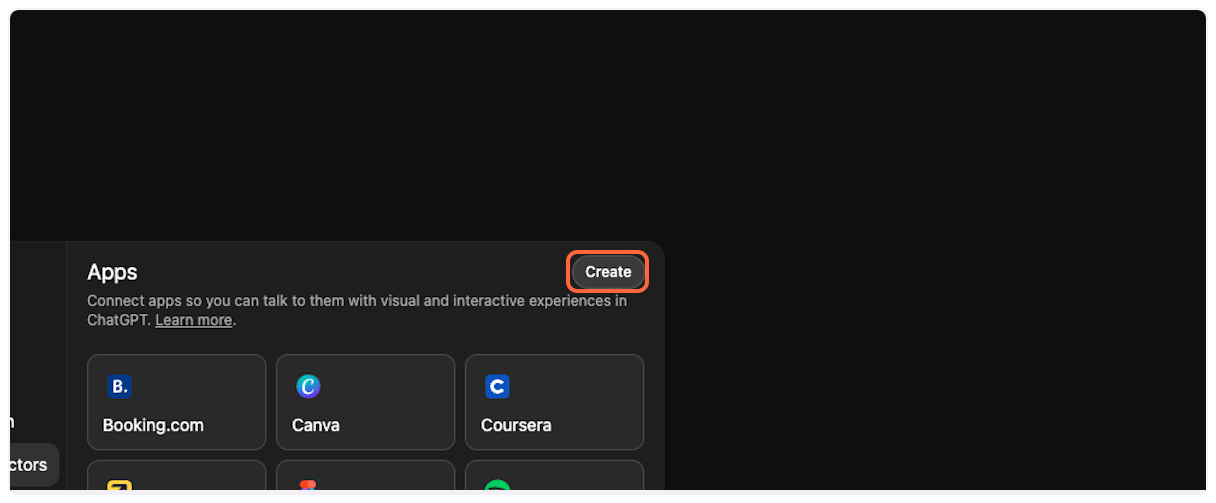 2. **Select New Connector** Choose “New Connector…” from the dropdown menu. 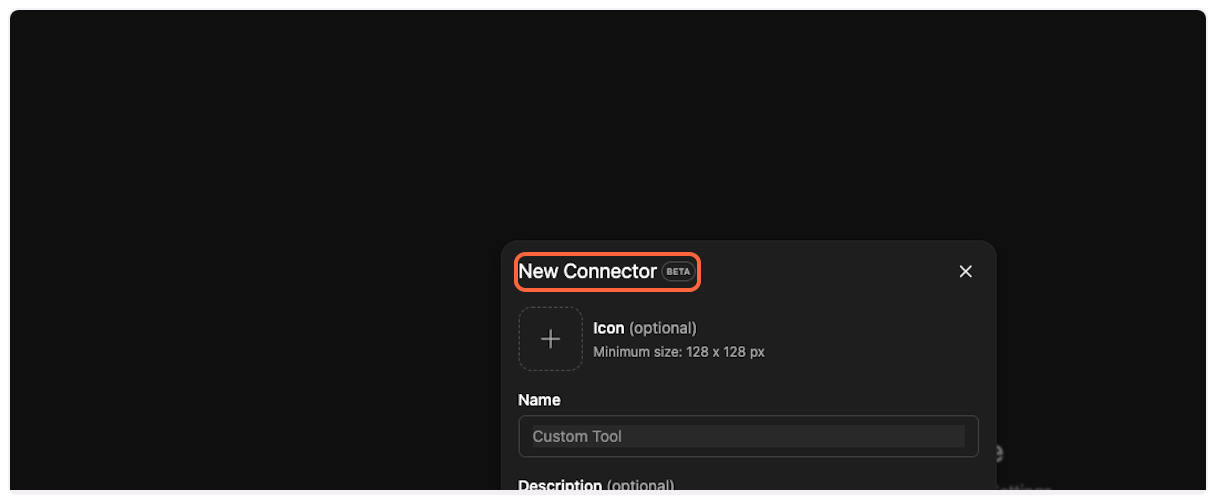 3. **Get TranscriptAPI configuration** Open [TranscriptAPI MCP Integration page](https://transcriptapi.com/dashboard/mcp-integration) in a new tab. You’ll need to copy configuration details from here.  4. **Upload the connector icon** Back in ChatGPT, click the icon selector and upload the TranscriptAPI logo you downloaded.  5. **Copy and paste the MCP name** From the TranscriptAPI dashboard, copy the MCP name (usually “Transcript API”).  Paste it into the “Name” field in ChatGPT.  6. **Copy and paste the description** Copy the MCP description from TranscriptAPI. 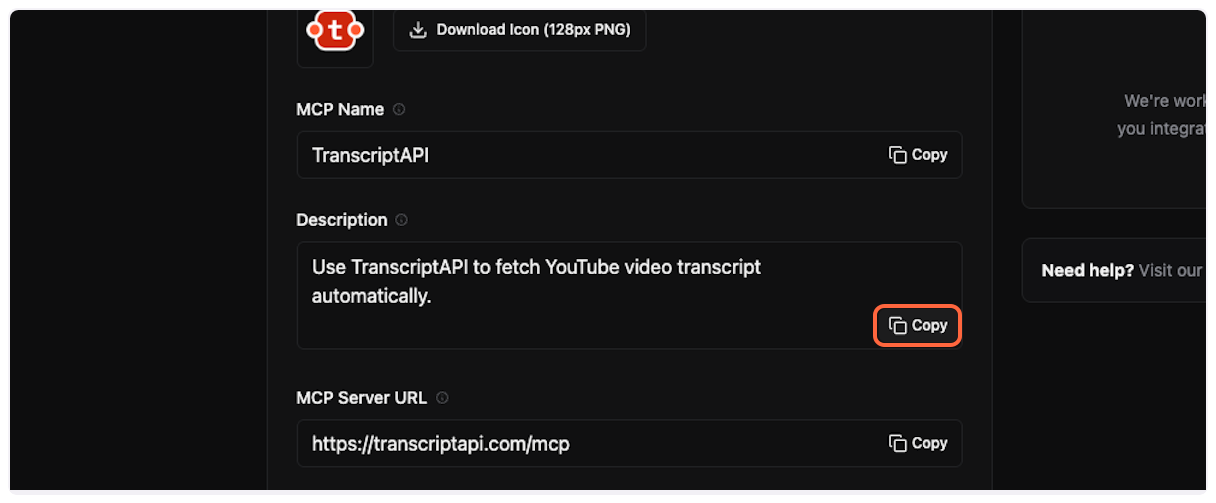 Paste it into the “Description” field in ChatGPT. 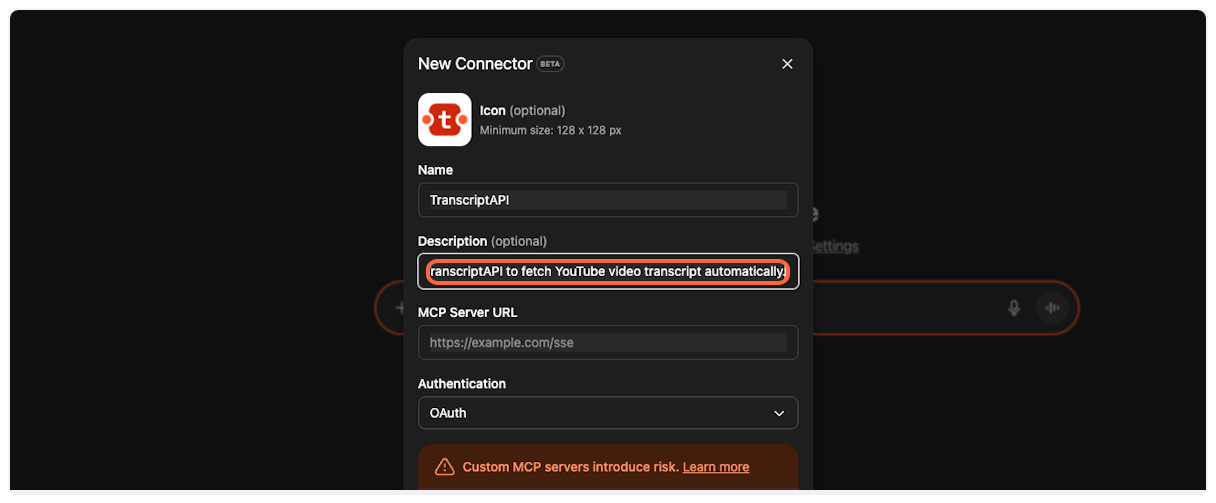 7. **Copy and paste the server URL** This is the most important step. Copy the MCP Server URL from TranscriptAPI (it should be `https://transcriptapi.com/mcp`). 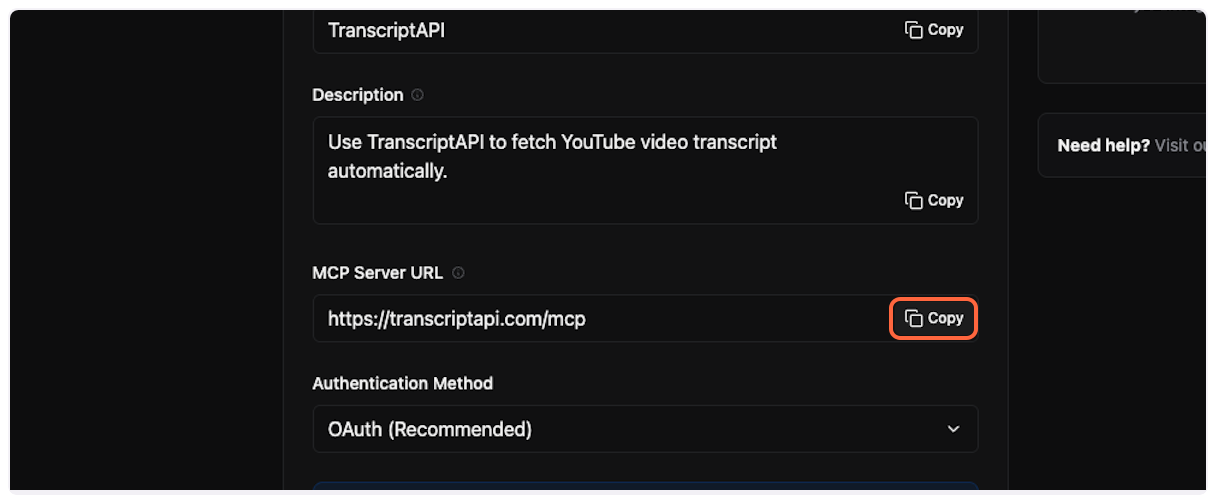 Paste it into the server URL field in ChatGPT. 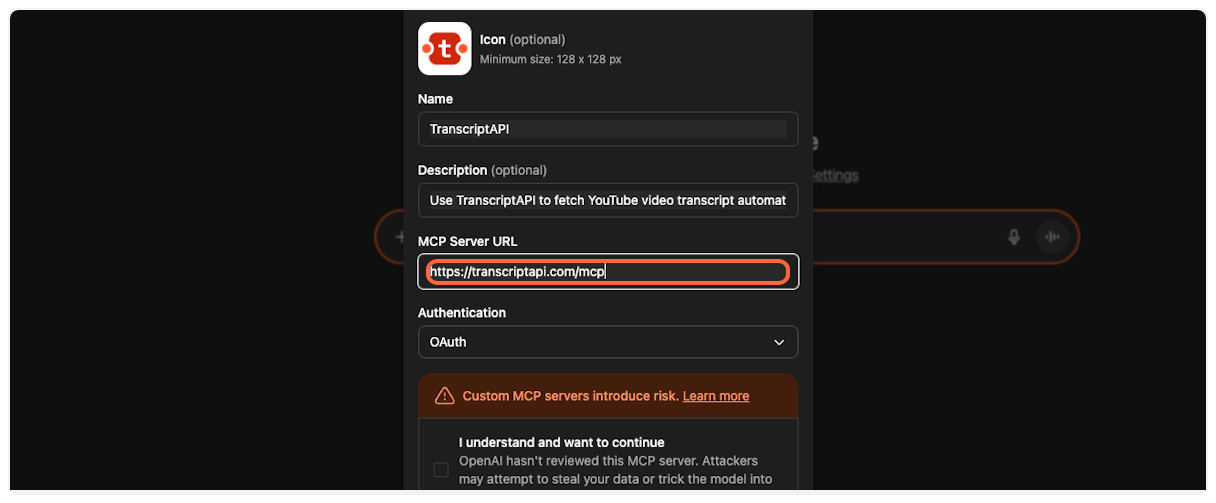 8. **Get your OAuth credentials** ChatGPT requires Client ID and Client Secret for OAuth authentication. On the TranscriptAPI MCP Integration page, make sure “OAuth (Recommended)” is selected in the Authentication Method dropdown. If you don’t have credentials yet, click “Generate Credentials” to create your Client ID and Client Secret. Copy both the **Client ID** and **Client Secret** from the TranscriptAPI dashboard. You’ll need these in the next step. Save Your Credentials The Client Secret is only shown once when first generated or regenerated. Make sure to copy it immediately and store it securely. If you lose it, you can regenerate a new secret, but the old one will stop working. 9. **Add Client ID and Client Secret to ChatGPT** Back in ChatGPT, paste your **Client ID** into the Client ID field and your **Client Secret** into the Client Secret field. 10. **Acknowledge the terms** Check the box that says “I understand and want to continue…” to acknowledge that you’re connecting to an external service. 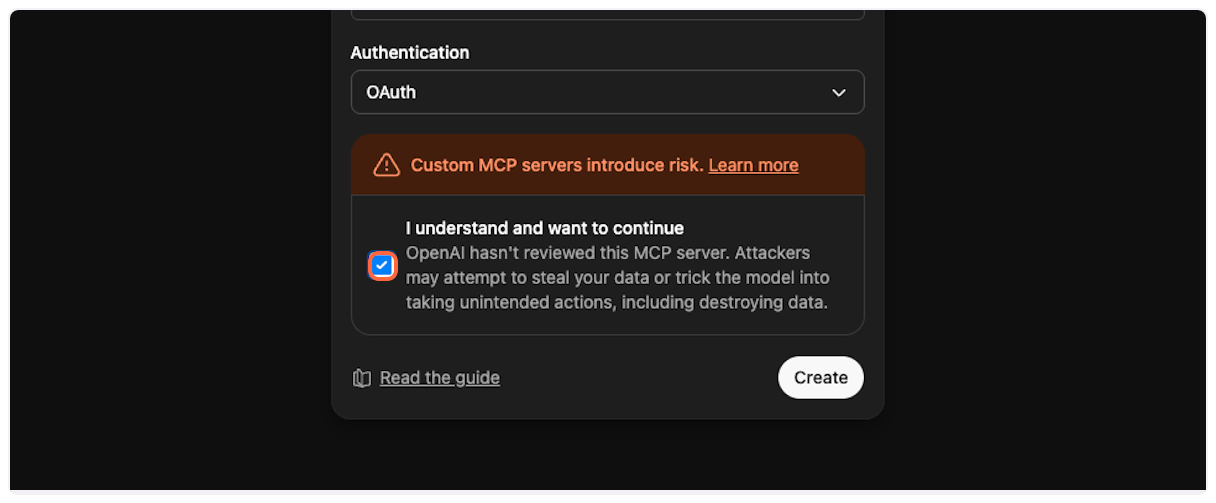 11. **Create the connector** Click “Create” to add the TranscriptAPI connector to your ChatGPT account. 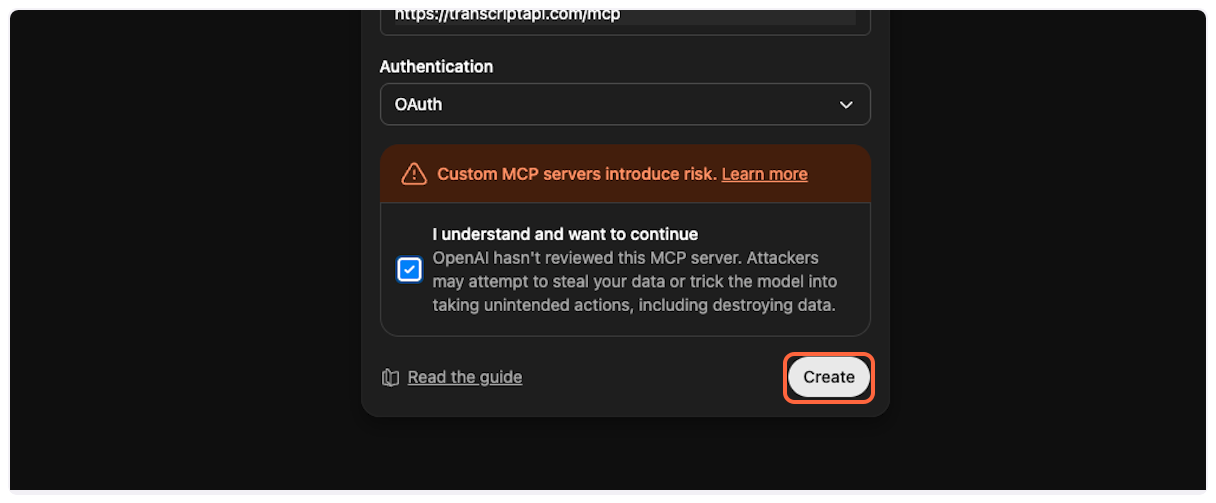 ## Part 3: Authorize Connection [Section titled “Part 3: Authorize Connection”](#part-3-authorize-connection) After creating the connector, you’ll need to authorize it to access your TranscriptAPI account. 1. **TranscriptAPI authorization page** You’ll be redirected to TranscriptAPI’s authorization page. If you’re not already logged in, you’ll need to sign in first. 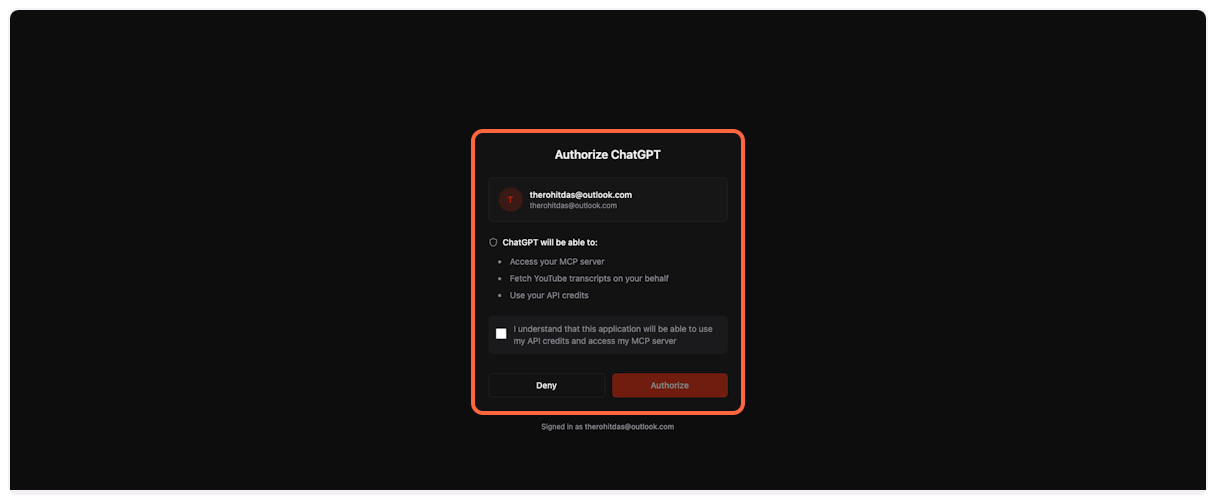 2. **Review permissions** Check the box to acknowledge that ChatGPT will be able to use your API credits and access the MCP server. 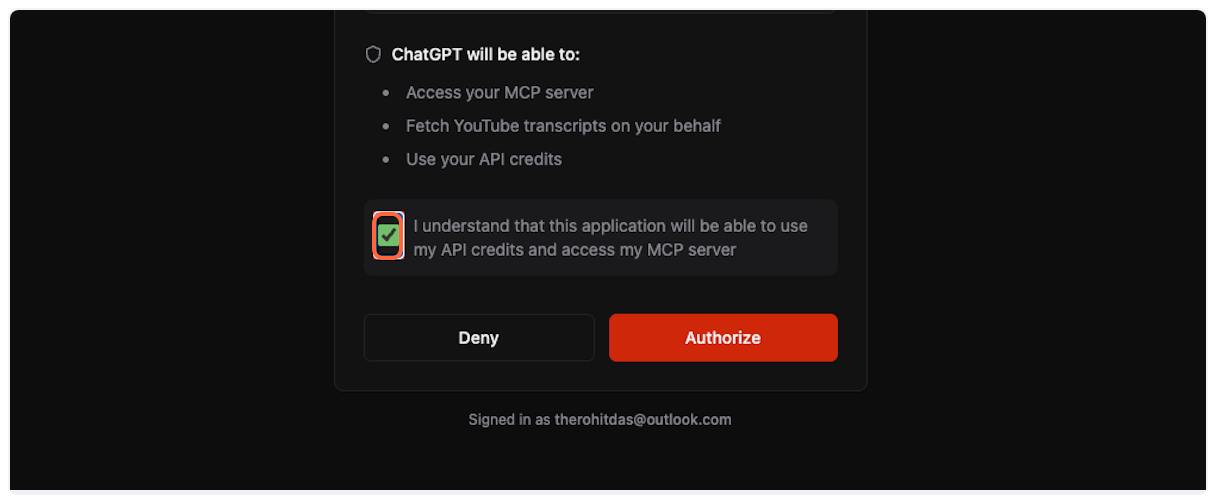 3. **Complete authorization** Click “Authorize” to grant ChatGPT access to TranscriptAPI through OAuth. 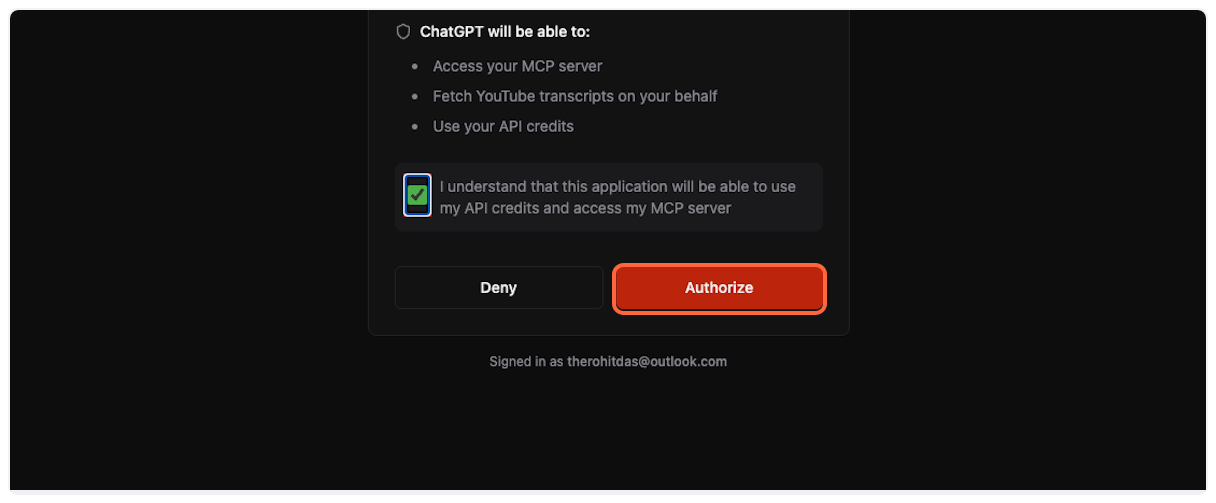 4. **Connection successful** You’ll see a success message confirming that TranscriptAPI is now connected to your ChatGPT account.  ## Part 4: Using the YouTube Transcript MCP [Section titled “Part 4: Using the YouTube Transcript MCP”](#part-4-using-the-youtube-transcript-mcp) Now you’re ready to fetch YouTube transcripts directly in ChatGPT! 1. **Access the MCP tool** In a new ChatGPT conversation, click the “Add files and more” button (paperclip icon). 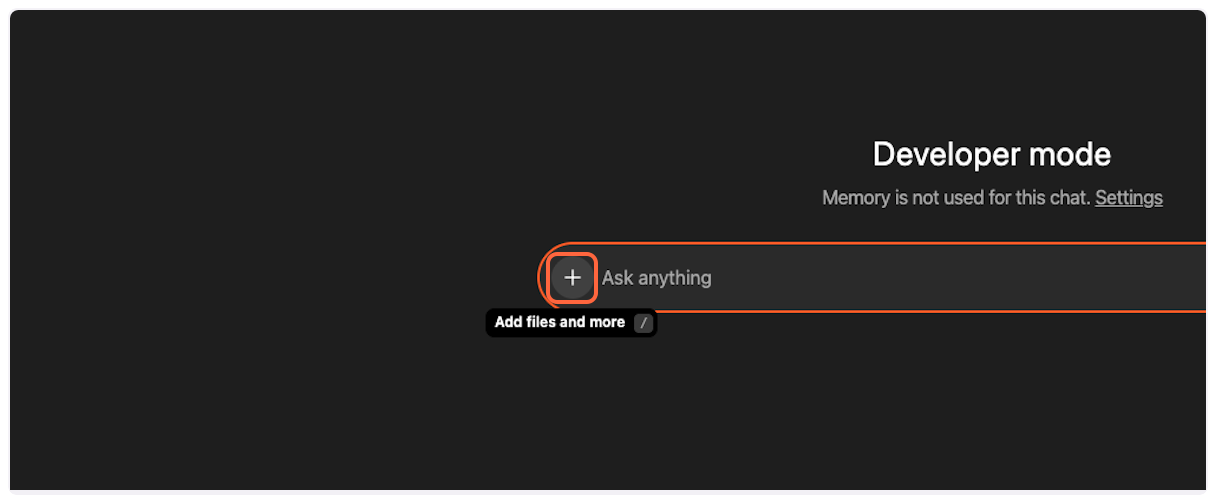 2. **Open more options** Click “More” to see additional tool options. 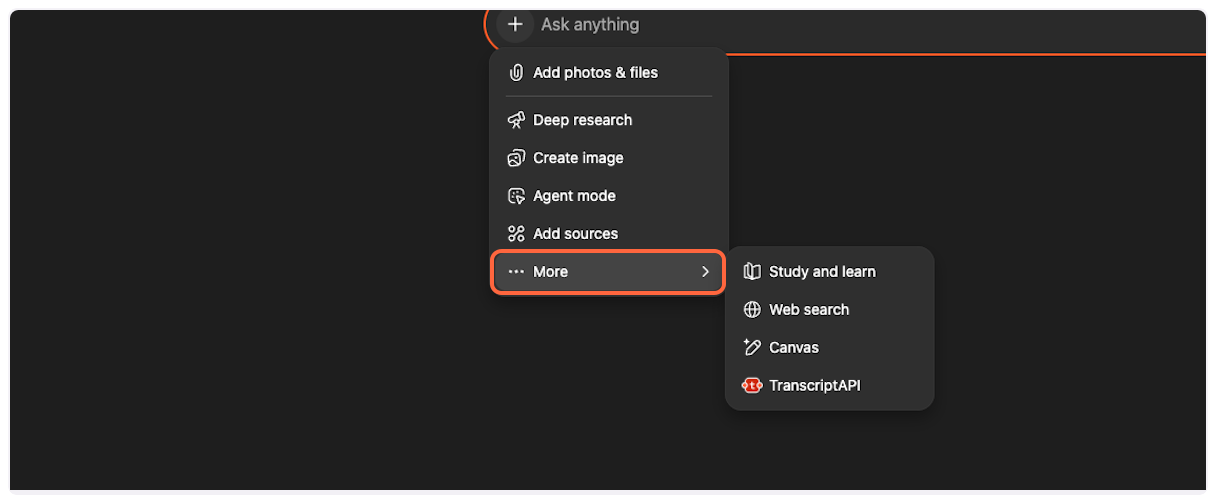 3. **Select TranscriptAPI** Click on “TranscriptAPI” from the list of available tools. 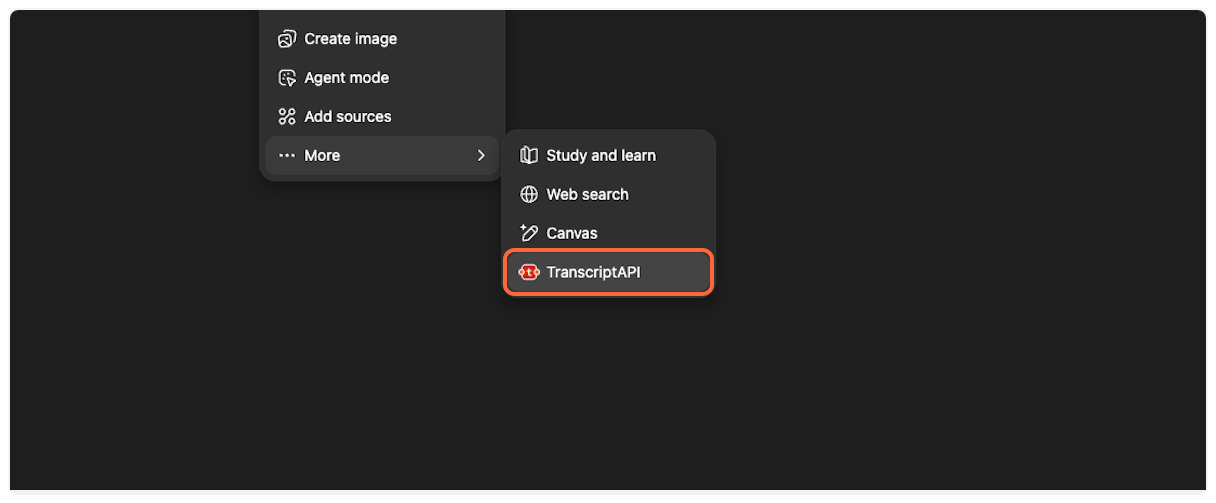 4. **Start a new conversation** You’ll see the TranscriptAPI tool is now active in your conversation. The interface may show “ChatGPT 5” or similar version indicator. 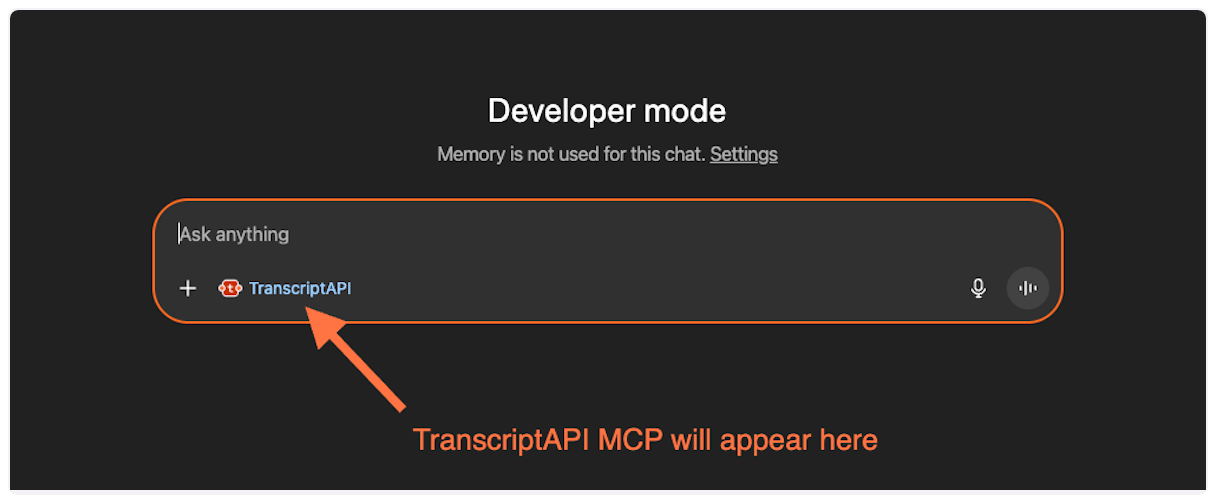 5. **Request a transcript** Paste a prompt like: “Fetch transcript and summarize this long video for me ” 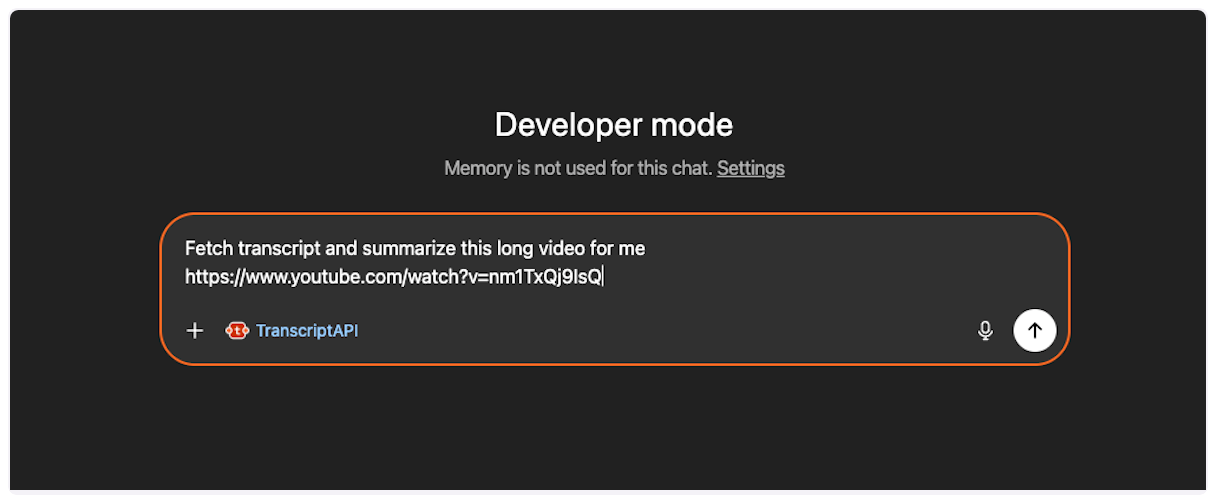 6. **Send your request** Click the send button to submit your transcript request. 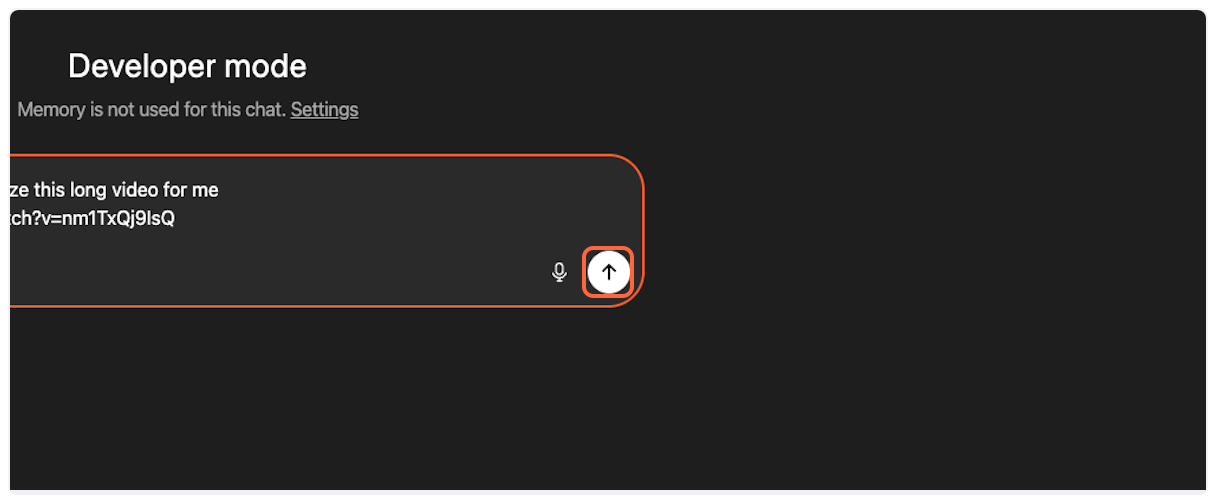 7. **Confirm tool usage** ChatGPT will ask you to confirm the use of the TranscriptAPI tool. Click “Confirm” to proceed. 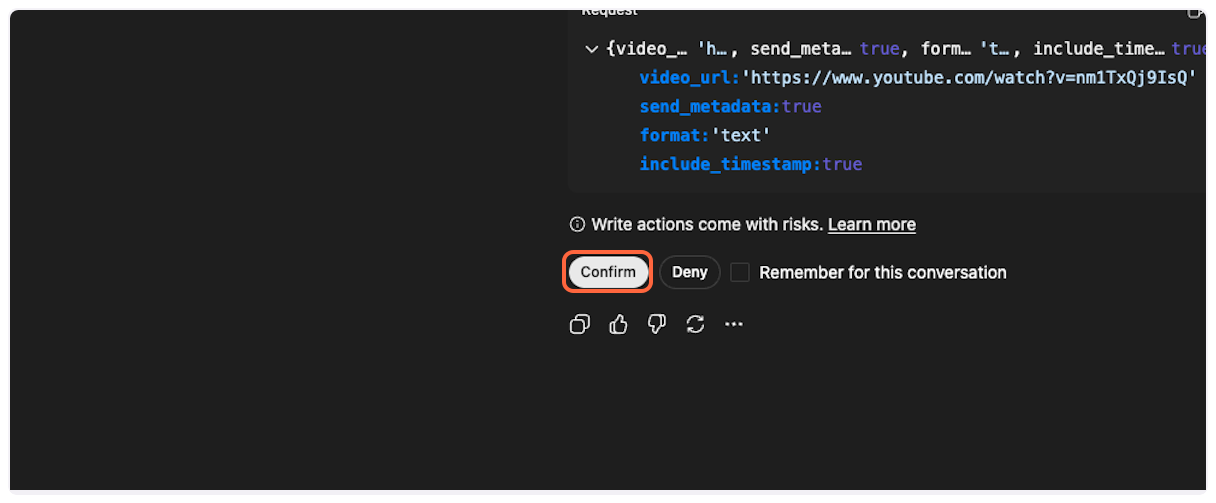 8. **Success! Transcript fetched** The MCP will successfully fetch the YouTube transcript, and ChatGPT will process it according to your request (summarize, analyze, translate, etc.). 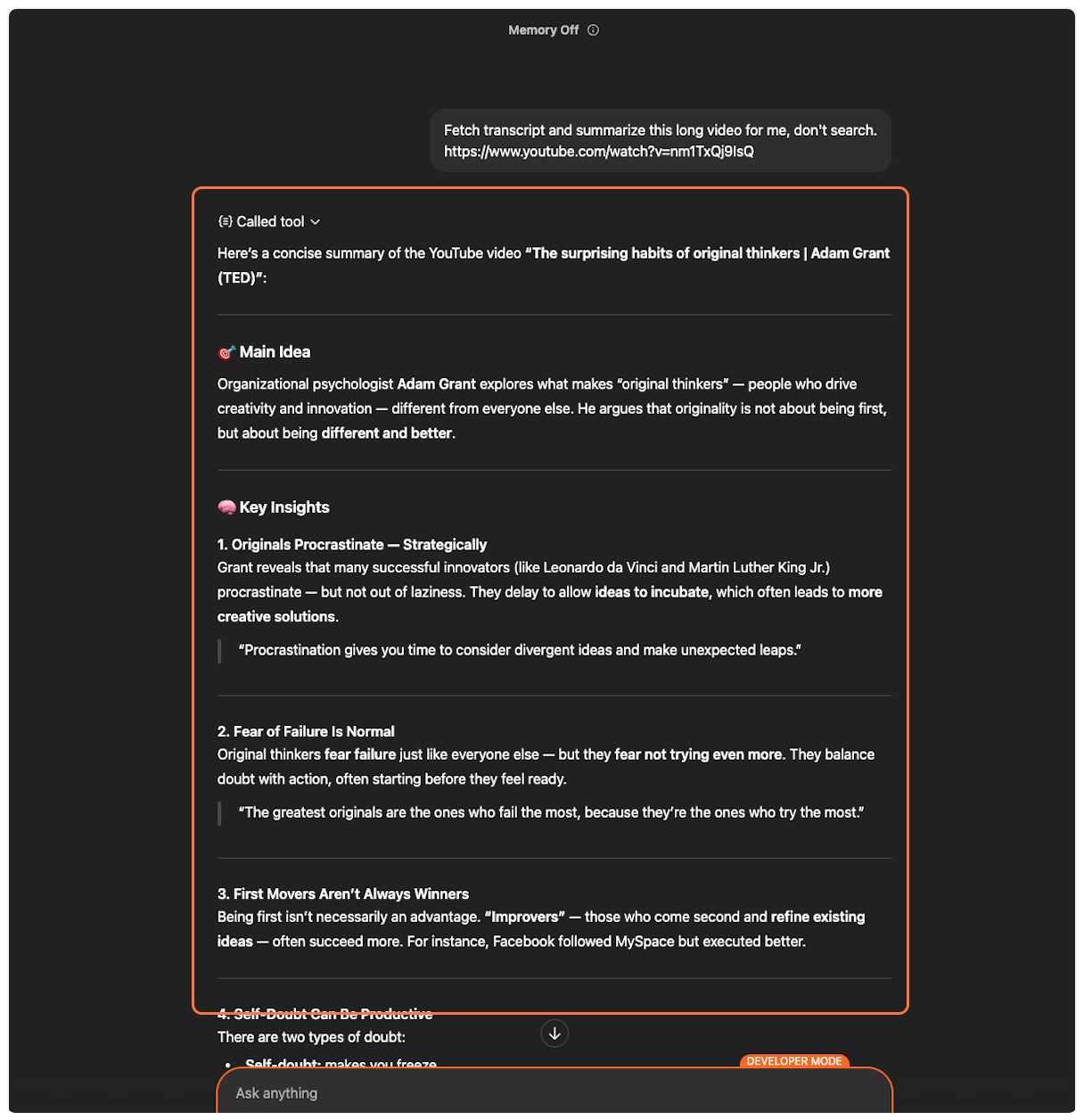 ## Example Prompts [Section titled “Example Prompts”](#example-prompts) Here are some effective ways to use TranscriptAPI in ChatGPT: ### Summarize a Video [Section titled “Summarize a Video”](#summarize-a-video)
```plaintext
Fetch the transcript and summarize this TED talk for me:
https://www.youtube.com/watch?v=UF8uR6Z6KLc
```
### Translate a Transcript [Section titled “Translate a Transcript”](#translate-a-transcript)
```plaintext
Get the transcript from this video and translate it to Spanish:
https://www.youtube.com/watch?v=UF8uR6Z6KLc
```
### Search YouTube [Section titled “Search YouTube”](#search-youtube)
```plaintext
Search YouTube for "quantum computing explained" and
tell me what the top results cover.
```
### Browse a Channel [Section titled “Browse a Channel”](#browse-a-channel)
```plaintext
Show me the latest videos from @natgeo and summarize
the 3 most recent ones.
```
### Search Within a Channel [Section titled “Search Within a Channel”](#search-within-a-channel)
```plaintext
Search @TED for videos about education. List what you find.
```
### Process a Playlist [Section titled “Process a Playlist”](#process-a-playlist)
```plaintext
List the videos in this playlist:
https://www.youtube.com/playlist?list=PLOGi5-fAu8bFIs_Lbp-MNwPKpPjBJGUzr
Get the transcript for the first video and create study notes.
```
## How this compares to other ways to get YouTube transcripts [Section titled “How this compares to other ways to get YouTube transcripts”](#how-this-compares-to-other-ways-to-get-youtube-transcripts) The MCP connector is one of several ways to get transcript text out of YouTube. Here’s an honest comparison: | Approach | What it is | Strengths | Trade-offs | | ----------------------------------------------- | ------------------------------------------------------------------------------------------------------------ | -------------------------------------------------------------------------------------------------------------------------------------------------------------------------------------------------------------- | --------------------------------------------------------------------------------------------------------------------------------------------------------------------------------------------------------------------------------------- | | **TranscriptAPI MCP connector** | A hosted YouTube transcript API exposed to ChatGPT as an MCP tool | Nothing to install or host; OAuth-based setup (this guide); same infrastructure as TranscriptAPI’s REST API (49ms median response time, 15M+ transcripts/month); also adds search, channel, and playlist tools | Requires a TranscriptAPI account and credits after the free tier; requires ChatGPT Plus or Team for Developer Mode (currently beta) | | **`youtube-transcript-api` (Python)** | A free, open-source Python package that reads YouTube’s own caption tracks | No signup or API key; quick to try locally; works without a headless browser | Runs on your own servers, so it inherits YouTube’s cloud-IP blocking; Python-only; no channel, playlist, or search endpoints; no built-in MCP support — connecting it to ChatGPT means writing and hosting your own MCP wrapper | | **DIY yt-dlp scraping** | A free, open-source command-line tool for downloading YouTube video/audio, which can also save caption files | Extremely flexible; large, active community; not limited to transcripts | Not an API or an MCP connector — output is subtitle files (VTT/SRT) you parse yourself; same YouTube anti-scraping exposure as any direct-scraping approach; you own the hosting, scheduling, and keeping it updated as YouTube changes | | **Generic web-scraping APIs / actor platforms** | General-purpose scraping infrastructure (e.g., actor-based platforms) pointed at YouTube pages | Flexible for one-off jobs and mixed data beyond transcripts (comments, page metadata) | Not transcript-specialized — pricing, latency, and output schema vary by job/actor; typically no dedicated MCP surface for AI assistants; more setup than a purpose-built transcript API | If you’re already using the Python `youtube-transcript-api` package and hitting IP blocks or parser errors, see the [migration guide](/blog/migrate-to-transcriptapi). For a broader look at hosted transcript API options, see [Best YouTube Transcript APIs Compared](/blog/best-youtube-transcript-apis-compared). ## Troubleshooting [Section titled “Troubleshooting”](#troubleshooting) ### Common ChatGPT Beta Issues [Section titled “Common ChatGPT Beta Issues”](#common-chatgpt-beta-issues) Beta Limitations Due to ChatGPT’s beta status, you may encounter these issues: #### “Unable to fetch transcript” (but it actually worked) [Section titled ““Unable to fetch transcript” (but it actually worked)”](#unable-to-fetch-transcript-but-it-actually-worked) **Symptom**: ChatGPT says it couldn’t fetch the transcript, but if you ask again, it has the content. **Solution**: This happens when ChatGPT runs a parallel search that overrides the MCP response. Simply ask ChatGPT to use the transcript it already fetched. #### “MCP tool cannot be called” errors [Section titled ““MCP tool cannot be called” errors”](#mcp-tool-cannot-be-called-errors) **Symptom**: Random errors about the MCP tool being unavailable. **Solution**: 1. Go back to Apps & Connectors in settings 2. Click on the TranscriptAPI connector 3. Select “Refresh tools” or “Reauthorize” 4. Try your request again #### Connection timeout or slow responses [Section titled “Connection timeout or slow responses”](#connection-timeout-or-slow-responses) **Symptom**: The tool takes a long time or times out. **Solution**: * For very long videos (>2 hours), the transcript fetch may take longer * Try again with a shorter video first to test the connection * Check your TranscriptAPI credit balance ### TranscriptAPI-Specific Issues [Section titled “TranscriptAPI-Specific Issues”](#transcriptapi-specific-issues) #### No credits remaining [Section titled “No credits remaining”](#no-credits-remaining) **Symptom**: Error message about payment required or no credits. **Solution**: [Purchase more credits](https://transcriptapi.com/dashboard/billing) in your TranscriptAPI dashboard. #### Video has no transcript available [Section titled “Video has no transcript available”](#video-has-no-transcript-available) **Symptom**: 404 error or “transcript not available” message. **Solution**: The video may: * Not have captions enabled * Be private or age-restricted * Be deleted or unavailable in your region ### Need More Help? [Section titled “Need More Help?”](#need-more-help) If you continue experiencing issues: 1. **For ChatGPT beta issues**: Consider using [Claude](/docs/mcp/claude/) for a more stable MCP experience 2. **For TranscriptAPI issues**: [Contact support](/contact) with your specific error message 3. **For general MCP questions**: See our [MCP documentation](/docs/mcp/) ## Next Steps [Section titled “Next Steps”](#next-steps) Now that you’ve successfully connected TranscriptAPI to ChatGPT, explore these resources: * Learn about [MCP authentication options](/docs/mcp/#authentication) for different platforms * Discover [all available MCP parameters](/docs/mcp/#available-tools) for advanced usage * Check your [credit usage and limits](/docs/mcp/#credit-usage--rate-limits) * Try TranscriptAPI with [other AI platforms](/docs/mcp/#platform-integration) ## Frequently Asked Questions [Section titled “Frequently Asked Questions”](#frequently-asked-questions) **Do I need to install anything to use TranscriptAPI in ChatGPT?** No. The MCP connector runs on TranscriptAPI’s servers — you only add the connector URL and authorize it in ChatGPT’s settings (see Part 2 and Part 3 above). No local libraries, scrapers, or servers to run. **Is a “YouTube captions API” the same thing as a transcript API?** The terms are often used interchangeably. TranscriptAPI’s MCP connector returns the same underlying caption data (manual or auto-generated) as TranscriptAPI’s REST API. See [captions vs. transcripts vs. subtitles](/blog/youtube-captions-vs-transcripts-vs-subtitles) for the terminology breakdown. **Can I use the same TranscriptAPI account for LLM apps outside ChatGPT?** Yes. The MCP connector and the REST API share the same account, credits, and rate limits, so you can also call TranscriptAPI directly from your own LLM app or agent. See [giving AI agents access to YouTube data via MCP](/blog/ai-agents-access-to-youtube-data). **Do I need a paid ChatGPT plan?** Yes — ChatGPT’s Developer Mode, which is required to add custom MCP connectors, is currently available on ChatGPT Plus and Team plans only (see Prerequisites above). **Does the connector cost anything beyond my ChatGPT subscription?** TranscriptAPI is metered separately from ChatGPT: new accounts get 100 free credits, and paid plans start at $5/month. Fetching a transcript costs 1 credit; listing a channel’s latest videos is free. See [MCP credit usage and rate limits](/docs/mcp/#credit-usage--rate-limits) for the full breakdown. ## Related [Section titled “Related”](#related) [MCP Overview](/docs/mcp/)Learn about Model Context Protocol and TranscriptAPI integration. [Claude Guide](/docs/mcp/claude/)Connect TranscriptAPI to Claude for a stable MCP experience. [API Reference](/docs/api/)Explore the REST API for programmatic access.
# Connect TranscriptAPI to Claude (Step-by-Step Guide 2026)
> YouTube Transcript MCP integration with Claude - comprehensive guide to fetch YouTube transcripts directly in Claude with natural conversation flow and multi-video analysis.
Learn how to connect TranscriptAPI’s YouTube Transcript MCP to Claude for a seamless, natural conversation experience with YouTube videos. This comprehensive guide walks you through setup and showcases Claude’s powerful multi-video analysis capabilities. [How to Connect TranscriptAPI to Claude - Step by Step Tutorial](https://www.youtube-nocookie.com/embed/9NzvVKMfGxo) ## What You Can Do with Claude + TranscriptAPI [Section titled “What You Can Do with Claude + TranscriptAPI”](#what-you-can-do-with-claude--transcriptapi) Claude’s MCP integration with TranscriptAPI transforms how you interact with YouTube content. Unlike other platforms, Claude offers a truly natural experience where the YouTube Transcript MCP works seamlessly in the background. ### Key Capabilities [Section titled “Key Capabilities”](#key-capabilities) **Natural Conversations**: Simply paste YouTube links and chat naturally - no manual tool selection needed. Claude automatically fetches transcripts when it detects video URLs. **Multi-Video Analysis**: Claude excels at working with multiple videos simultaneously. Compare perspectives across creators, identify patterns in video series, or synthesize information from entire playlists into comprehensive resources. **Seamless Integration**: Once connected, TranscriptAPI works invisibly in the background. Just share video links and ask questions - Claude handles the rest. ## Prerequisites [Section titled “Prerequisites”](#prerequisites) Before getting started, ensure you have: * A Claude account on any plan: Free, Pro, Max, Team, or Enterprise. Free accounts can add one custom connector. On Team and Enterprise plans, an Owner adds the connector to the organization first, then each member connects it. * A TranscriptAPI account ([sign up free](https://transcriptapi.com)) * 10 minutes to complete the setup ## Part 1: Add TranscriptAPI Connector [Section titled “Part 1: Add TranscriptAPI Connector”](#part-1-add-transcriptapi-connector) Let’s begin by adding TranscriptAPI as a custom connector in Claude. 1. **Open Connector Settings** In Claude, go to **Customize > Connectors** ([direct link](https://claude.ai/settings/connectors)), click **+**, then choose “Add custom connector”. 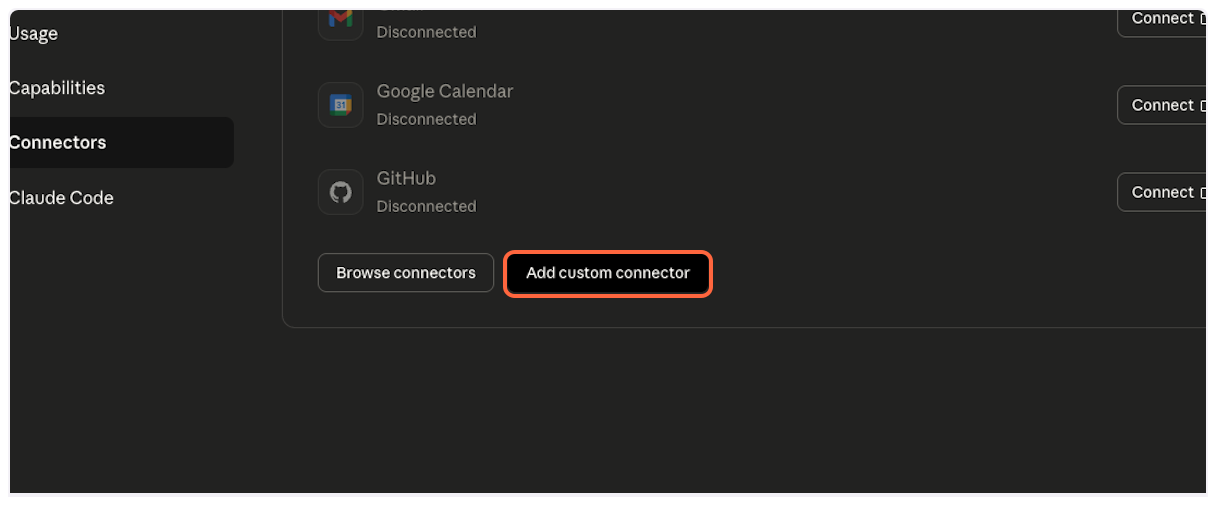 2. **Get TranscriptAPI Configuration** Open the [TranscriptAPI MCP Integration page](https://transcriptapi.com/dashboard/mcp-integration) in a new tab. You’ll need to copy the MCP name from here. 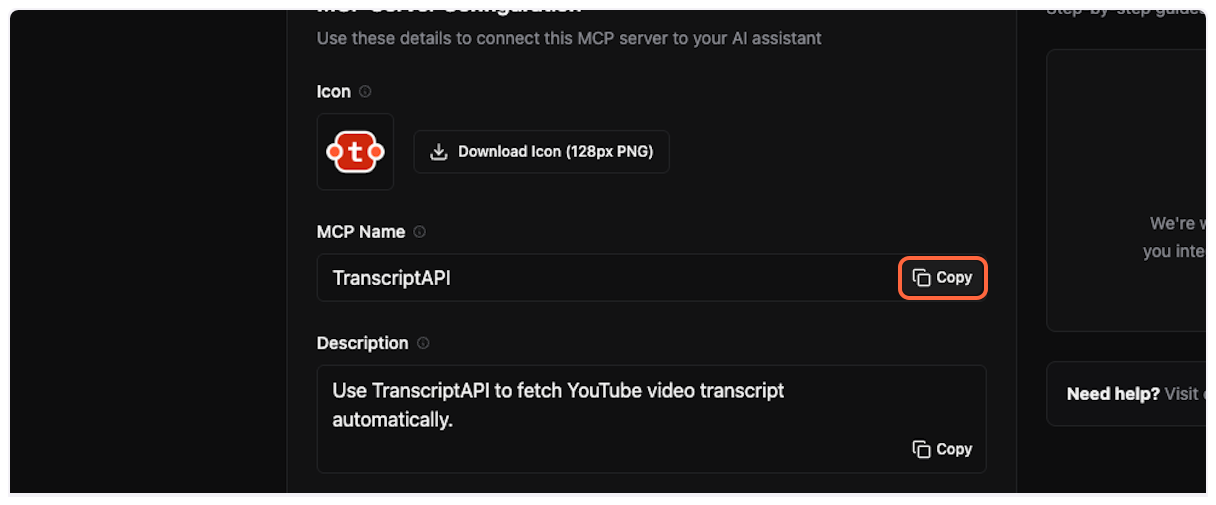 3. **Enter Connector Name** Back in Claude, paste “TranscriptAPI” into the name field. 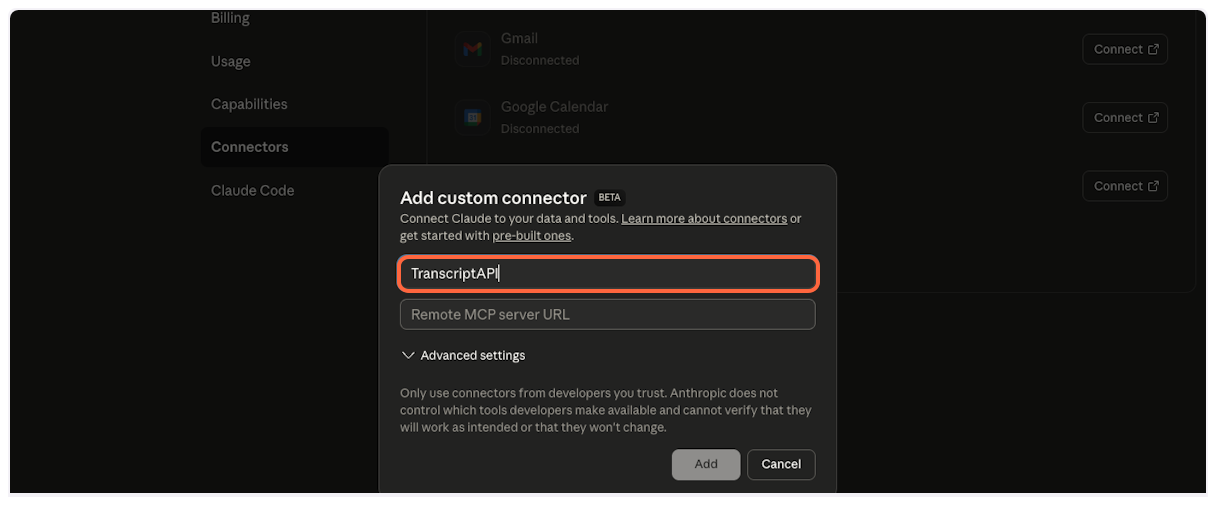 4. **Copy MCP Server URL** This is the most important step. From the TranscriptAPI dashboard, copy the MCP Server URL. It should be `https://transcriptapi.com/mcp`. 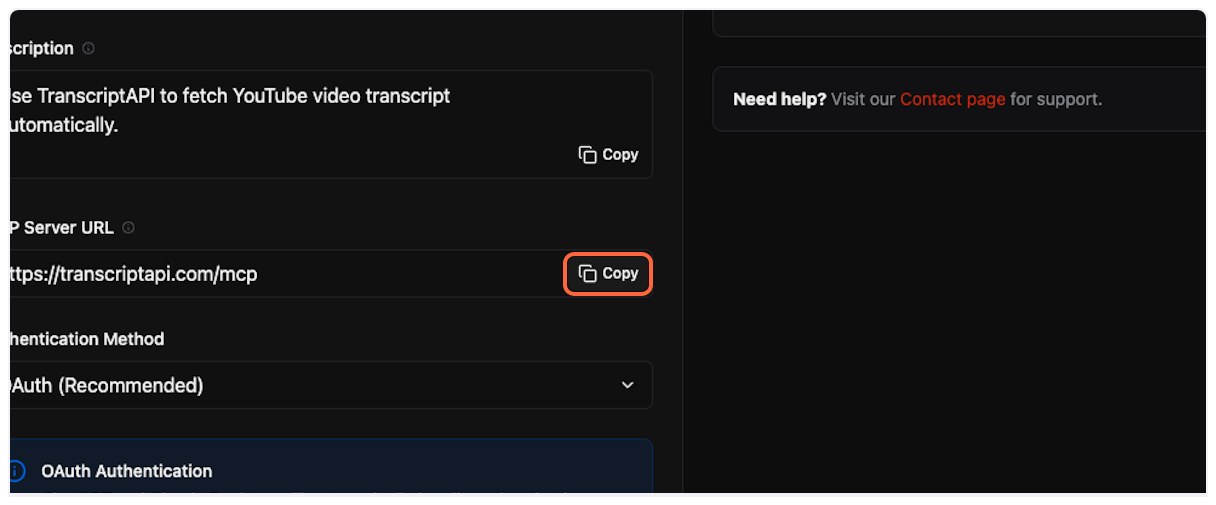 5. **Paste Server URL** Paste the server URL into Claude’s configuration field. 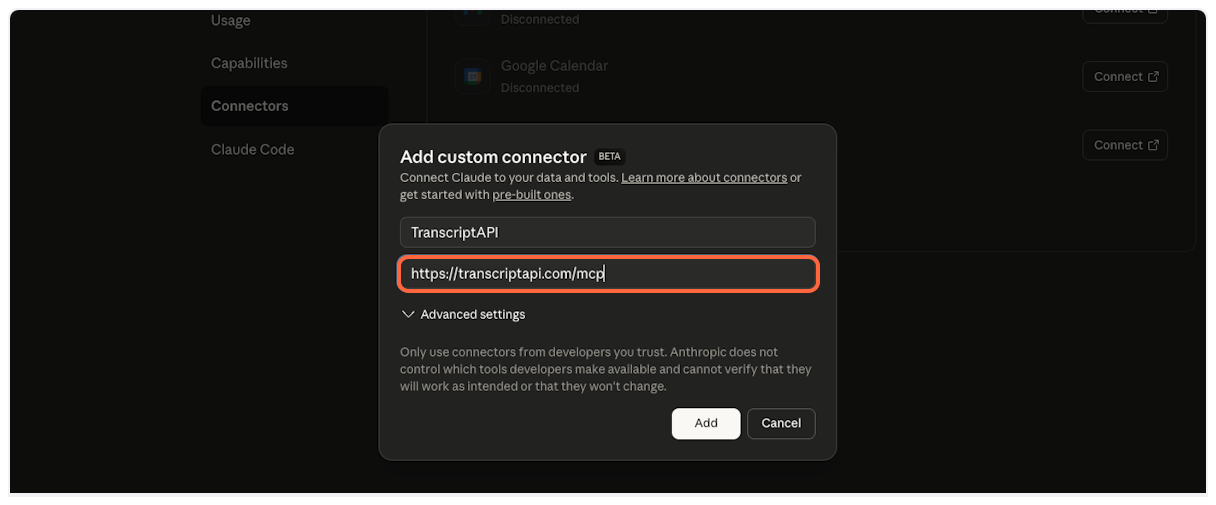 6. **Add the Connector** Click “Add” to create the TranscriptAPI connector. 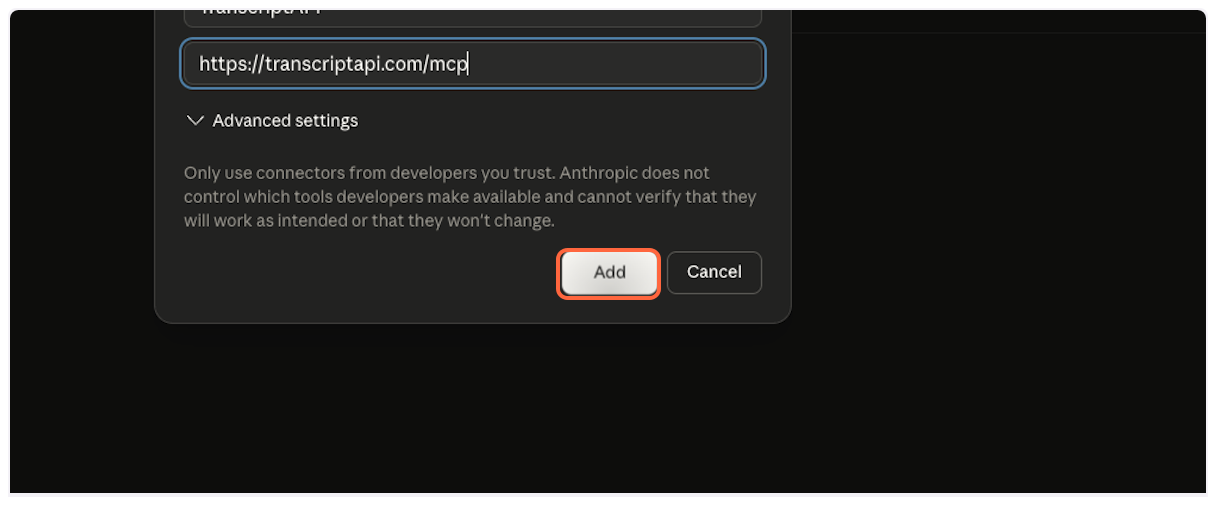 7. **Verify Connector Added** TranscriptAPI will now appear in your list of connectors. You’ll need to configure and authorize it next. 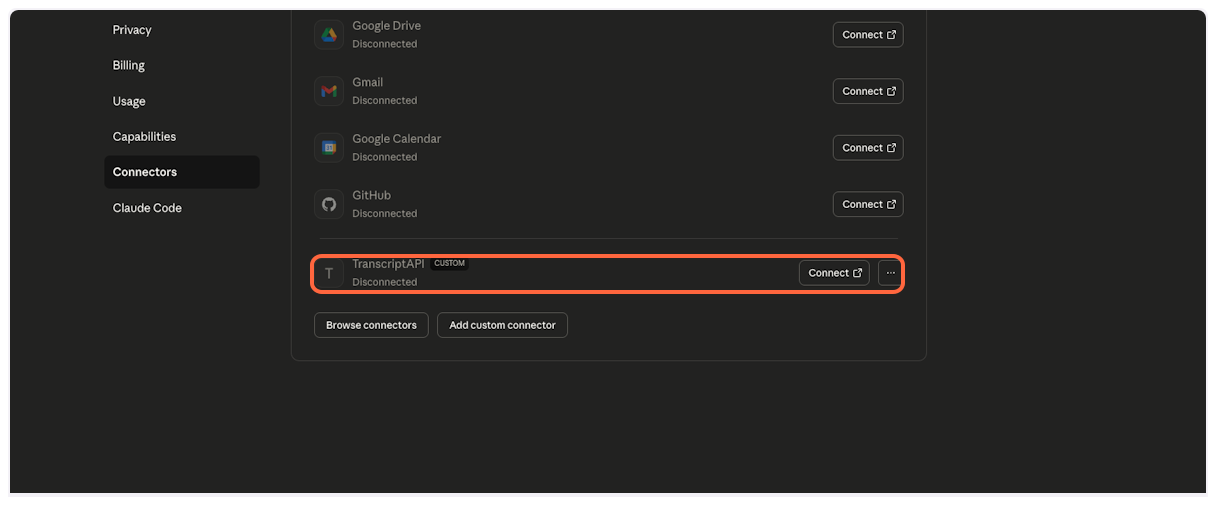 8. **Connect to TranscriptAPI** Click “Connect” to begin the authorization process. 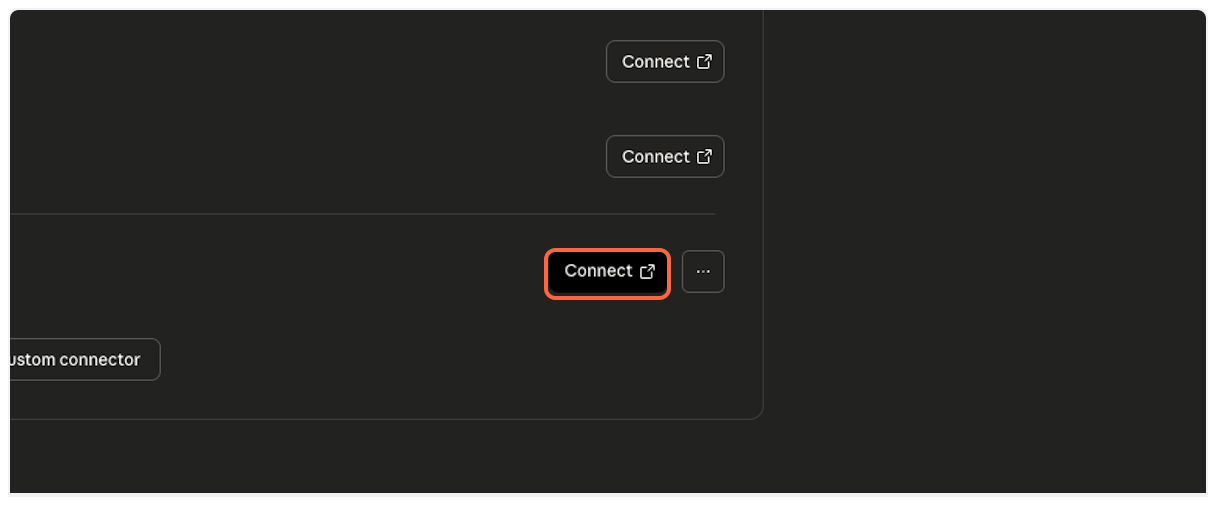 ## Part 2: Authorize Connection [Section titled “Part 2: Authorize Connection”](#part-2-authorize-connection) Now you’ll authorize Claude to access your TranscriptAPI account. 1. **TranscriptAPI Authorization Page** You’ll be redirected to TranscriptAPI’s secure OAuth authorization page. If you’re not logged in, sign in to your TranscriptAPI account first. 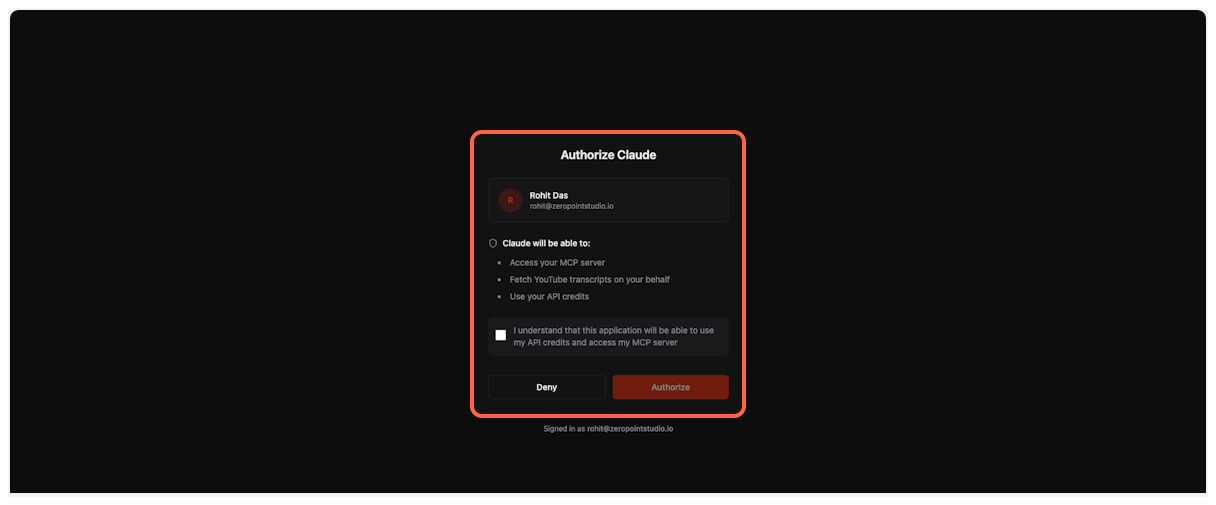 2. **Acknowledge API Credit Usage** Check the box to confirm you understand that Claude will use your API credits when fetching transcripts. 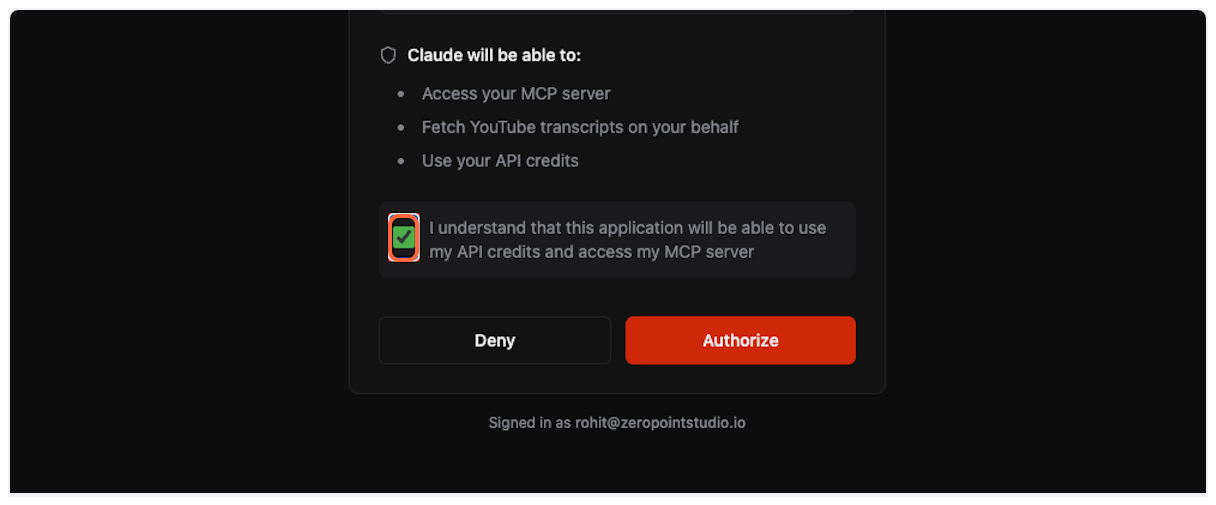 3. **Complete Authorization** Click “Authorize” to grant Claude access to TranscriptAPI. 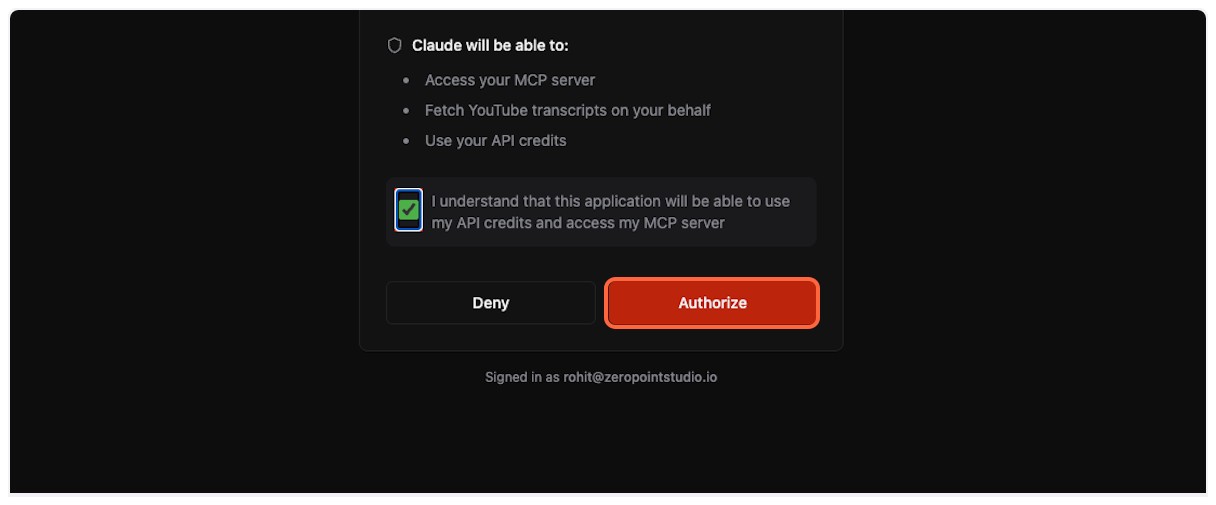 ## Part 3: Configure Permissions (Recommended) [Section titled “Part 3: Configure Permissions (Recommended)”](#part-3-configure-permissions-recommended) For the best experience, configure TranscriptAPI to work without requiring approval for each use. 1. **Open Configuration** After successful connection, click “Configure” to adjust permissions.  2. **Access Permission Settings** Click on “Always ask permission” dropdown to see available options. 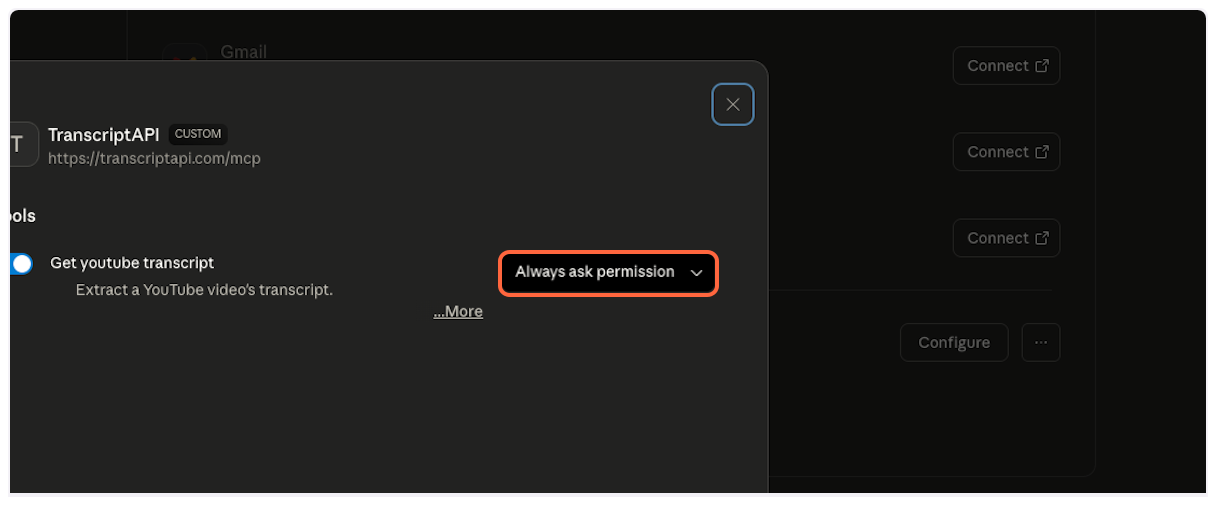 3. **Enable Unsupervised Access** Select “Allow unsupervised…” to let Claude use TranscriptAPI automatically when needed. This provides the most seamless experience. 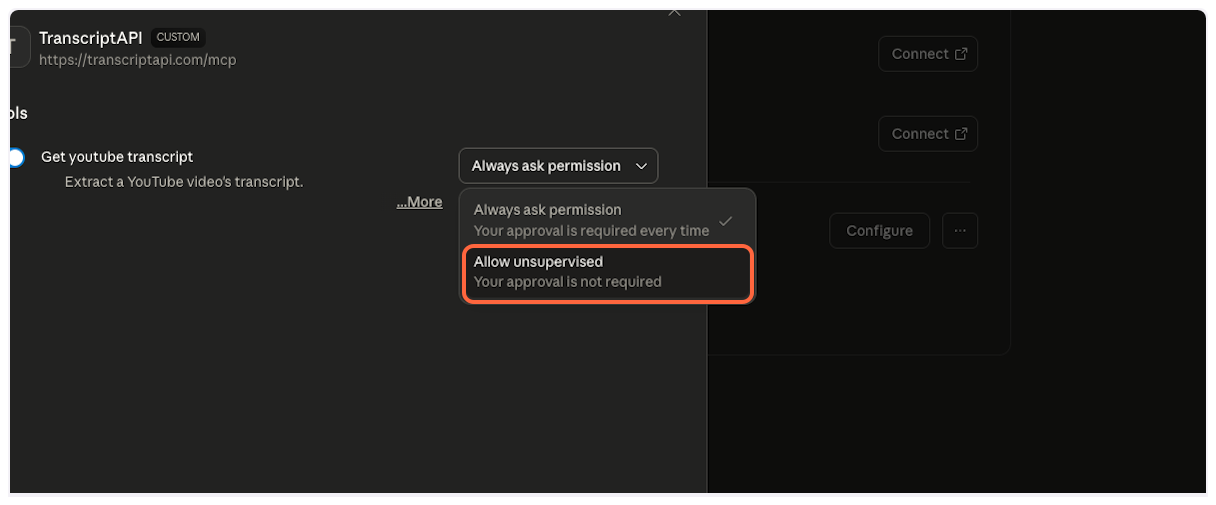 ## Part 4: Using the YouTube Transcript MCP [Section titled “Part 4: Using the YouTube Transcript MCP”](#part-4-using-the-youtube-transcript-mcp) With setup complete, you’re ready to start analyzing YouTube videos with Claude! 1. **Start a New Chat** Click “New chat” to begin a fresh conversation. 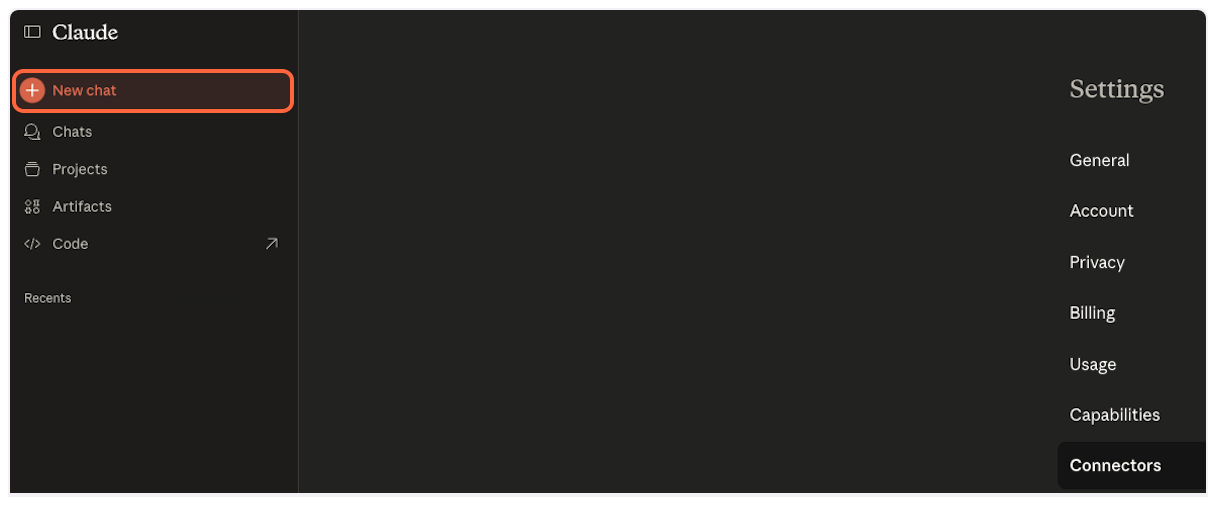 2. **Open the Connectors Menu** Click the **+** button at the lower left of the chat box, then **Connectors**, to verify TranscriptAPI is available.  3. **Verify TranscriptAPI is Enabled** Confirm that TranscriptAPI appears in your available tools and is enabled. 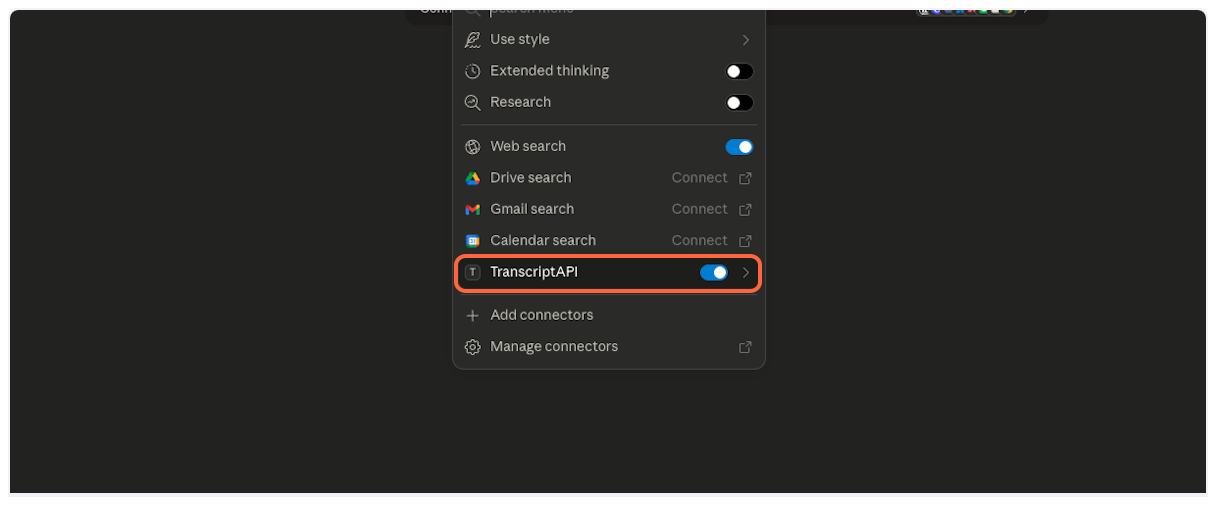 4. **Share YouTube Videos Naturally** Simply paste YouTube URLs in your message. Claude will automatically detect them and fetch transcripts as needed. 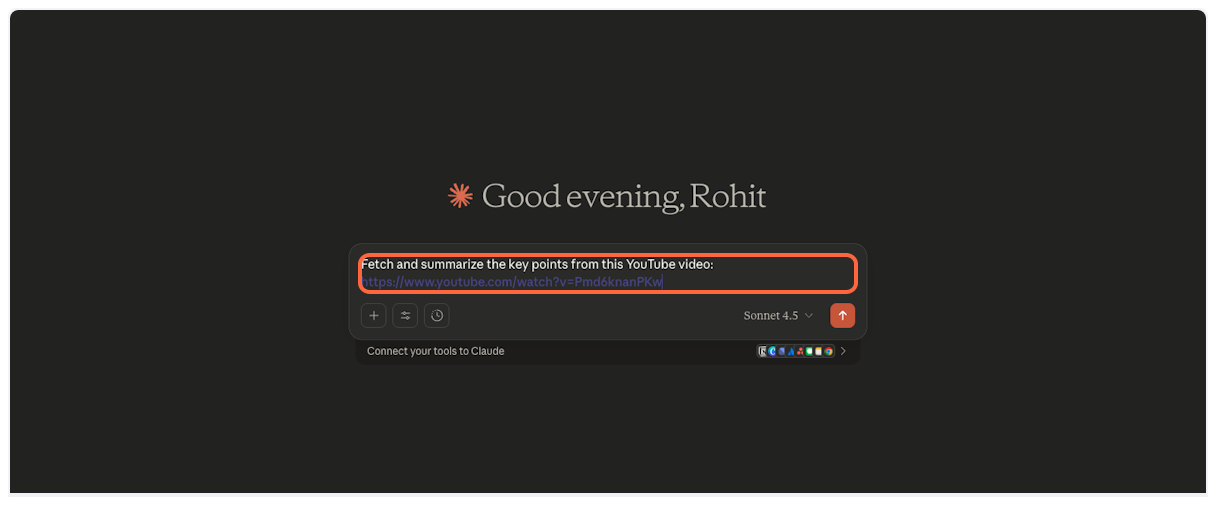 5. **Send Your Request** Click send or press Enter to submit your message.  6. **Claude Fetches Transcript Automatically** Watch as Claude seamlessly calls the TranscriptAPI tool to retrieve the video transcript. 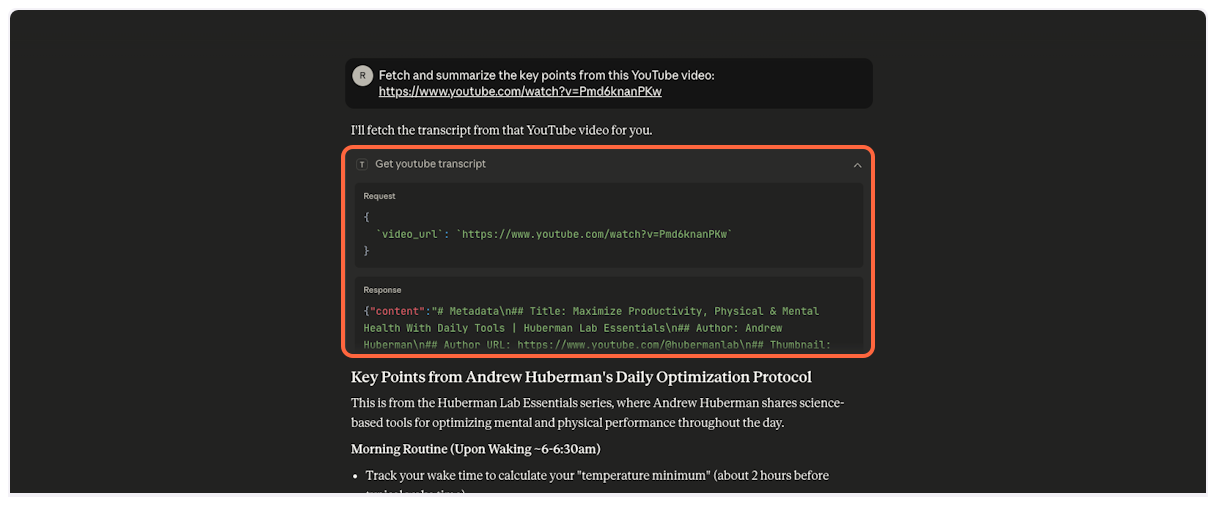 7. **Success! Natural Conversation Begins** Claude now has the full transcript and can engage in detailed discussion about the video content. No manual tool selection required! 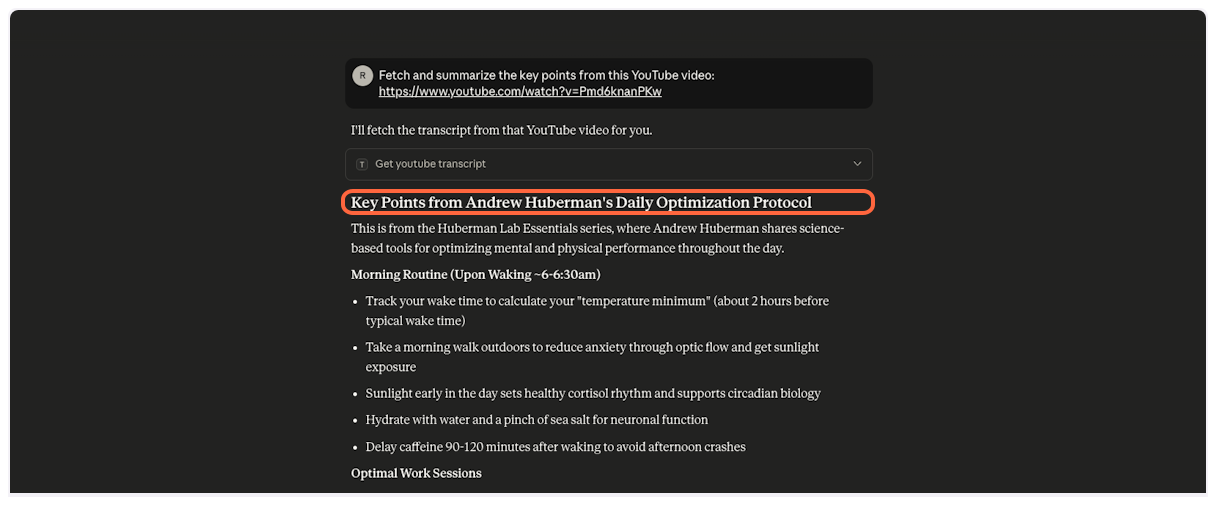 ## Example Prompts & Best Practices [Section titled “Example Prompts & Best Practices”](#example-prompts--best-practices) Master Claude’s YouTube transcript capabilities with these proven approaches: ### Single Video Analysis [Section titled “Single Video Analysis”](#single-video-analysis) Be specific about what insights you need.
```plaintext
Summarize the key points from this TED talk and list
the 3 most actionable takeaways:
https://www.youtube.com/watch?v=UF8uR6Z6KLc
```
### Multi-Video Comparison [Section titled “Multi-Video Comparison”](#multi-video-comparison) Claude can handle multiple videos in one request. Paste all URLs together for efficient analysis.
```plaintext
Compare how these two channels explain black holes and
tell me which is better for a beginner:
https://www.youtube.com/watch?v=e-P5IFTqB98
https://www.youtube.com/watch?v=QqsLTNkzvaY
```
### Search & Discover [Section titled “Search & Discover”](#search--discover) Use YouTube search to find the best content on a topic, then go deeper.
```plaintext
Search YouTube for "climate change explained" and show me
the top 5 results. Then get the transcript from the best one
and create a one-page summary.
```
### Channel Browse [Section titled “Channel Browse”](#channel-browse) Check a channel’s latest uploads for free, then selectively fetch transcripts.
```plaintext
Show me the latest videos from @NASA.
Pick the most interesting one and summarize it for me.
```
### Channel Deep Dive [Section titled “Channel Deep Dive”](#channel-deep-dive) Search within a specific channel’s library for a topic.
```plaintext
Search @TED for videos about artificial intelligence.
Get transcripts for the top 3 and create a combined
summary of TED's AI coverage.
```
### Playlist Analysis [Section titled “Playlist Analysis”](#playlist-analysis) List playlist contents, then selectively fetch transcripts for the most relevant videos.
```plaintext
List all videos in this playlist:
https://www.youtube.com/playlist?list=PLOGi5-fAu8bFIs_Lbp-MNwPKpPjBJGUzr
Get transcripts for the first 3 and create study notes.
```
### Advanced Tips [Section titled “Advanced Tips”](#advanced-tips) **Free Channel Checks**: Browsing a channel’s latest videos costs no credits — use it to scout before spending credits on transcripts. **Batch Processing**: Paste all URLs at once instead of one by one. Claude fetches multiple transcripts simultaneously. **Focused Questions**: Instead of “summarize these videos,” try “identify the three main disagreements between these perspectives.” **Output Formats**: Specify tables, bullet points, or narrative summaries. Claude adapts to your preferred format. **Long Videos**: For videos over 2 hours, ask for analysis of specific sections rather than full summaries. ## Troubleshooting [Section titled “Troubleshooting”](#troubleshooting) ### Connection Issues [Section titled “Connection Issues”](#connection-issues) #### “Failed to connect” error [Section titled ““Failed to connect” error”](#failed-to-connect-error) **Solution**: 1. Ensure you’re logged into TranscriptAPI 2. Check that the server URL is exactly `https://transcriptapi.com/mcp` 3. Try removing and re-adding the connector #### “Unauthorized” error [Section titled ““Unauthorized” error”](#unauthorized-error) **Solution**: 1. Verify your TranscriptAPI account is active 2. Re-authorize the connection in Claude settings 3. Check your API credit balance ### Usage Issues [Section titled “Usage Issues”](#usage-issues) #### Claude doesn’t fetch transcripts automatically [Section titled “Claude doesn’t fetch transcripts automatically”](#claude-doesnt-fetch-transcripts-automatically) **Solution**: 1. Verify TranscriptAPI is enabled in the Connectors menu (the **+** button in the chat box) 2. Ensure you’ve set permissions to “Allow unsupervised” 3. Try explicitly asking Claude to “fetch the transcript” #### “No transcript available” for a video [Section titled ““No transcript available” for a video”](#no-transcript-available-for-a-video) **Solution**: The video may: * Not have captions enabled * Be private or age-restricted * Be region-locked * Have disabled embedding ### Performance Tips [Section titled “Performance Tips”](#performance-tips) #### For long videos (>2 hours) [Section titled “For long videos (>2 hours)”](#for-long-videos-2-hours) * Transcript fetching may take 10-30 seconds * Consider asking for specific sections first * Claude handles long transcripts well once fetched #### For multiple videos [Section titled “For multiple videos”](#for-multiple-videos) * Claude can fetch up to 10 transcripts efficiently * For larger batches, consider grouping by topic * Use specific questions to focus the analysis ## Next Steps [Section titled “Next Steps”](#next-steps) Now that you’ve connected TranscriptAPI to Claude, explore these powerful capabilities: * **Multi-Video Projects**: Create comprehensive resources by analyzing entire playlists or channels * **Research & Analysis**: Compare different perspectives on topics across multiple creators * **Content Creation**: Generate summaries, study guides, or articles from video content * **Learning Enhancement**: Transform video courses into personalized study materials ## Related [Section titled “Related”](#related) [MCP Overview](/docs/mcp/)Learn about Model Context Protocol and advanced TranscriptAPI features. [ChatGPT Guide](/docs/mcp/chatgpt/)Connect TranscriptAPI to ChatGPT for alternative integration. [API Reference](/docs/api/)Explore the REST API for programmatic access.
# Connect TranscriptAPI to OpenAI Agent Builder
> Step-by-step guide to integrate YouTube Transcript MCP with OpenAI Agent Builder for fetching YouTube transcripts in your AI workflows.
Learn how to integrate TranscriptAPI’s YouTube Transcript MCP with OpenAI Agent Builder to fetch YouTube video transcripts directly in your AI agent workflows. This guide provides step-by-step instructions with screenshots. ## What is OpenAI Agent Builder? [Section titled “What is OpenAI Agent Builder?”](#what-is-openai-agent-builder) OpenAI Agent Builder is a visual, no-code platform for creating and deploying AI agents with complex workflows. It features a drag-and-drop interface that lets you connect various tools and services without writing code. The platform’s Model Context Protocol (MCP) support makes it ideal for integrating external services like TranscriptAPI. ## Prerequisites [Section titled “Prerequisites”](#prerequisites) Before starting, ensure you have: * An OpenAI account with access to Agent Builder (available with API access) * A TranscriptAPI account ([sign up free](https://transcriptapi.com)) * An active TranscriptAPI API key from your [dashboard](https://transcriptapi.com/dashboard/api-keys) * A YouTube video URL to test with ## Part 1: Create Your Agent Workflow [Section titled “Part 1: Create Your Agent Workflow”](#part-1-create-your-agent-workflow) Let’s start by creating a new workflow in OpenAI Agent Builder. 1. **Access OpenAI Agent Builder** Navigate to the [OpenAI Agent Builder platform](https://platform.openai.com/agent-builder) and sign in with your OpenAI credentials. 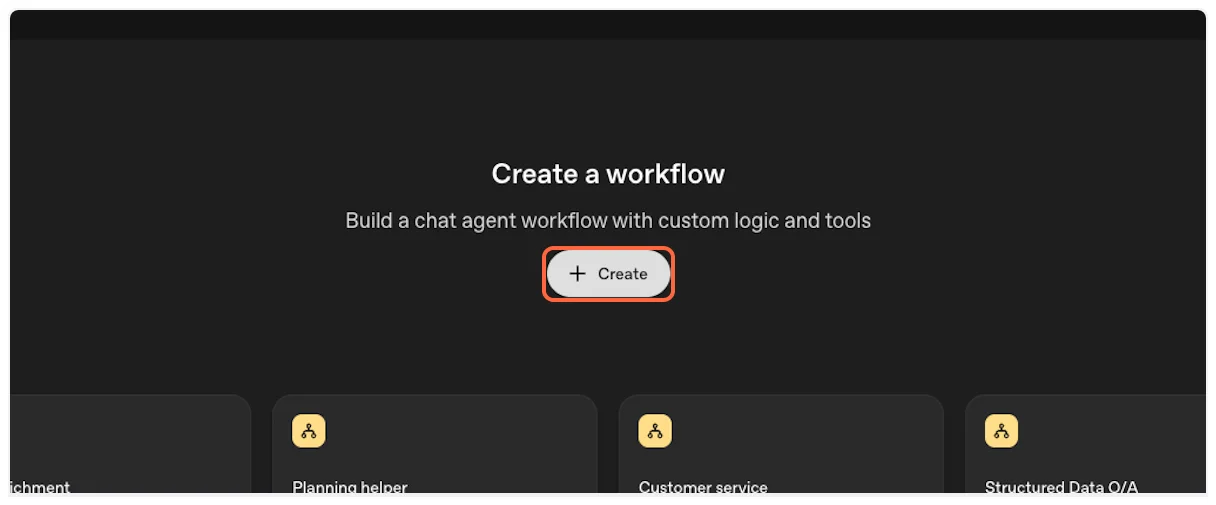 2. **Configure the Agent Node** Click on the default Agent node that appears in your workflow canvas. This is where you’ll add the TranscriptAPI MCP integration. 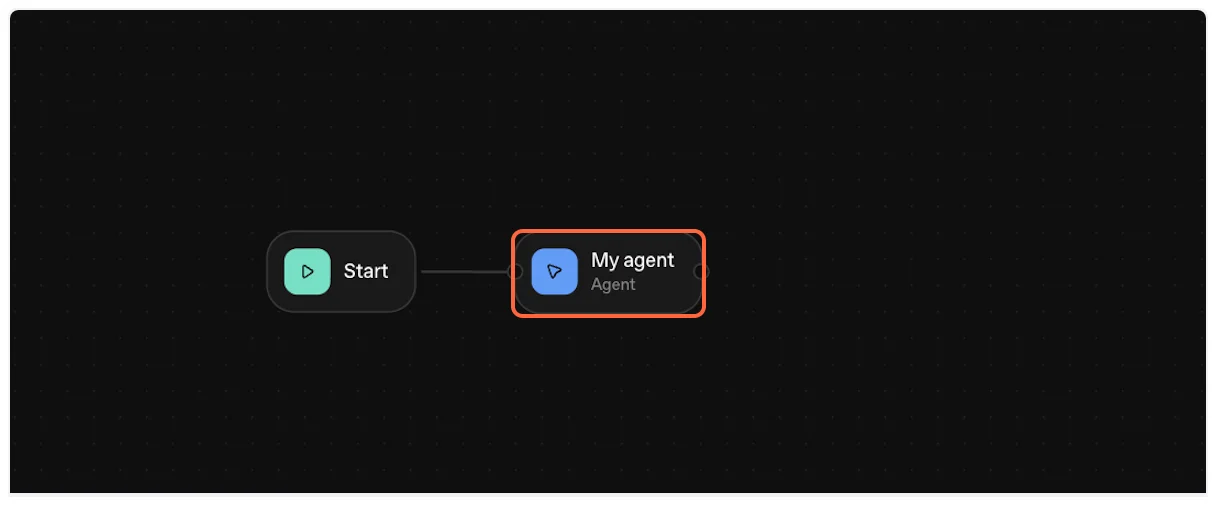 ## Part 2: Add TranscriptAPI MCP Server [Section titled “Part 2: Add TranscriptAPI MCP Server”](#part-2-add-transcriptapi-mcp-server) Now we’ll add the TranscriptAPI MCP server to your agent. 1. **Open Tools Configuration** In the agent configuration panel, locate the “Tools” section and click the “+” icon to add a new tool. 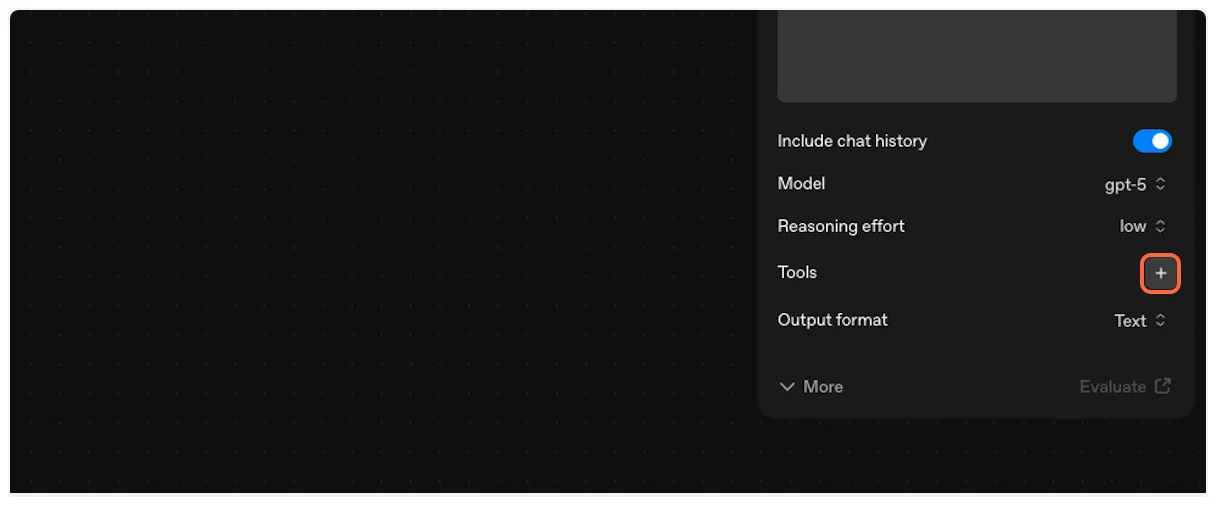 2. **Select MCP Server** From the tool options, choose “MCP server” to add an MCP integration. 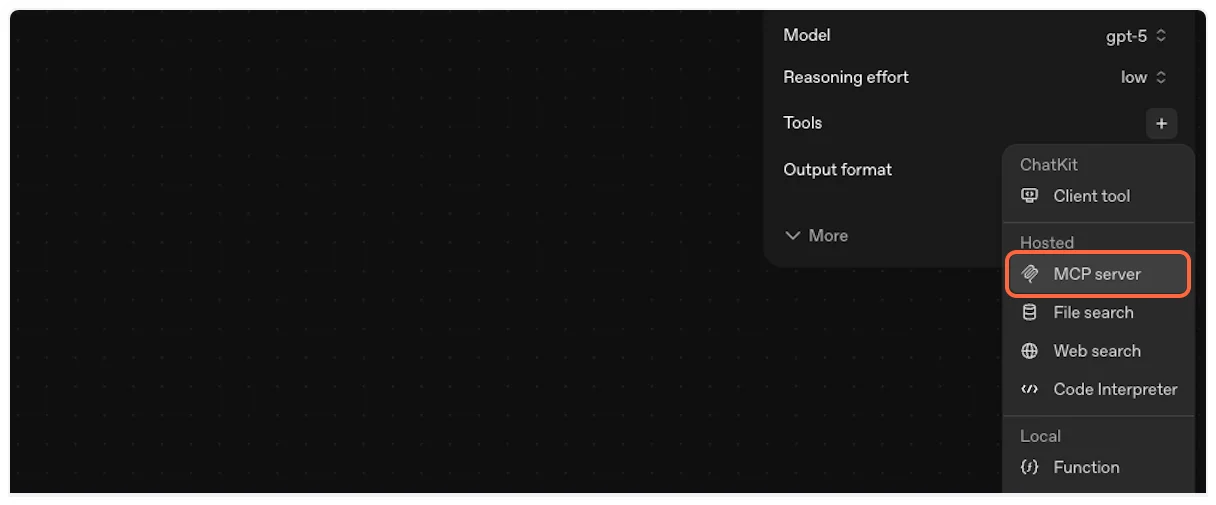 3. **Configure Server Details** Click on the “Server” field to begin configuring the MCP connection. 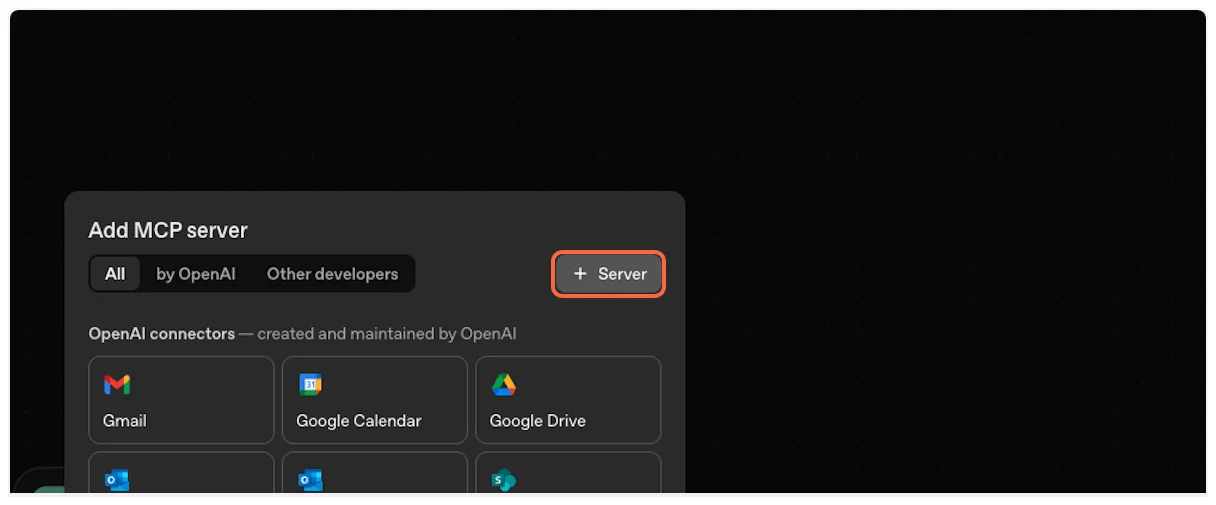 ## Part 3: Configure TranscriptAPI Connection [Section titled “Part 3: Configure TranscriptAPI Connection”](#part-3-configure-transcriptapi-connection) Let’s set up the connection details for TranscriptAPI. You’ll need information from your TranscriptAPI dashboard. 1. **Get Configuration Details** Open the [TranscriptAPI MCP Integration page](https://transcriptapi.com/dashboard/mcp-integration) in a new tab. You’ll copy configuration details from here. 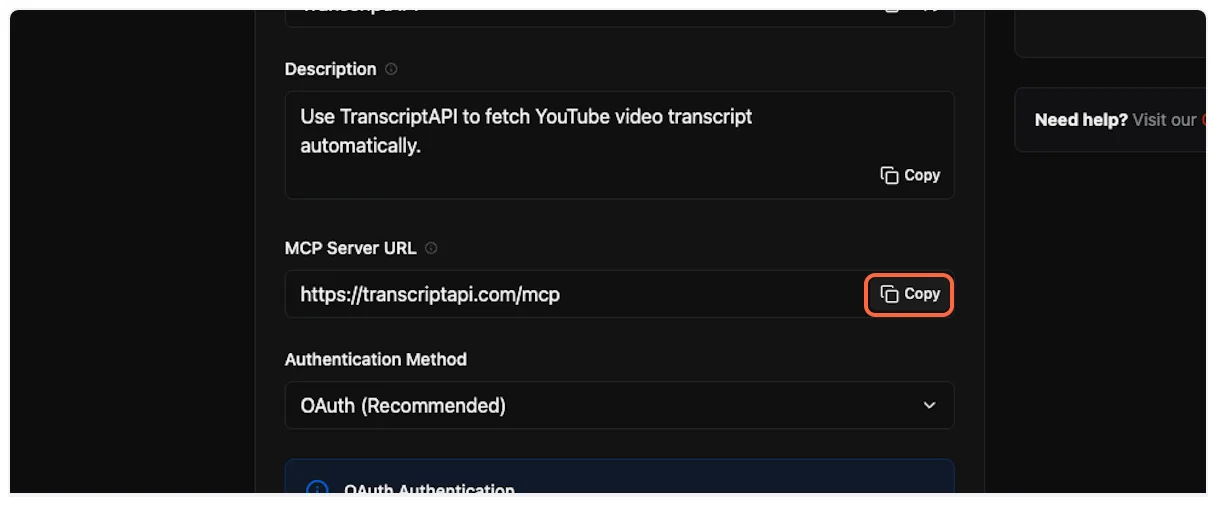 2. **Enter Server URL** Paste the MCP server URL: `https://transcriptapi.com/mcp` 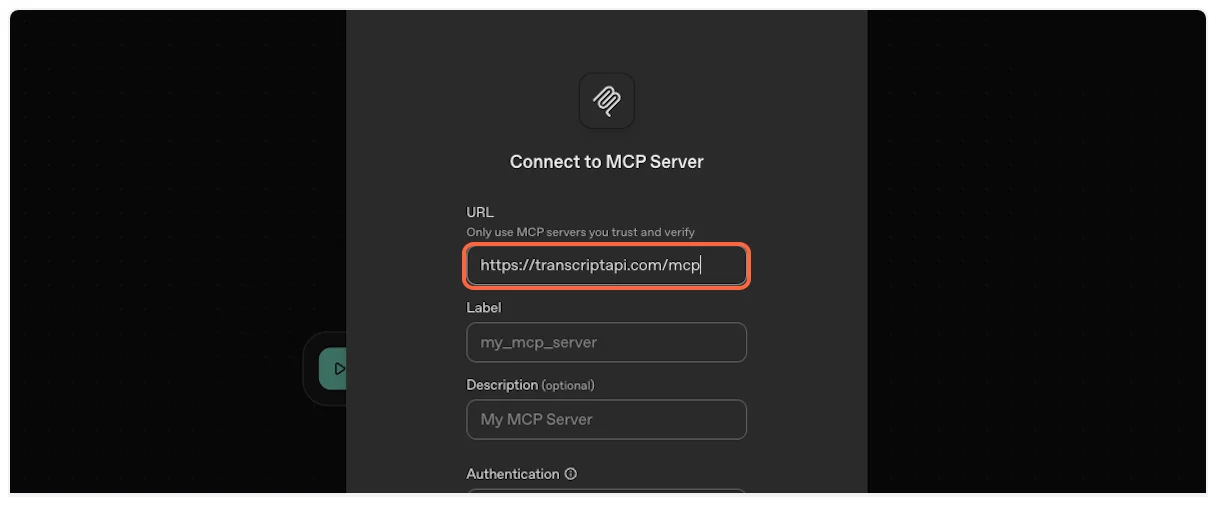 3. **Copy and Enter MCP Name** Copy the MCP name from TranscriptAPI (typically “TranscriptAPI”).  Enter it in the name field. 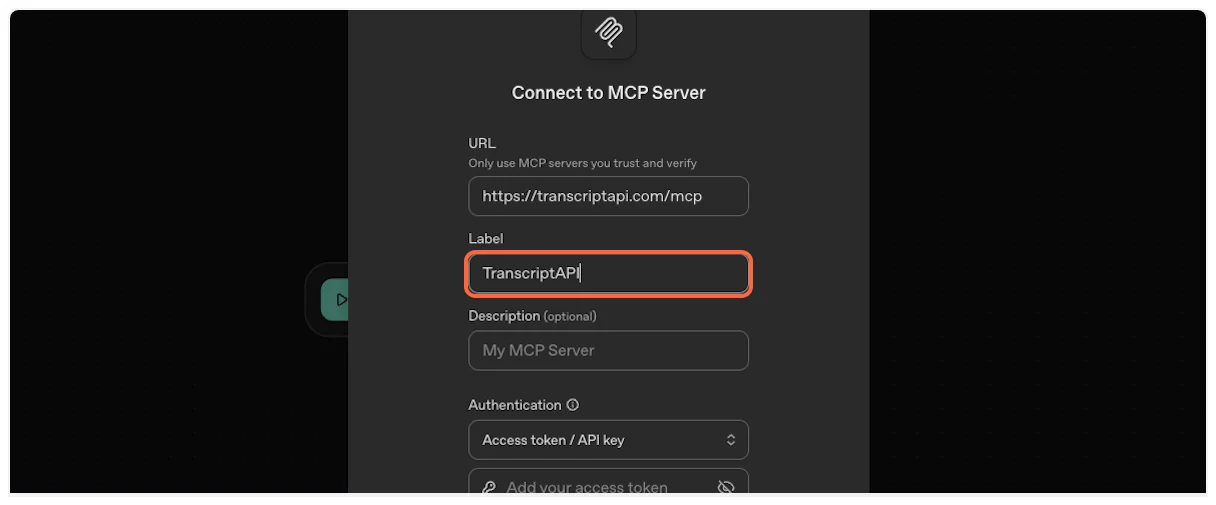 4. **Copy and Enter Description** Copy the MCP description from your dashboard. 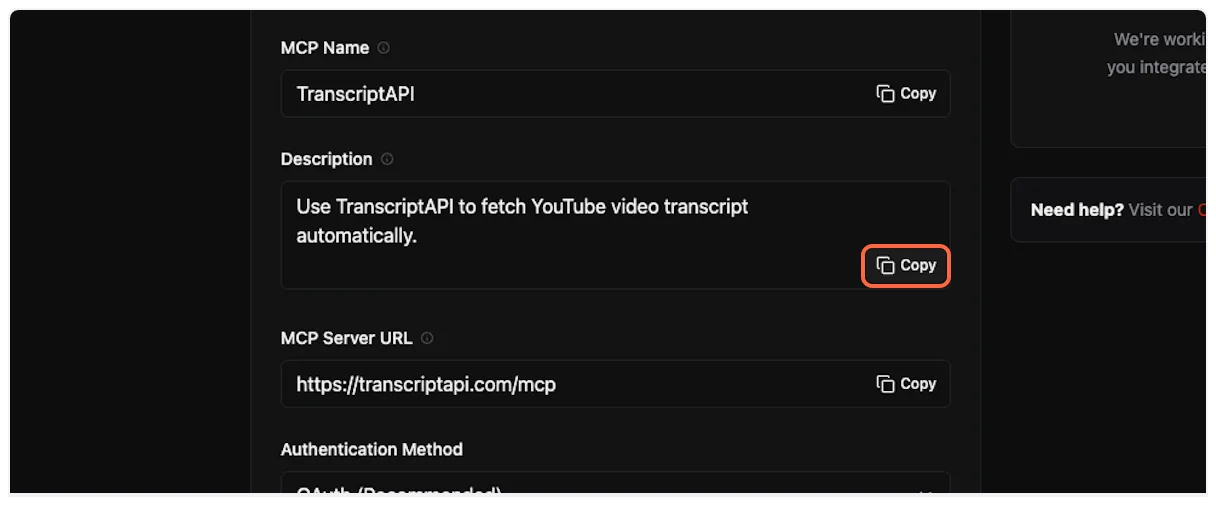 Paste it into the description field. 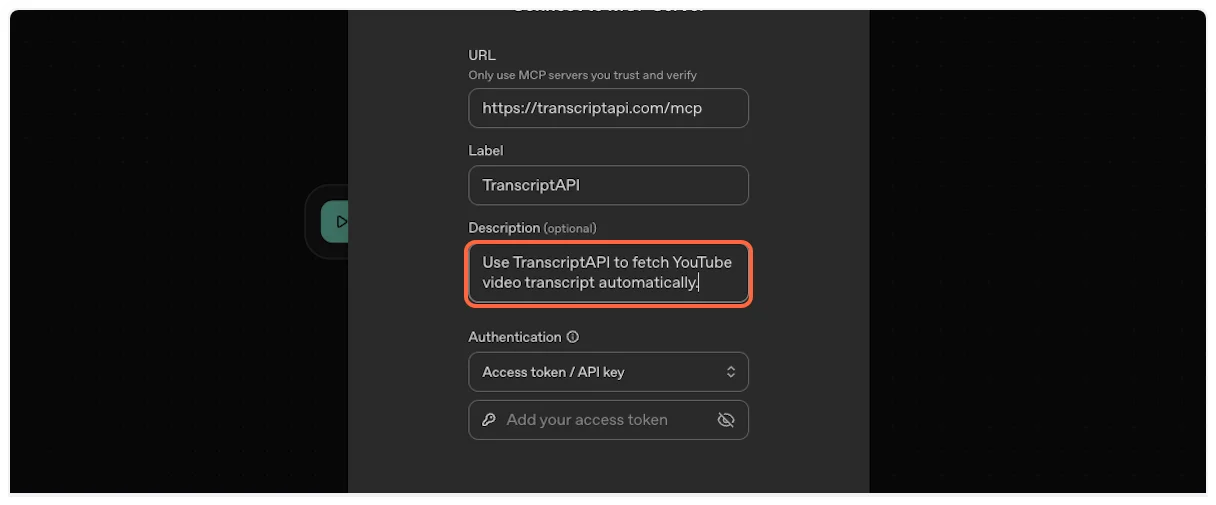 ## Part 4: Set Up API Key Authentication [Section titled “Part 4: Set Up API Key Authentication”](#part-4-set-up-api-key-authentication) OpenAI Agent Builder requires API key authentication for MCP servers. OAuth is not currently supported. 1. **View Authentication Options** You’ll see both OAuth and API Key options. OAuth is recommended for supported platforms, but Agent Builder requires API Key authentication. 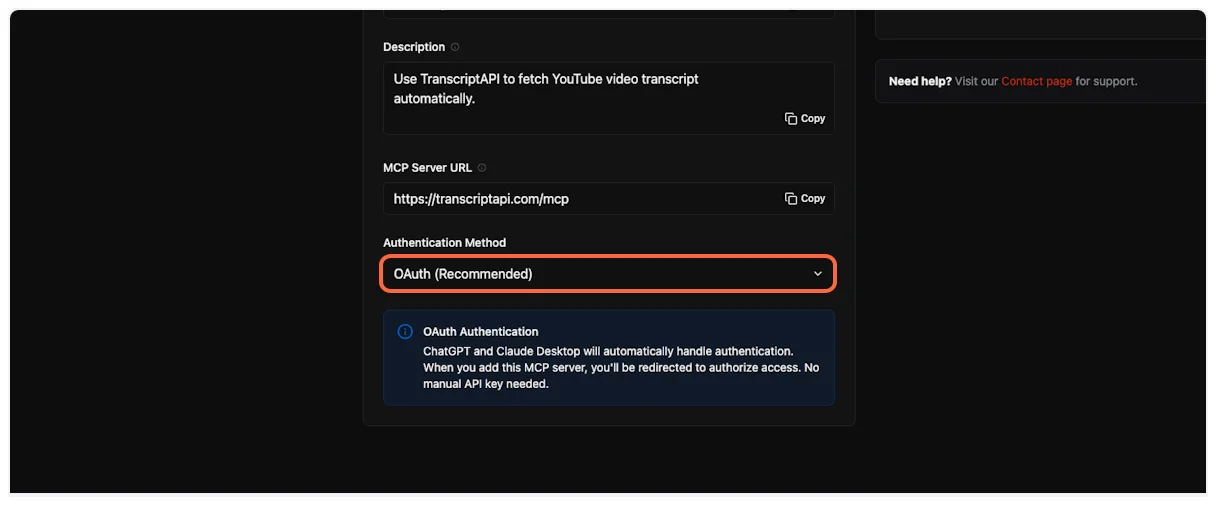 2. **Select API Key Authentication** Click on “API Key / Access Token” to use the required authentication method. 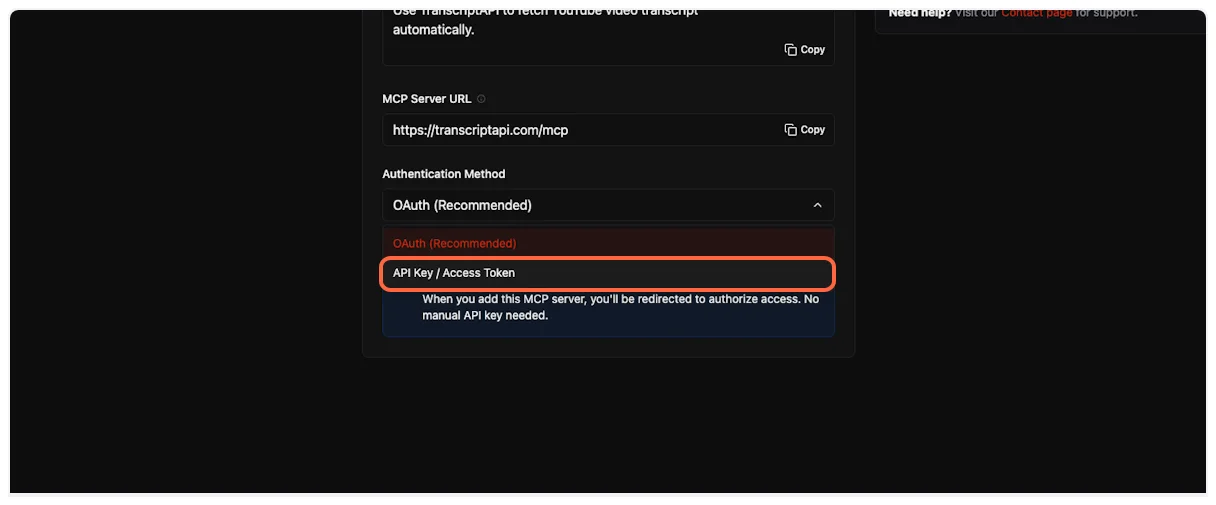 3. **Copy Your API Key** From the TranscriptAPI dashboard, click the copy button to get your API key. 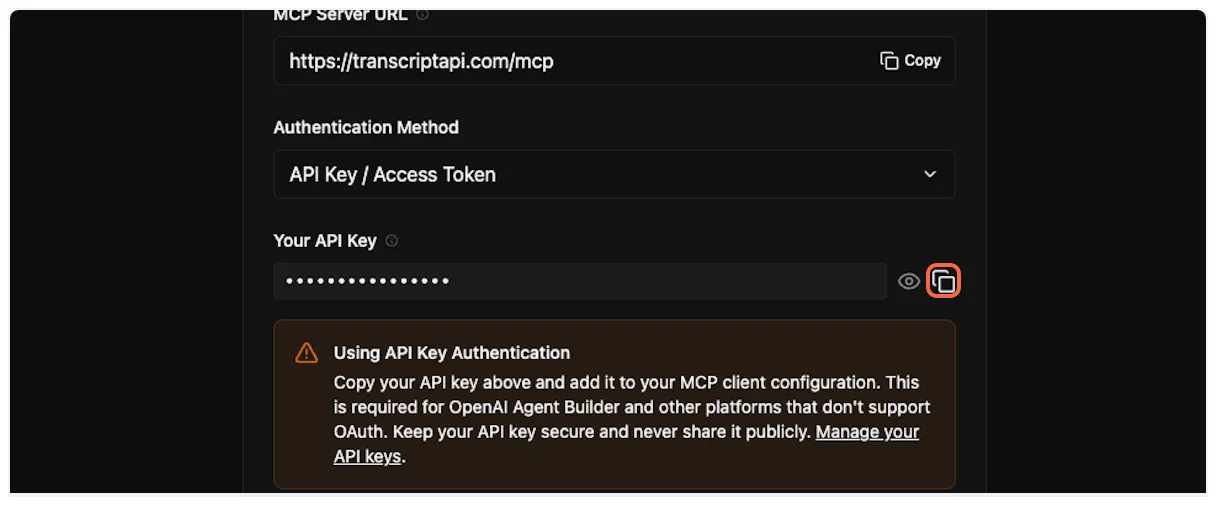 4. **Enter API Key** Paste your API key into the authentication field in Agent Builder. 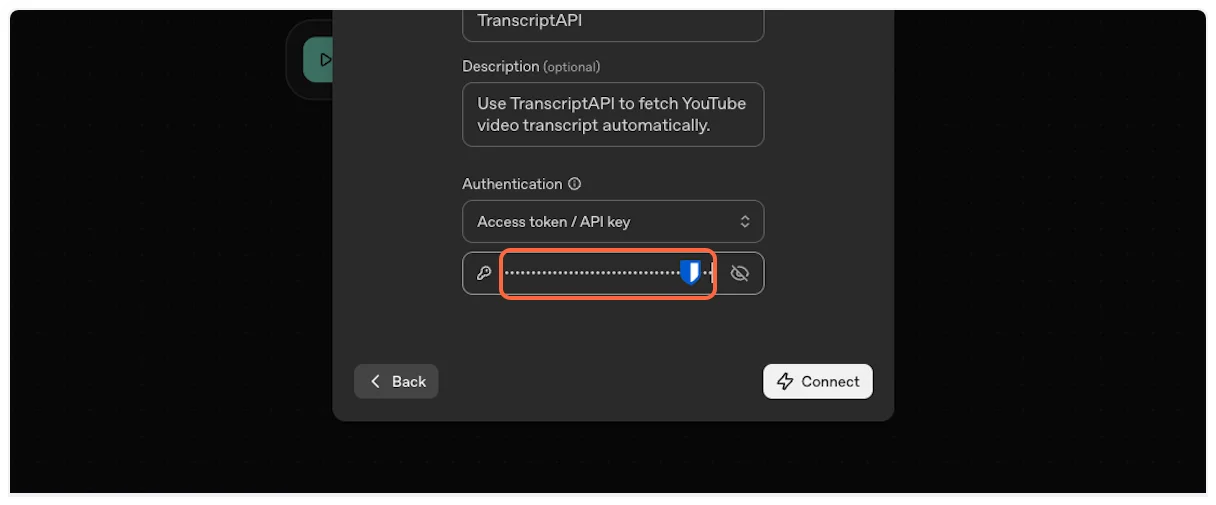 5. **Connect to TranscriptAPI** Click the “Connect” button to establish the connection.  6. **Authentication Success** Agent Builder will authenticate with TranscriptAPI and load the available MCP tools. 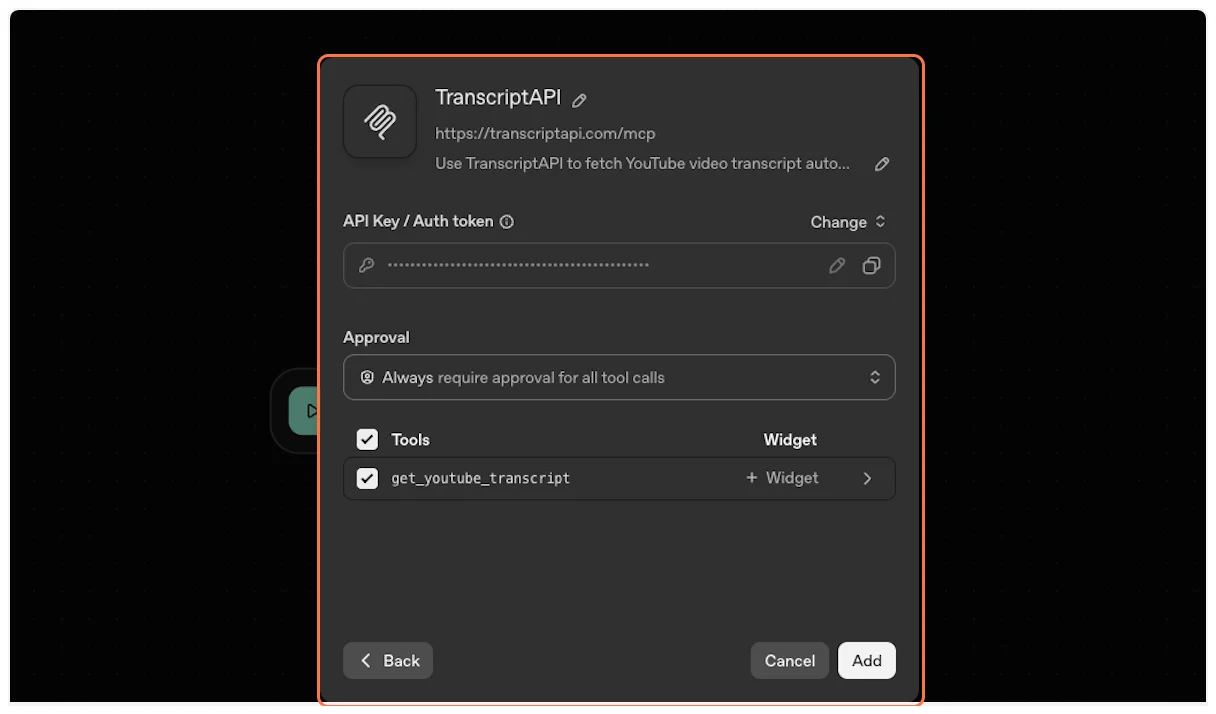 7. **Add the Tool** Click “Add” to include the TranscriptAPI MCP in your agent’s toolset. 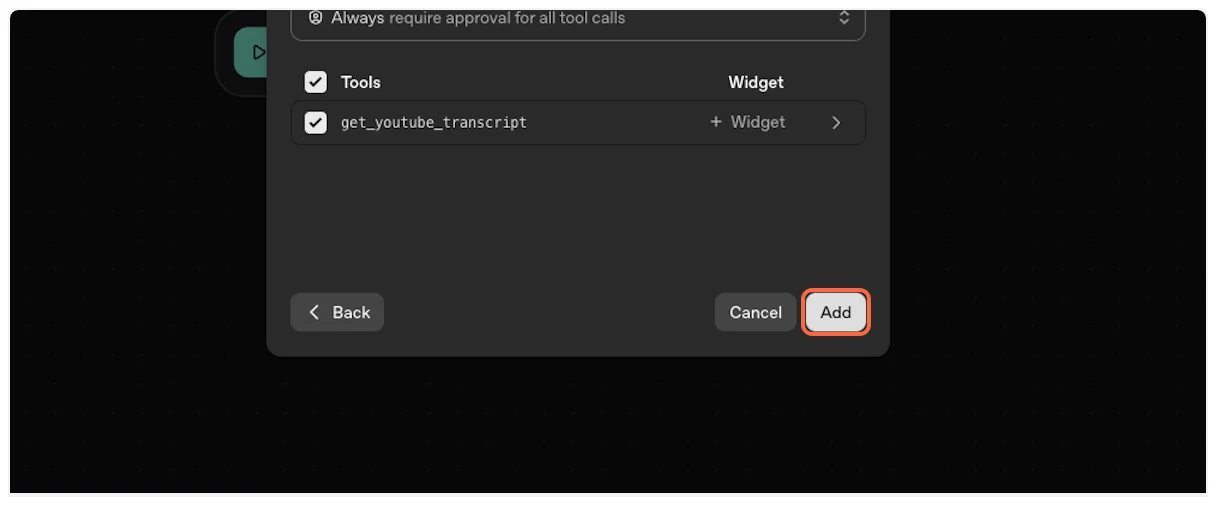 ## Part 5: Configure Agent Instructions [Section titled “Part 5: Configure Agent Instructions”](#part-5-configure-agent-instructions) Now configure your agent to use the TranscriptAPI MCP effectively. 1. **Add Agent Instructions** In the agent’s instruction field, add clear guidance about when to use the YouTube Transcript MCP. For example: > “When you see a YouTube video link, use the TranscriptAPI MCP tool (get_youtube_transcript) to fetch the video transcript. Then process the transcript according to the user’s request (summarize, analyze, translate, etc.).” 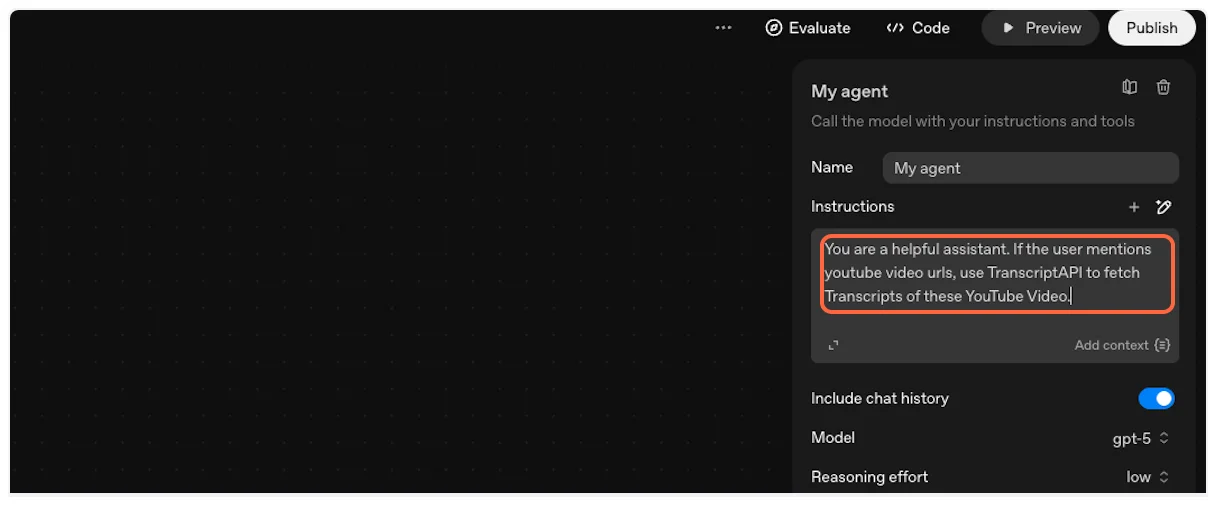 2. **Name Your Agent** Give your agent a descriptive name like “TranscriptAPI Agent” or “YouTube Transcript Assistant”. 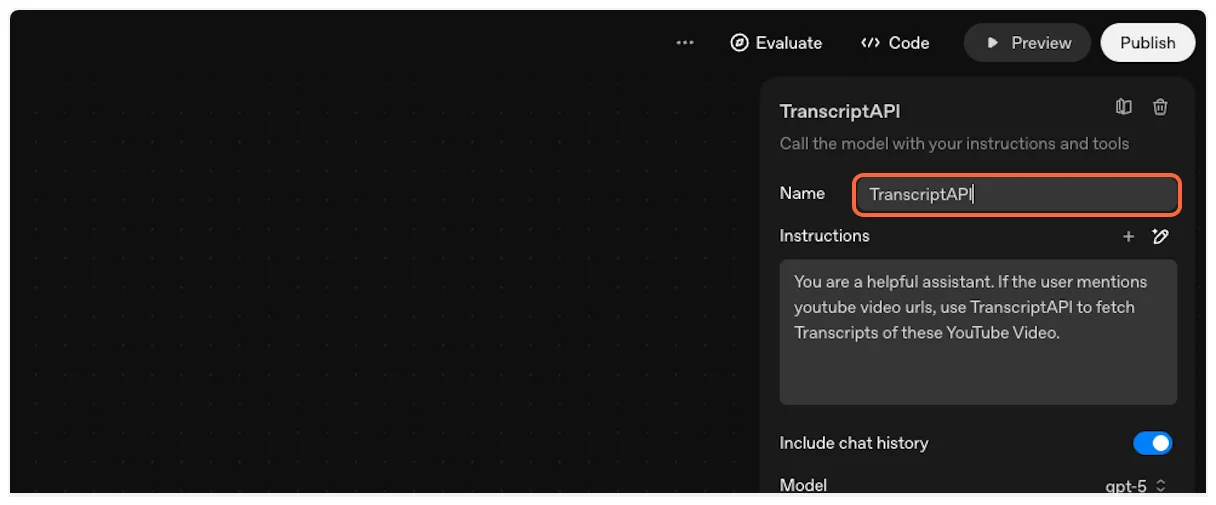 ## Part 6: Test Your Integration [Section titled “Part 6: Test Your Integration”](#part-6-test-your-integration) Let’s test the YouTube Transcript MCP integration to ensure everything works correctly. 1. **Enter Preview Mode** Click the “Preview” button to test your agent workflow.  2. **Preview Interface** The workflow preview interface will open, allowing you to interact with your agent.  3. **Test with a YouTube URL** Paste a test request like: > “ Summarize this video for me.” 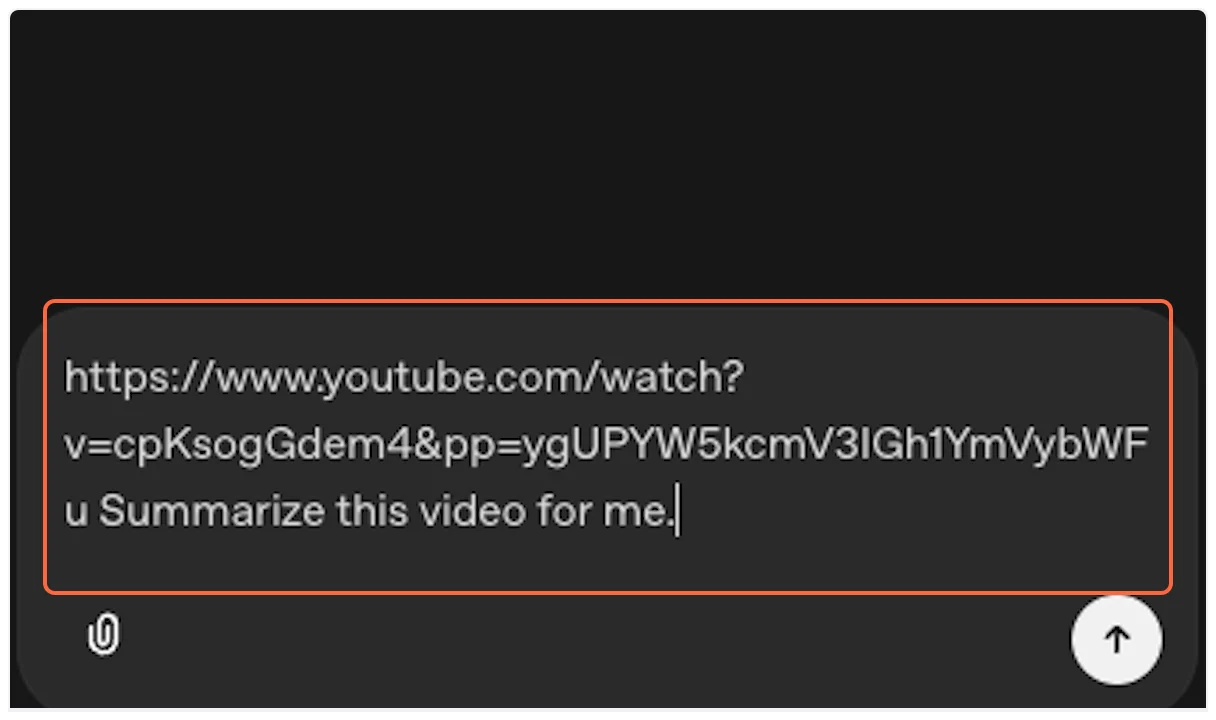 4. **Run the Test** Click the “Run” button to execute your request.  5. **Approve MCP Usage** OpenAI Agent Builder will request permission to use the MCP tool. This ensures transparency about external API usage. 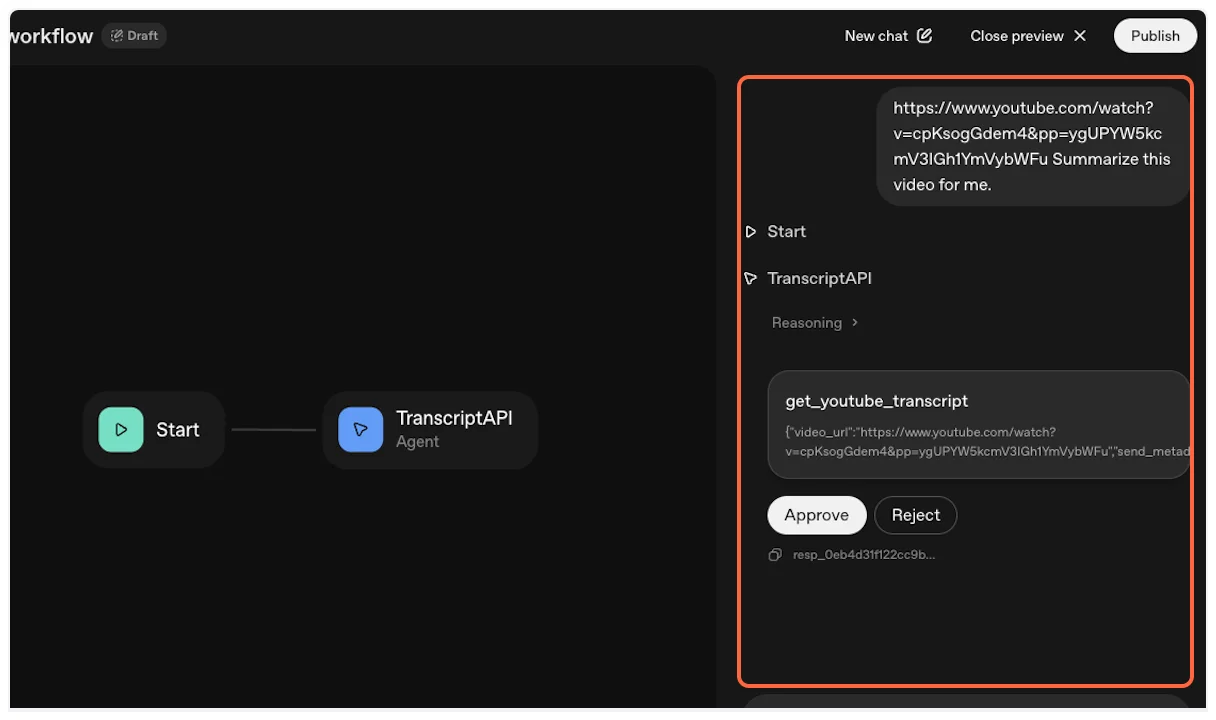 6. **Grant Permission** Click “Approve” to allow the agent to fetch the YouTube transcript.  7. **Success!** The agent will fetch the transcript using TranscriptAPI and process it according to your instructions. 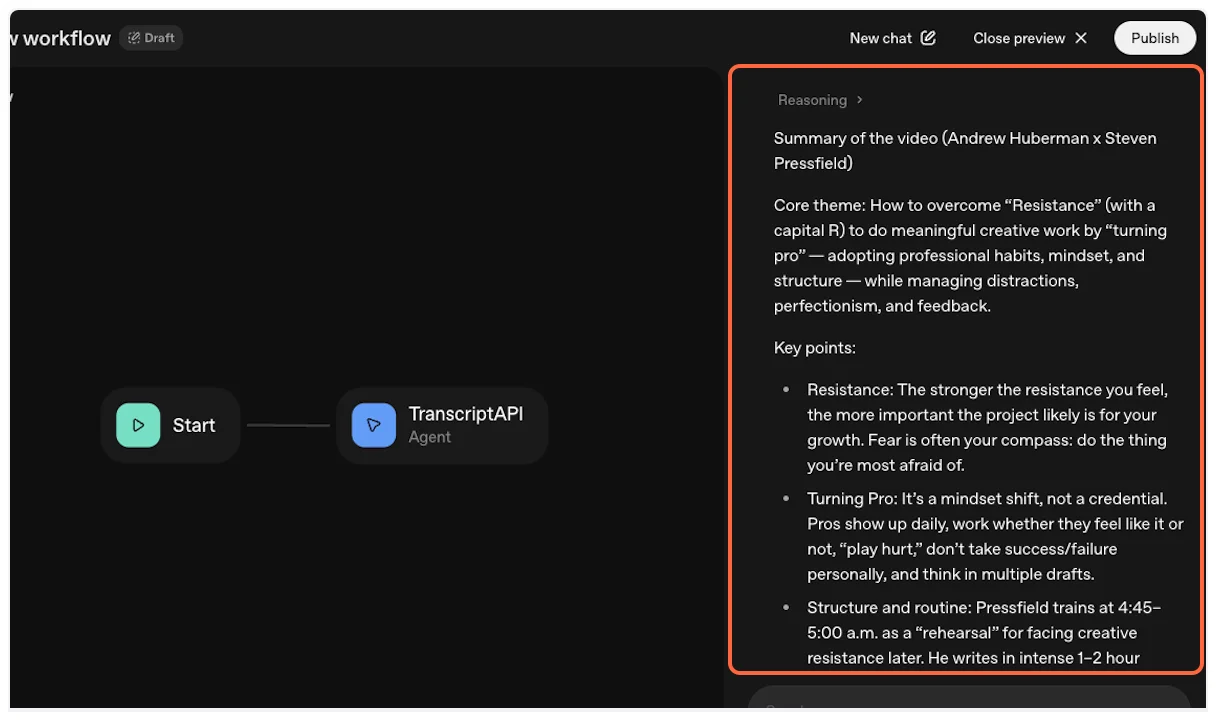 ## Advanced Configuration [Section titled “Advanced Configuration”](#advanced-configuration) ### Available Tools [Section titled “Available Tools”](#available-tools) Your agent has access to these TranscriptAPI tools: * **`get_youtube_transcript`** — Fetch transcript as text or JSON. 1 credit. * **`search_youtube`** — Paginated search for videos or channels. 1 credit/page. * **`get_channel_latest_videos`** — Latest \~15 videos via RSS. Free. * **`search_channel_videos`** — Paginated search within a specific channel. 1 credit/page. * **`list_channel_videos`** — Paginated channel uploads. 1 credit/page. * **`list_playlist_videos`** — Paginated playlist videos. 1 credit/page. See [Available Tools](/docs/mcp/#available-tools) for full parameter reference and examples. ### Agent Instructions Example [Section titled “Agent Instructions Example”](#agent-instructions-example) Update your agent instructions to take advantage of the full tool suite: > “You have access to TranscriptAPI tools. You can search YouTube, browse channels, list playlists, and fetch transcripts. When a user asks about a topic, search for relevant videos first, then fetch transcripts for the most promising results.” ### Setting Response Formats [Section titled “Setting Response Formats”](#setting-response-formats) You can configure how the transcript tool returns data by using its parameters: * **`format`**: Choose between `"text"` (markdown) or `"json"` (structured data) * **`include_timestamp`**: Set to `true` or `false` for timestamp inclusion * **`send_metadata`**: Include video title, author, and thumbnail information ## Troubleshooting [Section titled “Troubleshooting”](#troubleshooting) ### Authentication Issues [Section titled “Authentication Issues”](#authentication-issues) **Problem**: “Invalid API key” error **Solution**: * Verify your API key starts with `sk_` * Check for extra spaces when copying * Ensure the key is active in your [TranscriptAPI dashboard](https://transcriptapi.com/dashboard/api-keys) ### Credit Errors [Section titled “Credit Errors”](#credit-errors) **Problem**: “Payment required - no credits remaining” **Solution**: [Purchase credits](https://transcriptapi.com/dashboard/billing) or upgrade your plan ### Transcript Not Available [Section titled “Transcript Not Available”](#transcript-not-available) **Problem**: “404 - Transcript not found” **Possible Causes**: * Video has no captions/subtitles * Video is private or age-restricted * Video was recently uploaded (captions pending) * Regional restrictions apply ### Rate Limiting [Section titled “Rate Limiting”](#rate-limiting) **Problem**: “429 - Too many requests” **Solution**: * Wait 60 seconds before retrying * Implement delays between batch requests * Check your rate limit status in the dashboard ## Next Steps [Section titled “Next Steps”](#next-steps) Now that you’ve successfully integrated TranscriptAPI with OpenAI Agent Builder: 1. **Explore Advanced Features**: Try different parameter combinations for optimal results 2. **Build Complex Workflows**: Combine transcript fetching with other AI capabilities 3. **Monitor Usage**: Track your credit consumption and API performance 4. **Join the Community**: Share your workflows and learn from others Ready to build more sophisticated agents? Check out our [API documentation](/docs/api/) for advanced integration options. ## Related [Section titled “Related”](#related) [MCP Overview](/docs/mcp/)Learn about Model Context Protocol and TranscriptAPI integration options. [API Reference](/docs/api/)Complete REST API documentation for direct integration. [ChatGPT Guide](/docs/mcp/chatgpt/)Compare with ChatGPT's MCP implementation (OAuth-based).