5 Best OpenClaw Skills Every Developer Needs in 2026
Do you have a OpenClaw (formerly ClawdBot) running on your machine right now?
If you do, you are part of a quiet revolution. You are running "Sovereign AI."
You have a digital employee that lives on your hardware. It doesn't live in a data center in California. It lives on your laptop. It works for you.
But here is the hard truth that nobody tells you.
Out of the box, your OpenClaw agent is like a brilliant intern locked in an empty room.
It has a high IQ. It can write Shakespearean poetry. It can explain quantum physics. It can even debug a complex SQL query if you paste it into the chat.
But it cannot do anything.
It cannot see the web. It cannot watch a video. It cannot create a file on your desktop. It is a brain in a jar.
To unlock its true power, you need Skills.
Skills are like apps for your agent. They give it hands, eyes, and ears. They turn it from a passive chatbot into an active powerhouse.
But there is a problem.
If you look at the community repositories, there are hundreds of skills. Some are broken. Some are dangerous. Most are useless toys.
You don't have time to test them all. You want to build, not debug.
That is why I wrote this post.
I have tested dozens of configurations. I have broken my agent more times than I can count. And I have found the essential toolset.
In this guide, I am going to share the 5 Best OpenClaw Skills that every developer needs in 2026.
These aren't just "nice to haves." These are the skills that turn your agent into a Senior Engineer.
Ready to upgrade your workflow? Let’s dive in.
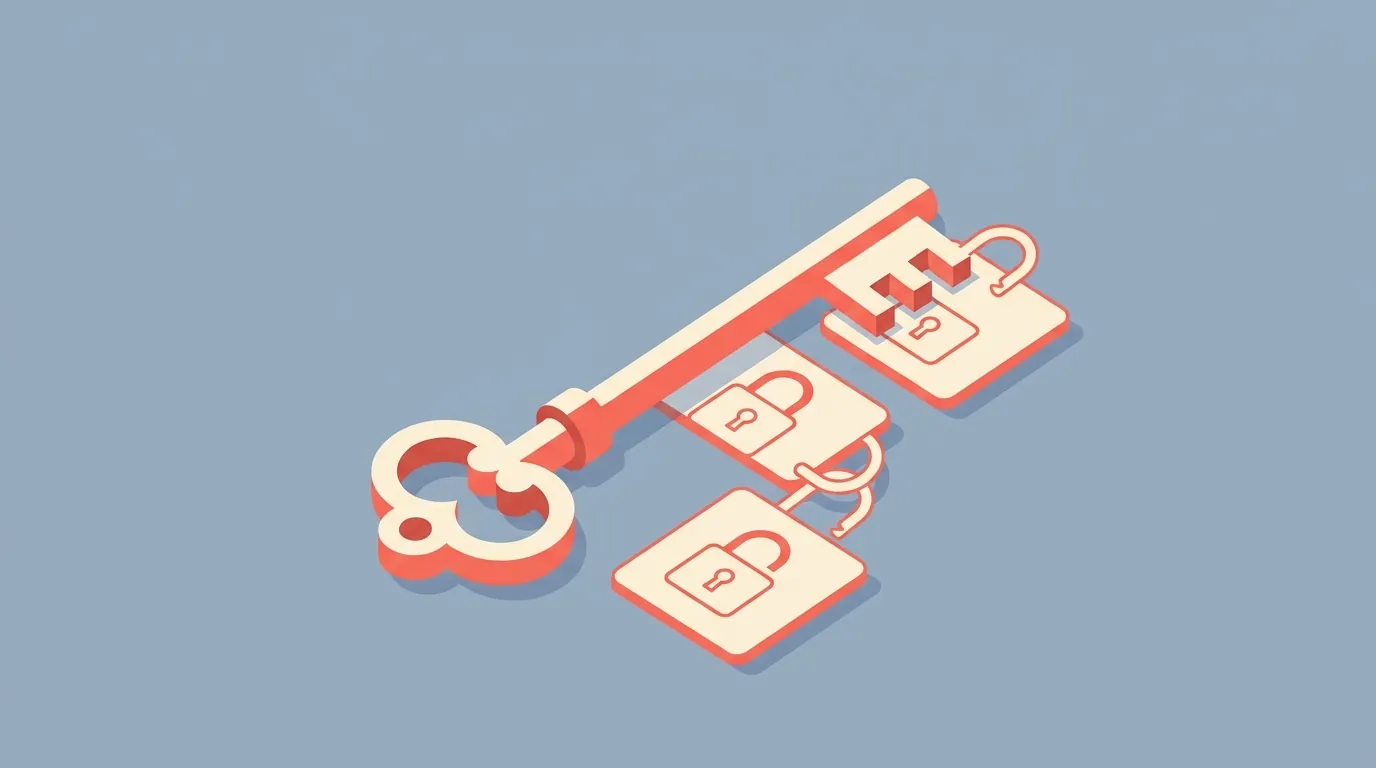
1. mcporter: The Skeleton Key for Modern AI
If you only install one skill from this list, make it this one.
mcporter is not just a skill. It is a bridge.
To understand why it is so important, you need to understand where AI is going in 2026.
We are moving away from custom, hacky integrations. We are moving toward a standard called the Model Context Protocol (MCP).
The "USB-C" of Artificial Intelligence
Imagine if every time you bought a new mouse, you had to solder it to your motherboard.
That would be insane, right?
That is what AI integration used to be like.
If you wanted your agent to talk to Google Drive, you wrote a custom Python script. If you wanted it to talk to Slack, you wrote another script. If you wanted it to talk to Linear, you wrote a third script.
It was messy. It was unmaintainable.
MCP changes that. It is a universal standard. It allows any AI agent to talk to any data source using a common language.
mcporter is the skill that teaches your OpenClaw how to speak this language.
Why You Need It
OpenClaw does not natively support every tool in the world. But thousands of companies—from Stripe to Notion to Linear—are building MCP servers.
By installing the mcporter skill, you instantly unlock access to this entire ecosystem.
Integration is instant: You don't write code. You just give
mcportera URL.Security is better: You aren't running random Python scripts on your machine. You are using a standardized protocol.
Future-proofing: As new tools release MCP servers, your agent can use them immediately.
The Use Case
Imagine asking your agent this:
"Hey OpenClaw, use mcporter to connect to my Linear workspace. List all the high-priority bugs assigned to me, and then draft a Slack message to the team updating them on my progress."
Without mcporter, this is a 4-hour coding project. With it, it is a 30-second configuration.
How to Install:
Open your terminal and run:
npx clawhub@latest install @steipete/mcporter
Do not skip this one. It is the foundation for everything else.

2. TranscriptAPI: The "Ears" (and How to Connect YouTube to OpenClaw)
This is the skill that will save you the most pain.
As developers, we learn from video.
We watch conference talks from Google I/O. We watch tutorials on the latest Next.js features. We watch hour-long system design interviews.
You want your OpenClaw to watch these videos for you.
You want to say: "Watch this 40-minute tutorial and extract the code for the authentication service."
Ready to set it up? Follow our step-by-step guide to connecting OpenClaw to YouTube via MCP.
See it in action: build a video-to-code agent with OpenClaw that extracts working code from YouTube tutorials.
The "Free Scraper" Trap
Most developers try to solve this with a free Python script. They download a library like youtube-transcript-api.
It works great. For exactly three videos.
Then, your agent crashes.
Error: 429 Too Many RequestsError: Signin Required
YouTube has banned your IP address.
YouTube is owned by Google. They have the smartest engineers in the world. They know when a bot is scraping their site.
If you run a scraper from your home IP address (where your OpenClaw lives), you are painting a target on your back. Your home internet gets flagged. Suddenly, you see CAPTCHAs everywhere even when you are just trying to check your Gmail.
The Professional Solution: The youtube-full Skill
This is where TranscriptAPI comes in.
It is an infrastructure-grade solution designed specifically for AI agents. It doesn't run on your IP. It runs on a massive, rotating proxy network.
When your OpenClaw needs a transcript, it asks TranscriptAPI. The API handles the scraping, the CAPTCHAs, and the IP rotation. It hands your agent a clean, structured JSON file.
And the best part? OpenClaw has a dedicated, native skill for this. You don't even need mcporter for this one.
How to Connect YouTube to OpenClaw
Here is the exact method to get this working in under 60 seconds.
Step 1: Install the Skill
Don't mess with config files. Just run this command in your terminal:
npx clawhub@latest install @therohitdas/youtube-full
Step 2: Authenticate Automatically
You don't need to visit a website to sign up. Your agent does it for you.
Start your agent.
Ask it: "Get the transcript for this video: [Insert Any YouTube Link]"
The agent will see it needs an API key. It will ask for your email.
Provide your email, and check your inbox for a code.
Paste the code back to the agent.
That’s it. Your agent is now authenticated with 100 free credits.
Why This is a "Must-Have"
Reliability: It works 100% of the time. No more debugging broken scrapers on a Saturday night.
Structured Data: This is crucial for coding agents. TranscriptAPI returns data with accurate timestamps (start, duration).
Context Awareness: Your agent can map a specific line of code back to the exact second in the video. It understands the pacing of the tutorial.
The Workflow
You find a 2-hour video on "Rust for Beginners."
You tell OpenClaw:
"Use the youtube skill to get the transcript. Summarize the sections on 'Memory Safety' and save the code examples to my notes."
OpenClaw fetches the JSON, parses the timestamps, and executes the task in seconds.
The Cost: It costs about $5 a month after your free credits run out.
Ask yourself: Is your time worth more than $5 an hour? If you spend even one hour a month fixing a broken scraper, you are losing money.
Use professional tools. Give your agent reliable ears.

3. Brave Search: The "Eyes" of Your Agent
Imagine asking your agent: "What is the latest version of React?"
If your agent is running a local model (like Llama 3) or even a cloud model (like Claude 3.5), it has a "knowledge cutoff."
It might tell you the latest version is from 2023.
That is dangerous. In software development, outdated information causes bugs. You cannot build a 2026 application with 2023 knowledge.
You need to give your agent access to the live internet.
Why Brave Search?
You might be wondering, "Why not Google?"
Google's API is expensive (custom search JSON API), complex to configure, and heavily rate-limited for developers.
Brave Search has emerged as the developer favorite for AI agents.
Developer Friendly: They have a free tier that is generous enough for most personal agents.
Clean Data: Brave Search offers an "AI-optimized" data format. It doesn't just give you a list of links; it gives you clean text snippets that your LLM can easily read without needing to visit every page.
Privacy: It aligns with the OpenClaw philosophy. They don't track your agent's queries the way Google does.
How It Transforms Your Agent
With the Brave Search skill, your agent stops hallucinating and starts researching.
Error Debugging: When you paste a cryptic error message, your agent can search Stack Overflow and GitHub issues in real-time to find the fix.
Documentation: "Read the documentation for the new Stripe API release." Your agent can find the page, read it, and explain the changes.
Fact-Checking: It can verify its own code generation against the latest library versions.
How to Install:
npx clawhub@latest install @steipete/brave-search
Without this skill, your agent is smart but out of touch. With it, it is connected.

4. File System Manager (The "Hands")
This is where things get "spicy."
A chatbot lives in a chat window. It produces text.
An Agent lives in your computer. It should produce work.
For a developer, "work" means files. Code files, config files, documentation files.
The File System (fs) skill gives your OpenClaw permission to read, write, and edit files on your hard drive.
The "Junior Developer" Workflow
Once you install this skill, your workflow changes completely.
Instead of copy-pasting code from the chat window into VS Code, you can say:
"Refactor
src/components/Button.tsx. Change the color props to use the new theme variables. Save the file."
And it just happens. The file updates on your disk. You see the changes in your IDE instantly.
Key Capabilities
Code Generation: It can scaffold entire projects. "Create a new Next.js project structure in /projects/new-app."
Documentation: "Read all the files in /src, understand the logic, and generate a README.md."
Cleanup: "Look at my ~/Downloads folder. Move all screenshots to a 'Screenshots' folder and delete the zip files."
A Note on Safety
Giving an AI "write access" to your file system is powerful, but it comes with risks. You don't want your agent to accidentally delete your operating system.
Sandboxing: Make sure you configure the skill to only access specific directories (e.g., your
~/Projectsfolder). Do not give it root access to your entire OS.Git is your safety net: Always use this skill inside a Git repository. If the agent deletes something important, you can just
git reset.
How to Install:
(This is often included by default in OpenClaw, but ensure the fs permission is enabled in your config).
This skill turns your agent from a consultant into a coworker.
5. Headless Browser (The "Body")
APIs are great. But the world is messy.
Sometimes, you need to interact with a website that doesn't have an API.
You need to take a screenshot of your staging site to check for layout bugs.
You need to log into a legacy portal to download an invoice.
You need to test a user flow on your web app.
This is where the Headless Browser skill comes in.
What It Does
This skill (often powered by tools like Puppeteer or Playwright) allows your OpenClaw to launch a web browser in the background.
It is a browser without a window. It can click buttons, type into forms, and scroll pages just like a human.
The "QA Engineer" Use Case
You can tell your agent:
"Go to
localhost:3000. Log in with user 'admin' and password '1234'. Click the 'Settings' button. Verify that the 'Save' button is visible. Take a screenshot."
Your agent becomes an automated tester. It can run through your application workflows and report back if anything is broken.
Visual Intelligence
If you are using a vision-capable model (like Claude 3.5 Sonnet) as the brain of your OpenClaw, the browser skill becomes incredibly powerful.
You can ask: "Does this page look broken on mobile?"
The agent takes a screenshot, analyzes the layout visually, and tells you: "Yes, the navigation menu is overlapping the logo."
This is a level of automation that simple scripts cannot match.
Conclusion: Building Your Digital Workforce
OpenClaw is an incredible piece of technology. But remember: The software is just the engine.
The Skills are the tires, the transmission, and the steering wheel.
If you stick to the default configuration, you have a fun toy. But if you install these five skills, you build a serious productivity machine.
mcporter connects you to the world of tools.
TranscriptAPI (youtube-full) unlocks the massive library of video knowledge (without getting you banned).
Brave Search keeps your agent up-to-date.
File System lets your agent do actual work.
Headless Browser lets it interact with the visual web.
My challenge to you:
Don't try to install them all at once. Start with the most impactful one.
Start by learning how to connect YouTube to OpenClaw.
Run npx clawhub@latest install @therohitdas/youtube-full.
Set up a simple workflow: Feed your agent a YouTube tutorial and have it write the code to your disk.
Once you see that magic happen—once you see code appear on your screen without you typing a single character—you will never go back.
Frequently Asked Questions
- What is mcporter, and why is it the most important OpenClaw skill?
- mcporter teaches OpenClaw to speak the Model Context Protocol (MCP), a universal standard that lets AI agents connect to external tools without custom integration code — think of it as USB-C for agents: one standard that works with everything. With mcporter installed, OpenClaw can connect to any of the thousands of MCP-compatible services (Stripe, Notion, Linear, and more) by pointing it at a URL instead of writing bespoke code for each one.
- What is "Sovereign AI," and why does it matter for OpenClaw users?
- Sovereign AI means running your own AI agent locally on your hardware — a laptop or Mac Mini — instead of relying on a cloud chatbot. Your data stays private, no third party caps your usage, and you own the full stack. By default OpenClaw is like a brilliant intern locked in an empty room: capable but unable to act; Skills are what give it hands, eyes, and ears.
- Why does an OpenClaw agent need YouTube access?
- Without it the agent is blind to one of the internet's largest knowledge sources — expert tutorials, conference talks, and technical deep-dives that exist nowhere in written form. The TranscriptAPI skill gives the agent access to transcripts from YouTube's 800M+ video library, so it can summarize lectures, extract code from tutorials, and track competitor channels, all without IP blocks or scraper maintenance because TranscriptAPI runs extraction on its own infrastructure.