
Build a YouTube Video Summarizer API in 30 Minutes
YouTube videos contain incredible depth. Conference talks, tutorials, interviews. Hours of expert knowledge locked inside video files.
But nobody has 2 hours to watch a keynote just to find the 5 minutes that answer their question.
A video summarizer API solves this. Paste a URL, get back the key points. And you can build one in 30 minutes.
By combining TranscriptAPI for transcript extraction with an LLM for summarization, you get a production-quality API in under 100 lines of Python. This tutorial walks you through every step: building, testing, and deploying it.
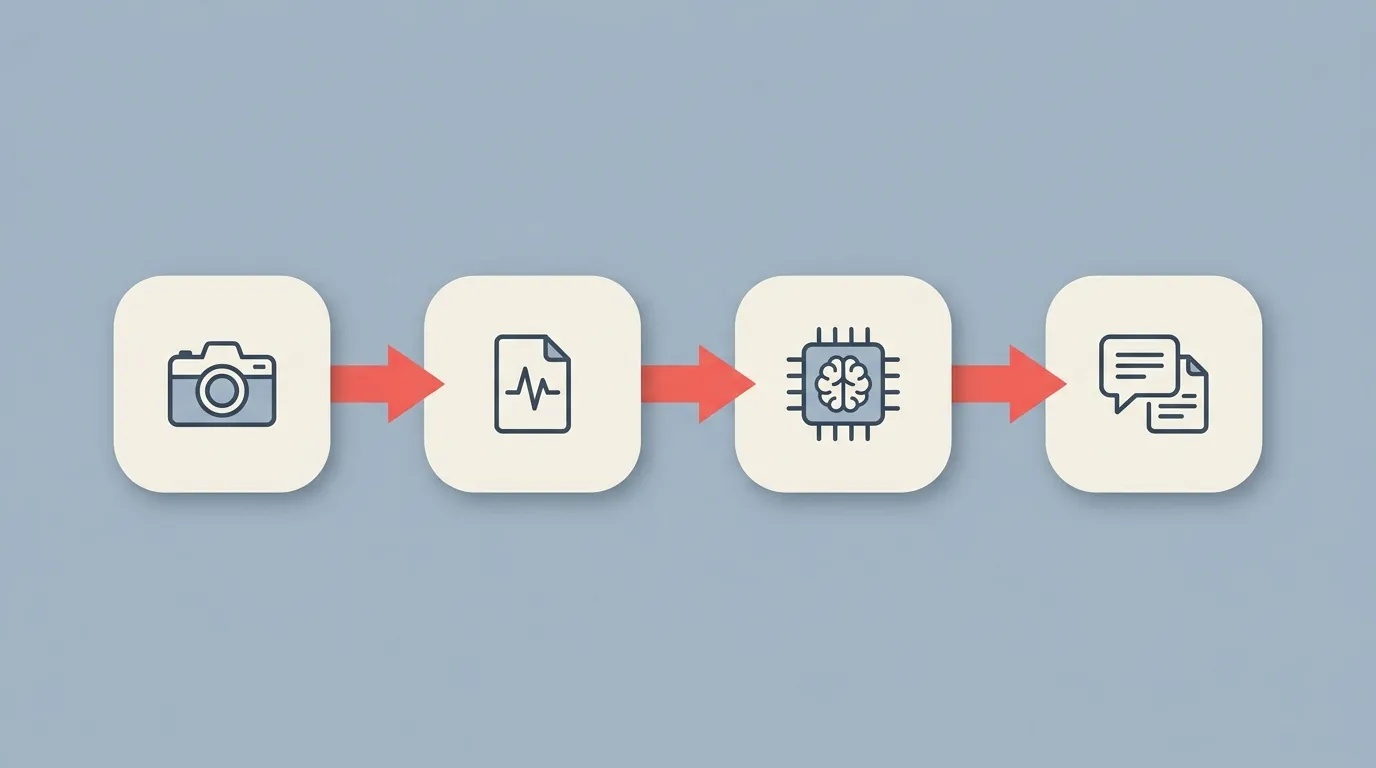
Architecture overview
The three-step pipeline
Your summarizer does three things:
Accepts a YouTube URL from the user
Extracts the transcript via TranscriptAPI (49ms median response time)
Sends the transcript to OpenAI GPT-4 with a summarization prompt
The response comes back as a structured summary with key points, timestamps, and a one-paragraph overview.
That's it. Three steps. Two API calls. One result.
The transcript extraction is the fast part. TranscriptAPI processes over 15 million transcripts per month and responds in under 50ms. The LLM step is where most of the latency lives, typically 2-10 seconds depending on video length.
Technology choices
Here's what we're using and why:
FastAPI for the API framework. It's fast, async-native, and auto-generates Swagger docs.
TranscriptAPI for transcript extraction. Reliable, fast, and you don't have to deal with YouTube scraping.
OpenAI GPT-4 for summarization. Best quality. You could also swap in Claude or an open-source model.
What does this cost per summary? About $0.005-0.02. That's one TranscriptAPI credit (roughly $0.005 on the monthly plan) plus LLM tokens ($0.01-0.015 for GPT-4).
Ready to build it?

Step 1: set up the project
Project structure and dependencies
Create a new directory with three files:
video-summarizer/
  main.py
  requirements.txt
  .env
Install your dependencies:
pip install fastapi uvicorn httpx openai python-dotenv
Set up your .env file:
TRANSCRIPT_API_KEY=your_transcriptapi_key
OPENAI_API_KEY=your_openai_key
You can get a TranscriptAPI key at transcriptapi.com. There are 100 free credits to start with. No credit card needed.
The FastAPI app skeleton
Start with the basic structure. One POST endpoint. Clean request and response models.
from fastapi import FastAPI, HTTPException
from pydantic import BaseModel
from enum import Enum
import httpx
import openai
import os
from dotenv import load_dotenv

load_dotenv()

app = FastAPI(title="YouTube Video Summarizer API")

class SummaryType(str, Enum):
    brief = "brief"
    detailed = "detailed"
    bullet_points = "bullet_points"

class SummarizeRequest(BaseModel):
    video_url: str
    summary_type: SummaryType = SummaryType.brief

class SummarizeResponse(BaseModel):
    video_title: str
    summary: str
    key_points: list[str]
    timestamps: list[dict]

@app.post("/summarize", response_model=SummarizeResponse)
async def summarize_video(request: SummarizeRequest):
    # We'll fill this in next
    pass
Notice the SummaryType enum. Users pick between a brief overview, a detailed breakdown, or bullet points. This small touch makes the API much more useful.
For all available parameters and response formats, see our complete API developer guide.

Step 2: extract the transcript
The transcript extraction function
Here's where TranscriptAPI does the heavy lifting. One HTTP call, and you get the full transcript with timestamps.
TRANSCRIPT_API_KEY = os.getenv("TRANSCRIPT_API_KEY")

async def get_transcript(video_url: str) -> dict:
    async with httpx.AsyncClient() as client:
        response = await client.get(
            "https://transcriptapi.com/api/v2/youtube/transcript",
            params={
                "video_url": video_url,
                "send_metadata": "true"
            },
            headers={
                "Authorization": f"Bearer {TRANSCRIPT_API_KEY}"
            }
        )

    if response.status_code == 404:
        raise HTTPException(status_code=404, detail="Video not found or has no captions")
    if response.status_code == 401:
        raise HTTPException(status_code=500, detail="Transcript API authentication failed")
    if response.status_code != 200:
        raise HTTPException(status_code=502, detail="Failed to extract transcript")

    data = response.json()
    full_text = " ".join([seg["text"] for seg in data["transcript"]])

    return {
        "title": data.get("metadata", {}).get("title", "Unknown"),
        "full_text": full_text,
        "segments": data["transcript"]
    }
The function returns three things: the video title, the full text as a single string, and the original segments with timestamps. You need all three.
Have you noticed how many error states we handle here? That's intentional. A 404 means the video doesn't exist or has no captions. A 401 means your API key is bad. Each one gets a clear error message back to the user.
Handling long videos
Videos over 30 minutes generate transcripts that can be 10,000+ words. Some LLMs have context window limits, and even those that don't will produce worse summaries from very long inputs.
The fix is chunking:
def chunk_transcript(text: str, max_tokens: int = 4000) -> list[str]:
    words = text.split()
    chunks = []
    current_chunk = []
    current_length = 0

    for word in words:
        current_chunk.append(word)
        current_length += 1
        if current_length >= max_tokens:
            chunks.append(" ".join(current_chunk))
            current_chunk = []
            current_length = 0

    if current_chunk:
        chunks.append(" ".join(current_chunk))

    return chunks
For a 60-minute video, you might get 3-4 chunks. Summarize each one, then create a meta-summary from the chunk summaries. The results are better than trying to stuff the whole thing into one prompt.

Step 3: generate the summary
The summarization prompt
Your prompt design determines the quality of your output. Here's what works well:
PROMPTS = {
    "brief": """Summarize this video transcript in one paragraph (3-4 sentences).
Then list 3-5 key takeaways as bullet points.
Include timestamps (in MM:SS format) for the most important moments.
Only use information from the transcript. Do not add external knowledge.

Transcript:
{transcript}""",

    "detailed": """Create a detailed summary of this video transcript.
Include:
1. A one-paragraph overview
2. Section-by-section breakdown with timestamps
3. 5-8 key takeaways
4. Notable quotes from the speaker
Only use information from the transcript.

Transcript:
{transcript}""",

    "bullet_points": """Convert this video transcript into a structured bullet-point summary.
Group related points under topic headings.
Include timestamps (MM:SS) for each major topic.
Aim for 10-15 bullet points total.
Only use information from the transcript.

Transcript:
{transcript}"""
}
Notice the instruction: "Only use information from the transcript." Without this, the LLM might add its own knowledge about the topic. You want summaries of what was actually said.
The summary generation function
OPENAI_API_KEY = os.getenv("OPENAI_API_KEY")
client = openai.AsyncOpenAI(api_key=OPENAI_API_KEY)

async def generate_summary(transcript: str, segments: list, summary_type: str) -> dict:
    prompt = PROMPTS[summary_type].format(transcript=transcript)

    response = await client.chat.completions.create(
        model="gpt-4",
        messages=[{"role": "user", "content": prompt}],
        temperature=0.3
    )

    raw_summary = response.choices[0].message.content

    # Extract key points (lines starting with - or *)
    lines = raw_summary.split("\n")
    key_points = [line.strip("- *").strip() for line in lines
                  if line.strip().startswith(("-", "*")) and len(line.strip()) > 5]

    # Extract timestamps mentioned in the summary
    import re
    timestamp_pattern = r'(\d{1,2}:\d{2})'
    timestamps = []
    for line in lines:
        matches = re.findall(timestamp_pattern, line)
        if matches:
            timestamps.append({
                "time": matches[0],
                "description": re.sub(timestamp_pattern, "", line).strip("- *:").strip()
            })

    return {
        "summary": raw_summary,
        "key_points": key_points[:8],
        "timestamps": timestamps
    }
Low temperature (0.3) keeps the output factual. You don't want creative summaries. You want accurate ones.
I've found that parsing the LLM output with simple string operations works better than asking the model to return JSON. LLMs sometimes break JSON formatting. Plain text with bullet points is more reliable to parse.
Wiring it all together
Now connect everything in the endpoint:
@app.post("/summarize", response_model=SummarizeResponse)
async def summarize_video(request: SummarizeRequest):
    # Extract transcript
    transcript_data = await get_transcript(request.video_url)

    # Handle long videos
    full_text = transcript_data["full_text"]
    if len(full_text.split()) > 4000:
        chunks = chunk_transcript(full_text)
        chunk_summaries = []
        for chunk in chunks:
            result = await generate_summary(chunk, [], request.summary_type)
            chunk_summaries.append(result["summary"])
        combined = "\n\n".join(chunk_summaries)
        result = await generate_summary(combined, transcript_data["segments"],
                                         request.summary_type)
    else:
        result = await generate_summary(full_text, transcript_data["segments"],
                                         request.summary_type)

    return SummarizeResponse(
        video_title=transcript_data["title"],
        summary=result["summary"],
        key_points=result["key_points"],
        timestamps=result["timestamps"]
    )
That's the complete backend. Under 100 lines of actual logic.

Step 4: test and deploy
Testing locally
Fire it up:
uvicorn main:app --reload
Open http://localhost:8000/docs in your browser. FastAPI auto-generates a Swagger UI where you can test your endpoint right away.
Try these test cases:
A short video (under 5 minutes)
A long conference talk (45+ minutes)
A video with no captions (should return a clear error)
An invalid URL (should return a validation error)
Each test reveals different behavior. The short video goes straight through. The long one triggers chunking. The no-captions one hits your 404 handler.
Here's a quick curl command to test your running API:
curl -X POST http://localhost:8000/summarize \
  -H "Content-Type: application/json" \
  -d '{"video_url": "https://youtube.com/watch?v=dQw4w9WgXcQ", "summary_type": "brief"}'
Does the response include a title, summary, key points, and timestamps? If yes, you're in good shape.
Deployment options
For quick deployment, try one of these:
Railway: Push your repo and it auto-deploys. Set env vars in the dashboard.
Render: Free tier available. Good for side projects.
Fly.io: Great if you want edge deployment.
Add a Dockerfile for containerized hosting:
FROM python:3.11-slim
WORKDIR /app
COPY requirements.txt .
RUN pip install -r requirements.txt
COPY main.py .
CMD ["uvicorn", "main:app", "--host", "0.0.0.0", "--port", "8000"]
One thing people forget: add rate limiting to your deployed API. Otherwise someone finds your endpoint and burns through your OpenAI credits overnight. A simple in-memory rate limiter or SlowAPI integration will do.
from slowapi import Limiter
from slowapi.util import get_remote_address

limiter = Limiter(key_func=get_remote_address)

@app.post("/summarize")
@limiter.limit("10/minute")
async def summarize_video(request: Request, body: SummarizeRequest):
    # ... your logic here
Ten requests per minute per IP is a reasonable default. Adjust based on your use case.
Want searchable summaries across your entire video library? Build a RAG pipeline with YouTube transcripts as your next project.
Another powerful use: automatically convert YouTube transcripts into SEO-optimized blog posts.
Enhancements and extensions
Adding caching
Summaries don't change. Once you've summarized a video, cache the result.
from functools import lru_cache
import hashlib

# Simple in-memory cache (use Redis for production)
summary_cache = {}

async def summarize_video(request: SummarizeRequest):
    cache_key = f"{request.video_url}:{request.summary_type}"
    if cache_key in summary_cache:
        return summary_cache[cache_key]

    # ... generate summary ...

    summary_cache[cache_key] = result
    return result
For production, use Redis or SQLite with a TTL of 7-30 days. Videos don't change often, so your cache hit rate will be high.
I've seen caching cut API costs by 60-80% for summarizer products. Popular videos get summarized once and served from cache hundreds of times after that. The savings add up fast.
Adding a frontend
You don't need React for this. A simple HTML form with vanilla JavaScript works fine:
<form id="summarize-form">
  <input type="text" id="video-url" placeholder="Paste YouTube URL" />
  <button type="submit">Summarize</button>
</form>
<div id="result"></div>

<script>
document.getElementById("summarize-form").addEventListener("submit", async (e) => {
  e.preventDefault();
  const url = document.getElementById("video-url").value;
  const resp = await fetch("/summarize", {
    method: "POST",
    headers: {"Content-Type": "application/json"},
    body: JSON.stringify({video_url: url, summary_type: "brief"})
  });
  const data = await resp.json();
  document.getElementById("result").innerHTML =
    `<h2>${data.video_title}</h2><p>${data.summary}</p>`;
});
</script>
Make the timestamps clickable. Link each one to https://youtube.com/watch?v=VIDEO_ID&t=SECONDS so users can jump directly to that moment in the video.
Other ideas to explore
Once your basic summarizer works, there's plenty of room to expand:
Batch summarization: Let users paste a playlist URL and summarize every video in it
Slack integration: Paste a YouTube link in Slack, get a summary in the thread
Chrome extension: Summarize any video you're watching with one click
Email digest: Summarize new videos from channels you follow and send a daily email
Each of these builds on the same core pipeline. The transcript extraction and summarization logic stays the same. You're just changing the input and output channels.
Which extension sounds most useful to you?
Frequently asked questions
How much does it cost to run a video summarizer API?
Each summary costs about $0.005-0.02. That's one TranscriptAPI credit (~$0.005 on the monthly plan) plus OpenAI API costs (~$0.01-0.015 per summary with GPT-4).
At 100 summaries per day, expect $1-2 per day in total API costs. That's very manageable for a product that provides real value.
Can I use a free LLM instead of OpenAI?
Yes. You can swap in open-source models like Llama or Mistral through Ollama (local) or Together.ai (hosted). The architecture stays the same. Only the generate_summary function changes.
Quality may vary with smaller models, but for basic summarization, most modern models do a solid job.
How long does each summary take to generate?
Transcript extraction takes about 49ms. That's the fast part. LLM summarization takes 2-10 seconds depending on video length and which model you use.
Total end-to-end: 3-12 seconds. Fast enough for a web app. If you need it faster, cache aggressively and use a smaller model.
Start building
A YouTube video summarizer API is one of the most practical things you can build with a transcript API. Simple to build. Immediately useful. And very monetizable if you want to take it in that direction.
The combination of TranscriptAPI for extraction and an LLM for summarization gives you a production-ready tool in under 100 lines of code.
Build yours today with 100 free credits at transcriptapi.com. The complete API reference has everything you need to get started.
What kind of videos would you build a summarizer for first?
Frequently Asked Questions
- What does the architecture of a YouTube video summarizer look like?
- Three stages: the user sends a YouTube URL to your FastAPI endpoint; your server calls TranscriptAPI to extract the transcript (about 49ms median response time); and your server sends that transcript to GPT-4 with a summarization prompt. The response comes back as structured JSON with the video title, a one-paragraph summary, a key-points list, and timestamps — three steps, two API calls, one result.
- How much does it cost to run a single video summary?
- Roughly $0.005 to $0.02 per summary: about one TranscriptAPI credit (around $0.005 on the monthly plan) plus GPT-4 token costs (about $0.01-$0.015 for a typical transcript). The transcript step is fast at around 49ms; most of the latency and cost lives in the LLM call, which usually takes a few seconds depending on video length. That math lets you price your own summarizer product.
- Can I use a different LLM instead of GPT-4 for the summarization step?
- Yes. You can swap GPT-4 for Claude or an open-source model without touching the data pipeline — the TranscriptAPI extraction step stays identical regardless of which model summarizes. You only change the LLM client and the prompt.